
 Download Netflix videos to MP4 or MKV format in 1080P Full HD resolution.
 English
 Arabic
 Chinese (Simplified)
 Chinese (Traditional)
 Croatian
 Czech
Czech Danish
 Dutch
Dutch Finnish
 French
 German
 Greek
Greek Hebrew
 Hindi
Hindi Indonesian
 Italian
 Japanese
 Korean
 Malay
Malay Norwegian
 Polish
 Portuguese
 Russian
 Slovenian
 Spanish
 Swedish
 Thai
Thai Turkish
 Ukrainian
 Vietnamese


Is TuneFab YouTube Music Converter worth to try? This in-depth TuneFab YouTube Music Converter review covers a detailed breakdown of features, usability, pricing, limitations, and the best alternative.
To download YouTube Music for offline listening, except for subscribing to YouTube/YouTube Music Premium, some users may look for a third-party YouTube music downloader for help. There are many tools available to help. But not all of them are reliable at all. Some of them offer lossy output quality, while others work at low speed or keep failing.
From the best YouTube music converters, we found a decent YouTube Music downloader, named TuneFab YouTube Music Converter. What is TuneFab YouTube Music Converter? Is it free to use? Is it worth it? In this article, you will find the answers. We will focus on introducing TuneFab YouTube Music Converter from features, pros and cons. Let’s get started.
CONTENTS
Overall Introduction of TuneFab YouTube Music Converter
Specially developed for YouTube music download, TuneFab YouTube Music Converter is a desktop software, available on both Windows and Mac. It help users download songs from YouTube Music and convert them into DRM-free audio formats such as MP3, M4A, WAV, and FLAC. With support for playlists, albums, and batch downloads, TuneFab delivers a convenient solution for users seeking to download YouTube Music content as local audios for offline playback and keeping.
By integrating a built-in YouTube Music web player, the software allows users to log in, browse their music library, and download content directly without installing the official YouTube Music app. Even if you don’t have a Premium subscription, it enables you to download and save YouTube Music tracks, and enjoy the music offline.
TuneFab YouTube Music Converter Features
As a popular YouTube music downloader, TuneFab YouTube Music Converter has some awesome features that you shouldn’t miss:
Download YouTube Music for Offline Listening
TuneFab YouTube Music Converter allows users to download YouTube Music tracks, playlists, albums, and even music videos for offline listening without relying on the YouTube Music app. Once downloaded, the music can be played anytime without internet access or subscription verification.
Convert YouTube Music to Multiple Formats
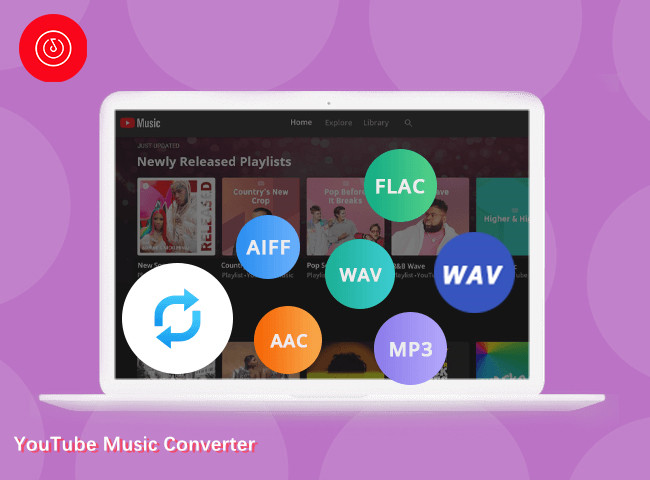
Similar to many YouTube music converters, TuneFab YouTube Music Converter also supports multiple output formats, including MP3, M4A, WAV, and FLAC, AIFF. This makes it easy to transfer the converted YouTube Music songs to smartphones, MP3 players, car systems, and other devices.
Organize YouTube Music Downloads Automatically
The software preserves ID3 tags such as title, artist, album, cover art, and track number. It also allows users to organize downloaded files by artist or album, helping maintain a clean and searchable music library.
5X Speed to Download Music from YouTube Music
TuneFab claims up to 5X download speed on Windows computer, enabling users to convert entire playlists or albums in batches. This feature is especially useful for users with large YouTube Music libraries who want save time and effort.
How to Use TuneFab YouTube Music Converter?
TuneFab YouTube Music Converter has a clear and easy-to-use user interface, making YouTube Music download quite an easy job. You can follow below steps to download YouTube Music to MP3 with TuneFab YouTube Music Converter.
Step 1. Install and Launch. Download and install TuneFab YouTube Music Converter on your Windows or Mac computer. Launch it, and open the built-in YouTube Music web player and sign in with your account.
Step 2. Add Music. Open songs, albums, or playlists, and click “+” icon to queue downloads.
Step 3. Choose Output Settings. Move to the upper-right corner, select your preferred output format (MP3 recommended), audio quality, and output folder.
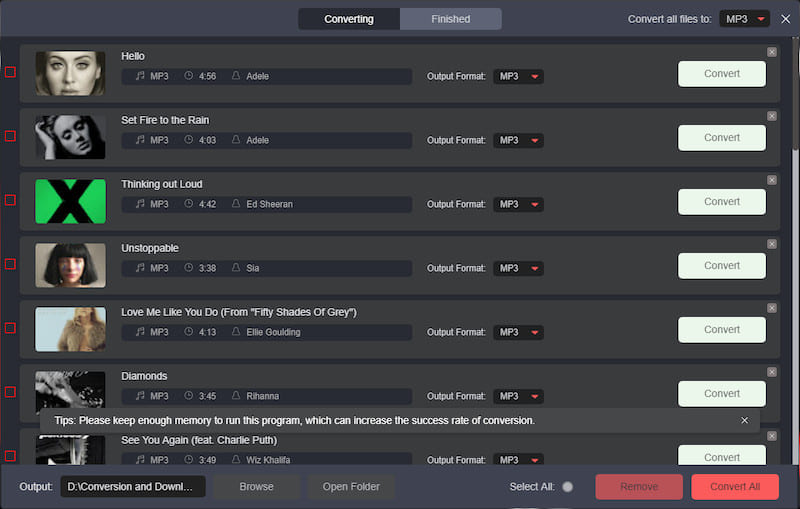
Step 4. Convert YouTube Music. Click the “Convert” button to start downloading and converting YouTube Music to MP3 or other formats.
Is TuneFab YouTube Music Converter Free to Use?
No. TuneFab YouTube Music Converter is a paid software. Its trial version is free to use, but only offers limited conversion. It offers three subscription plans, including:
• 1-Month Subscription: $35.95
• 1-Year Subscription: $79.95
• Single Lifetime License: $99.95
Best Alternative to TuneFab YouTube Music Converter
4kFinder YouTube Music Converter stands out as a powerful and more stable alternative to TuneFab YouTube Music Converter. Designed with both beginners and advanced users in mind, 4kFinder focuses on speed, reliability, and audio quality when downloading YouTube Music.
Like TuneFab, 4kFinder YouTube Music Converter also includes a built-in YouTube Music web player, allowing users to browse and download music directly without installing additional apps. However, 4kFinder is widely recognized for its higher conversion success rate and smoother handling of large playlists. Better still, 4kFinder doesn’t require any account login, so you don’t have to worry about any information leaks! Even if you don’t have any YouTube Music account, you can use it to grab your favorite tracks, playlists, and build your local music library.
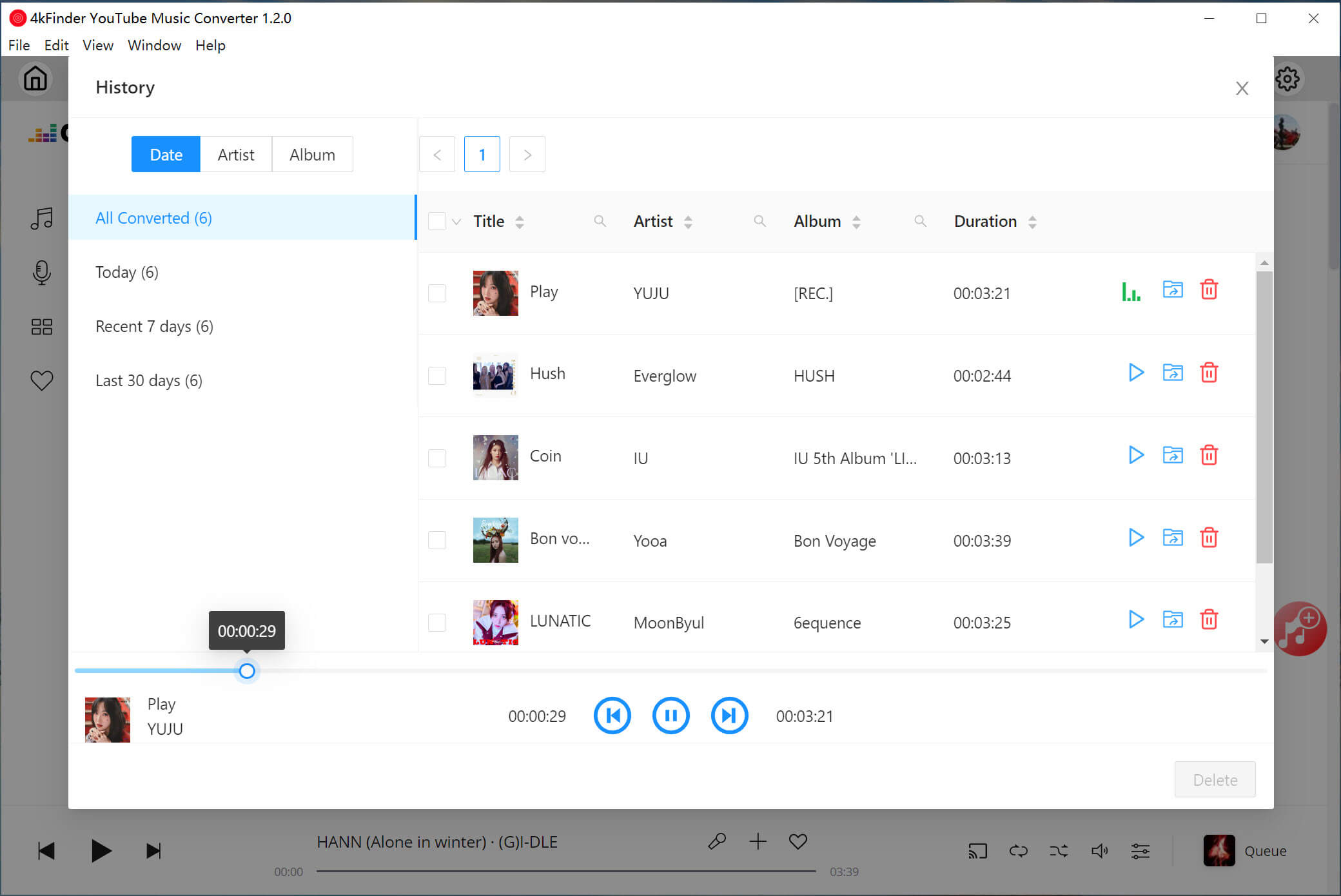
Main Function: 4kFinder YouTube Music Converter enables you to download singles, playlists, albums, and MVs from YouTube Music without a subscription account. It supports converting YouTube Music to MP3, WAV, FLAC, M4A, AAC, and AIFF with output quality reaching 320kbps and highest 640kbps. It also preserves full ID3 tags and album artwork, ensuring your music library remains well organized. And its built-in music player and music manager let you play and manage your output YouTube Music tracks at ease.
Another major advantage is conversion speed, it can reach up to 10X faster performance on supported systems. Additionally, 4kFinder offers frequent updates and responsive customer support, making it more reliable when YouTube Music changes its backend system.
Explore More Features of 4kFinder YouTube Music Converter:
- Built-in YouTube Music web player, Music Player, Music Manager.
- Download all music content from YouTube Music without Premium.
- Convert YouTube Music songs to MP3, M4A, WAV, AAC, FLAC, AAC, AIFF.
- Batch download singles, playlists, albums, MVs from YouTube Music at 10X speed.
- Preserve the original quality and bitrate up to 320kbps, 512kbps, 640kbps.
- Organize output music titles by tags and automatically sort downloads by folders.
- Keep full ID3 tags and allows to customize output audio parameters freely.
How to Convert YouTube Music to MP3 with 4kFinder?
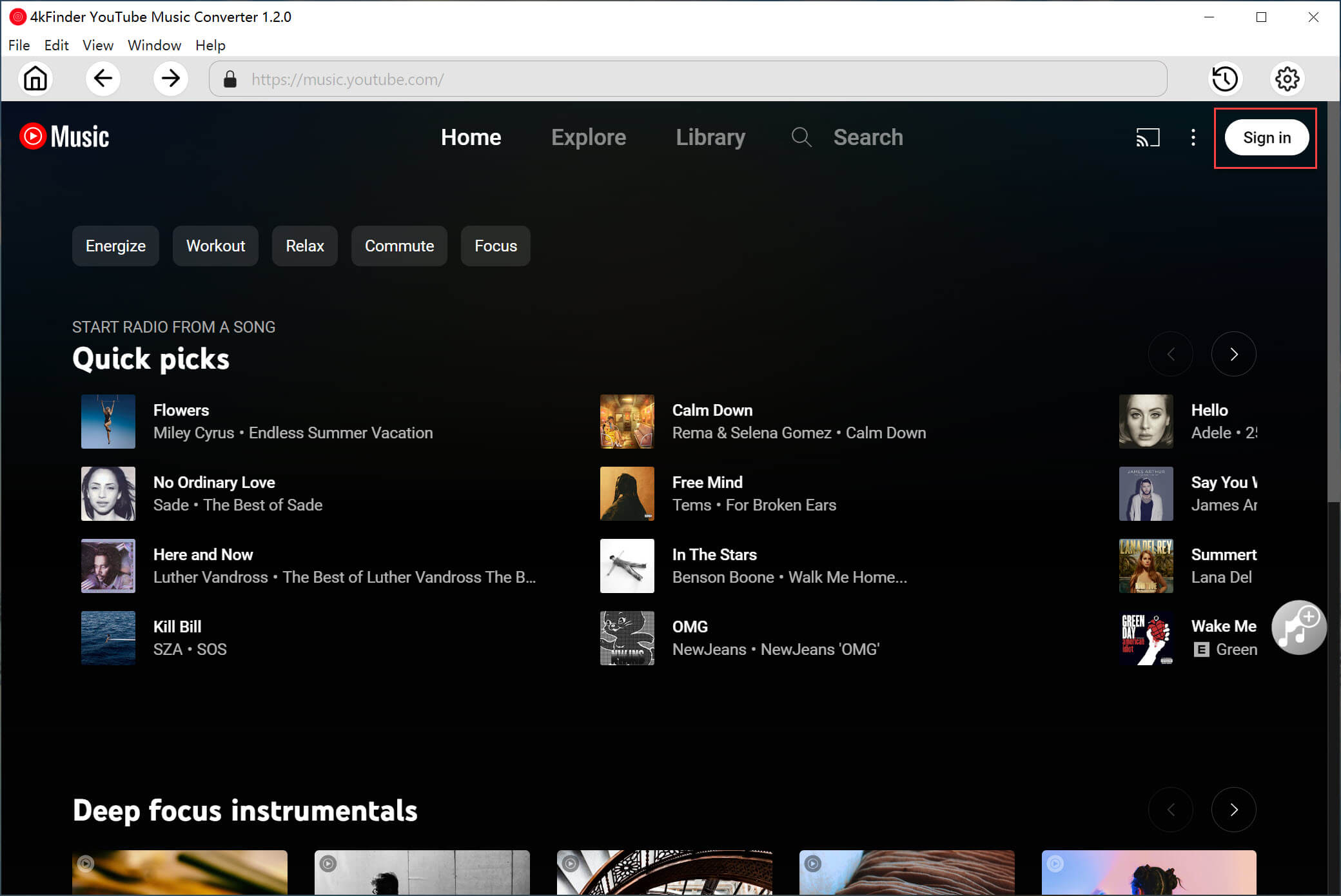
Step 1. Download and Run 4kFinder YouTube Music Converter
Download and install 4kFinder YouTube Music Converter. When you open the software, you can choose to log in to your YouTube free/premium account, or skip this step and access the official music library without logging in.
Step 2. Adjust Output Settings
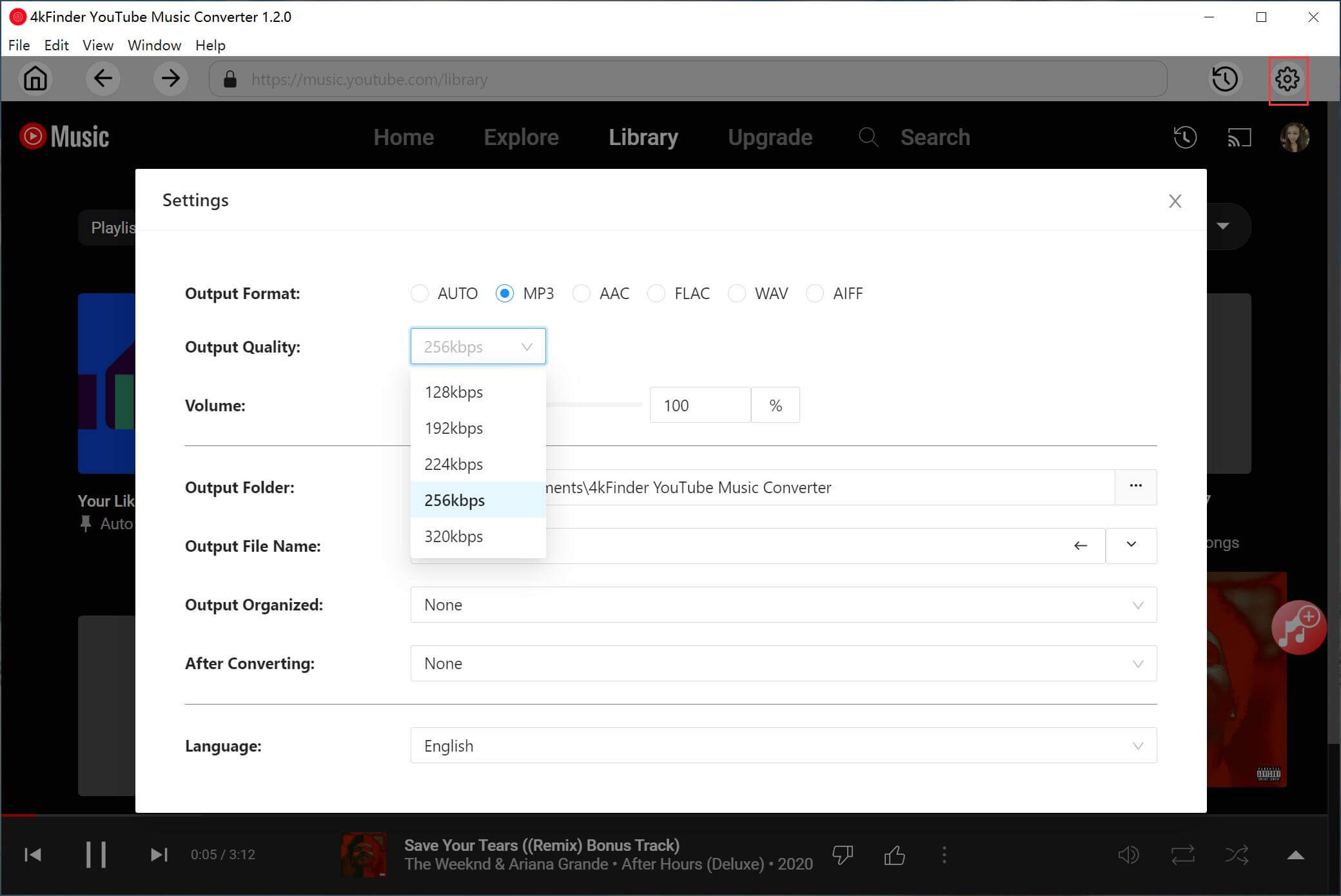
4kFinder YouTube Music Converter offers customized options to let you freely adjust music parameters for your YouTube Music downloads. Click “Gear” icon, select your preferred output format, set the output quality, and choose the output folder, organize output file name, etc.
Step 3. Add Tracks/Playlists/Albums/MVs
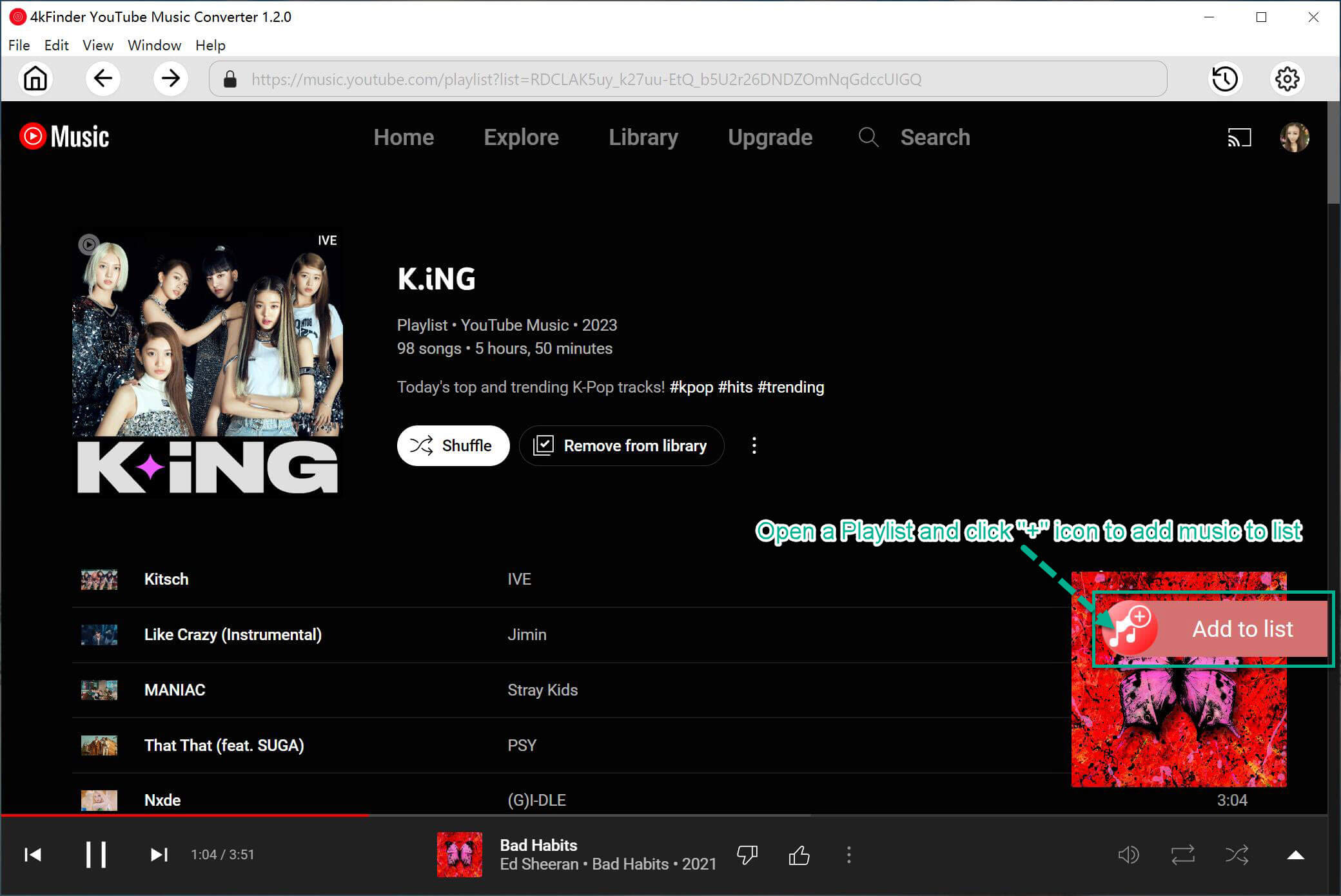
Browse or search for music within the software. You can add songs, entire playlists or albums, or music videos by clicking the “Add to list” icon.
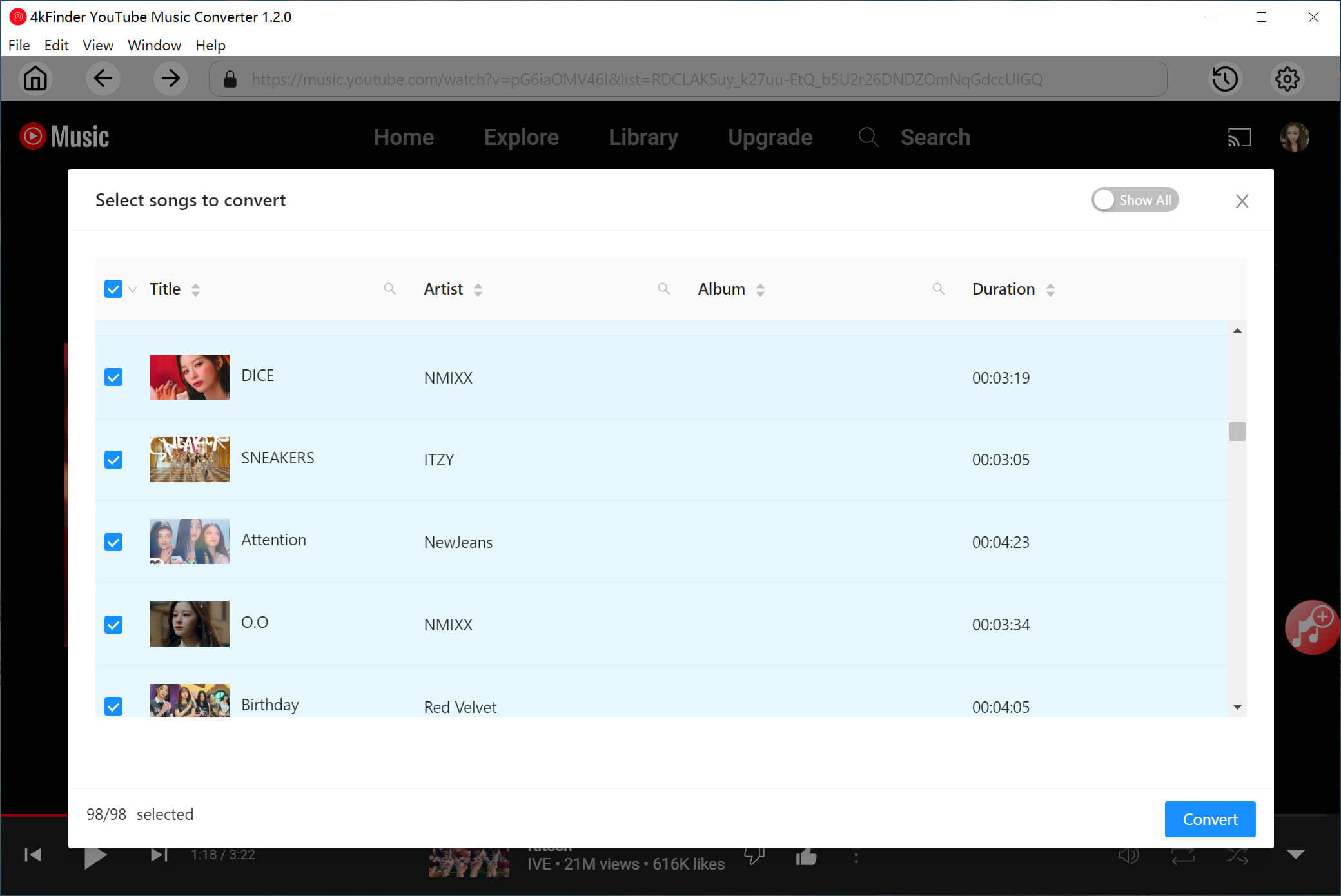
Once your selections are in the queue, double check and confirm.
Step 4. Start Conversion
Click “Convert” to begin the high-speed download. 4kFinder will download all selected songs from YouTube Music web player and export them as local audio files.
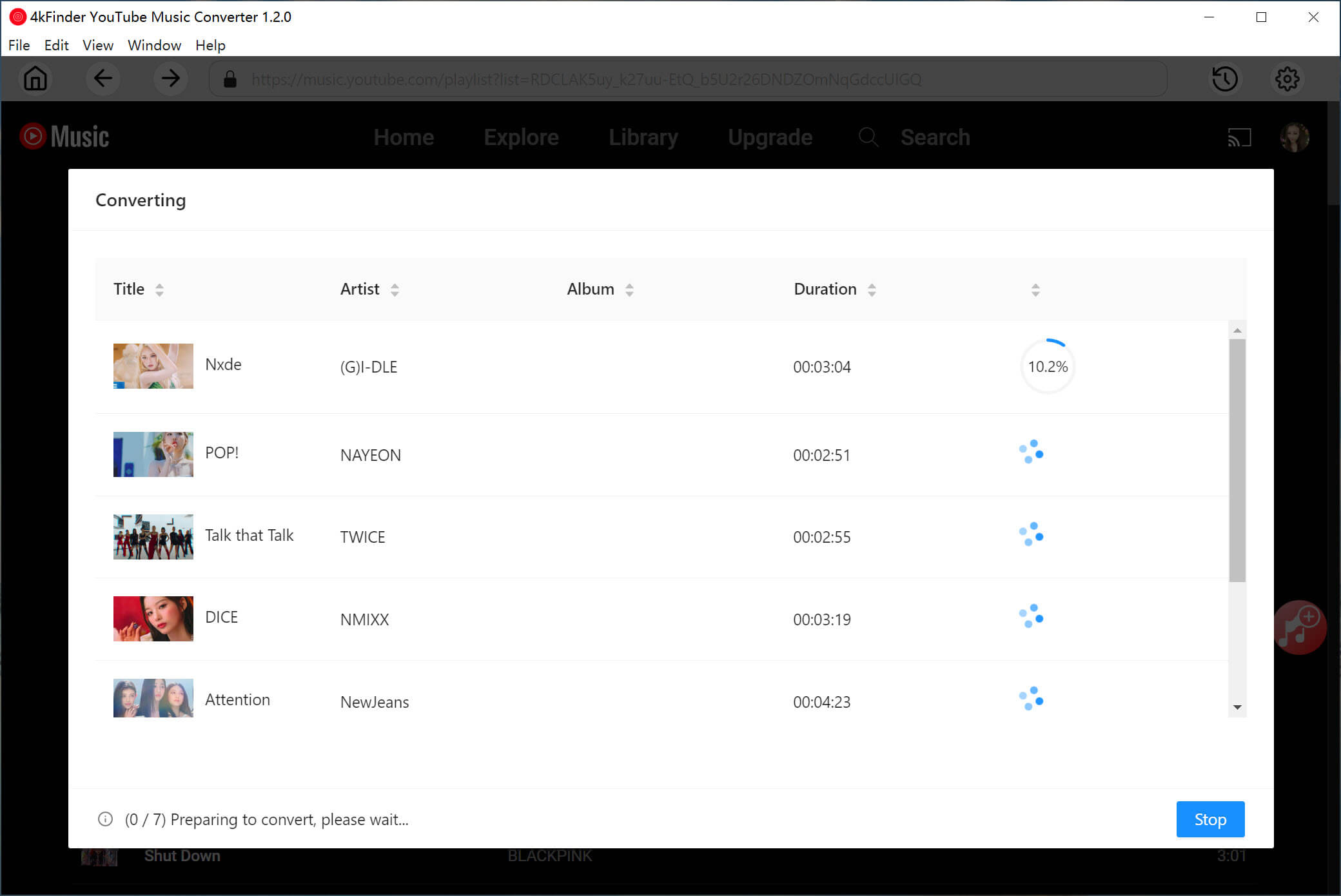
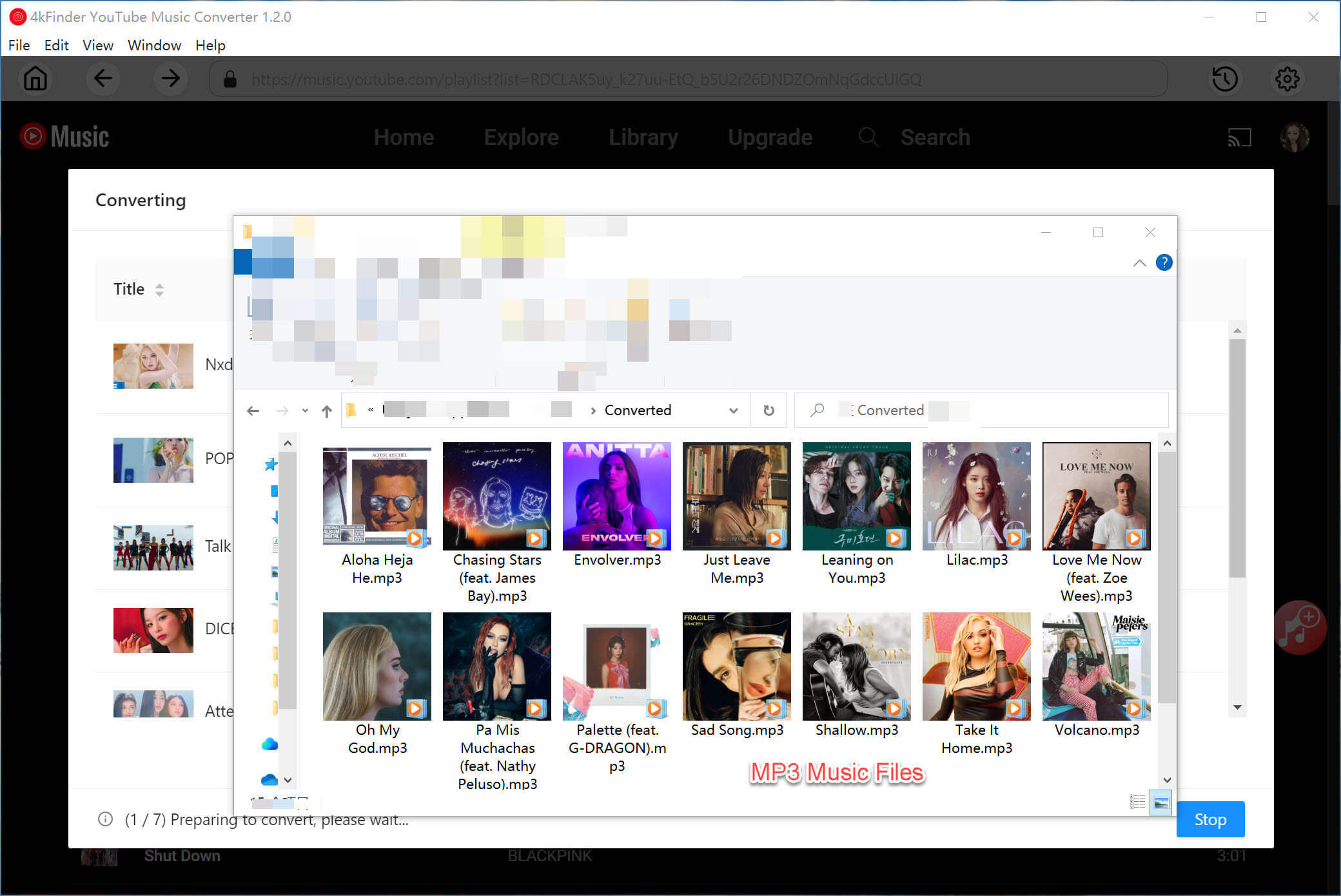
After conversion, you can find your music by clicking the “Clock” icon or directly in the output folder you specified.
Conclusion
So, is the TuneFab YouTube Music Converter worth it? It is a capable tool that performs its core function of downloading YouTube Music to MP3 and other formats. However, its unstable performance, poor customer service and potentially high cost make it a less attractive option for many users.
For most people looking to convert YouTube Music to MP3 and other formats efficiently and reliably, 4kFinder YouTube Music Converter emerges as the superior choice. It has earned a “Great” rating of 4.5/5 on Trustpilot and 4.3/5 on G2, with users praising its user-friendliness, high-quality conversions, affordable price (starting at $14.95/month), and particularly its responsive and helpful customer support. For more details, you can download the free version and test it for yourself!