 Download Netflix videos to MP4 or MKV format in 1080P Full HD resolution.
 English
 Arabic
 Chinese (Simplified)
 Chinese (Traditional)
 Croatian
 Czech
Czech Danish
 Dutch
Dutch Finnish
 French
 German
 Greek
Greek Hebrew
 Hindi
Hindi Indonesian
 Italian
 Japanese
 Korean
 Malay
Malay Norwegian
 Polish
 Portuguese
 Russian
 Slovenian
 Spanish
 Swedish
 Thai
Thai Turkish
 Ukrainian
 Vietnamese

In this guide, we’ll show the top 5 best YouTube downloaders for any device in 2026, including Windows, Mac, Android, and iOS. Whether you want to watch videos offline, convert them to MP3, or save full playlists, these tools make it easy. We’ll explain each one’s features, pros, and cons to help you pick the best YouTube downloader for your needs.
Every minute, more than 500 hours of video are uploaded to YouTube, making offline access more important than ever. No matter if you’re on a PC, Mac, Android, or iPhone, choosing the best YouTube downloaders can feel overwhelming. To make it easier, we tested over 25 different options and selected the top 5 best YouTube downloaders for any device in 2025. From software programs to online tools, this guide will help you find the YouTube downloaders that are safe, fast, and reliable.

CONTENTS
- Top 1. iMovieTool YouTube Movie Downloader (Windows/Mac)
- Top 2. 4kFinder Video Downloader (Windows/Mac)
- Top 3. Y2mate YouTube Video Downloader (Online)
- Top 4. TubeMate YouTube Downloader (Android)
- Top 5. You Down App (iOS)
- Comparison of the Best YouTube Downloaders
- FAQs About the Best YouTube Downloader
Top 1. iMovieTool YouTube Movie Downloader (Windows/Mac)
iMovieTool YouTube Movie Downloader stands out as one of the best YouTube downloaders for both Windows and Mac. It provides a fast and reliable way to save content not only from YouTube but also from popular OTT platforms such as Netflix and Facebook. With support for MP4 and MKV formats, it preserves the original audio tracks, including AAC 5.1 or AC3 5.1 when available, along with subtitles. What makes iMovieTool different from many other YouTube downloaders is its built-in web player. This feature lets you browse, search, stream, and download videos directly within the program. In just a few clicks, you can save high-quality YouTube videos straight to your computer.
👍 Main Features of iMovieTool YouTube Movie Downloader
- Support popular OTT platforms, such as YouTube, Netflix, Facebook.
- Download YouTube movies and TV shows to MP4/MKV.
- Support download YouTube video in HD 1080P quality.
- Keep audio track and subtitle in multiple language.
- Offer 50X download speed in batch.
- Keep YouTube video forever and play them offline on any device.
- Compatible with Windows & Mac.
Tutorial: How to Download YouTube Video with iMovieTool
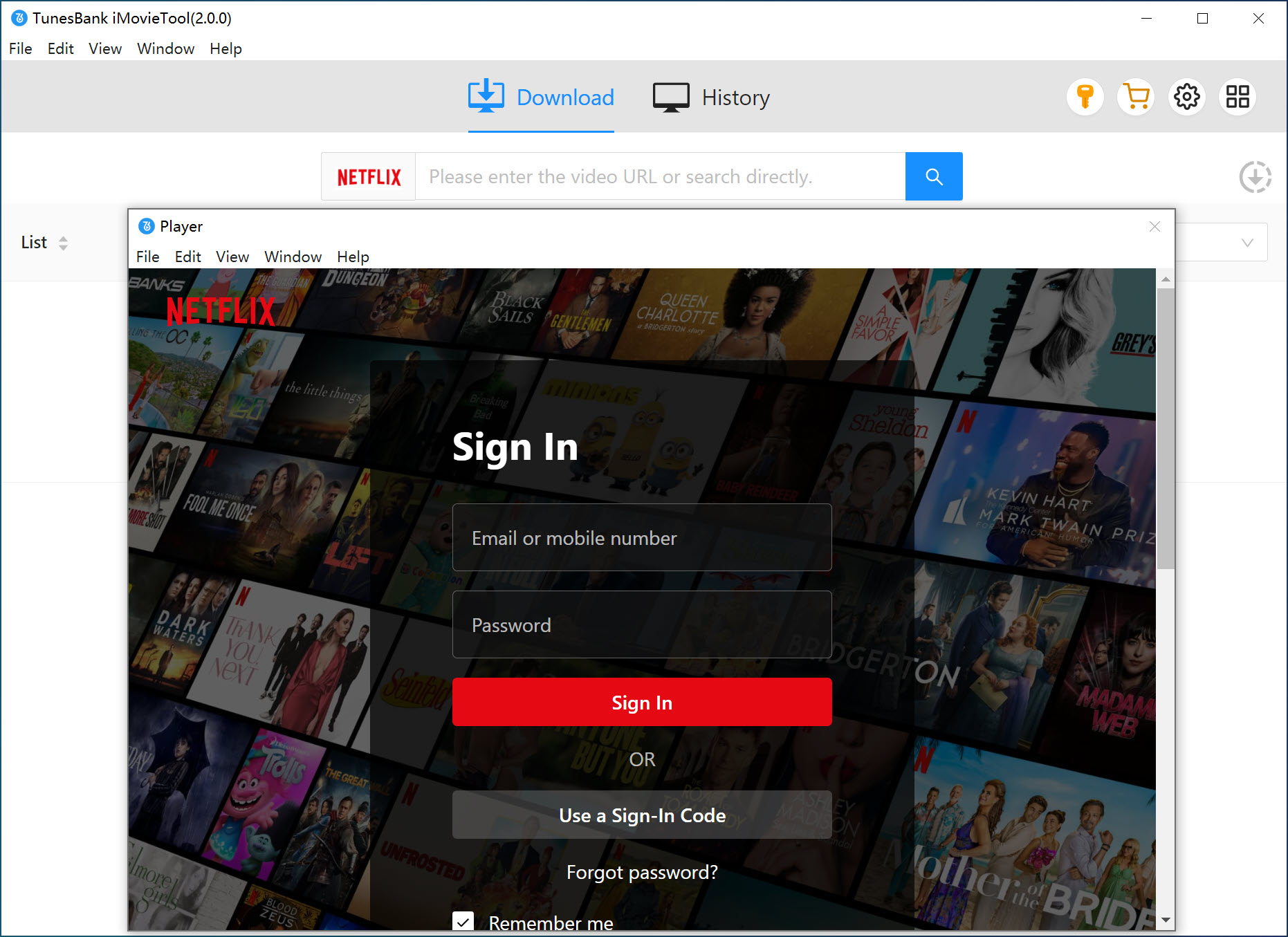
Step 1. Install and Open iMovieTool
Download, install iMovieTool and launch the program, select YouTube service and log in to your account.
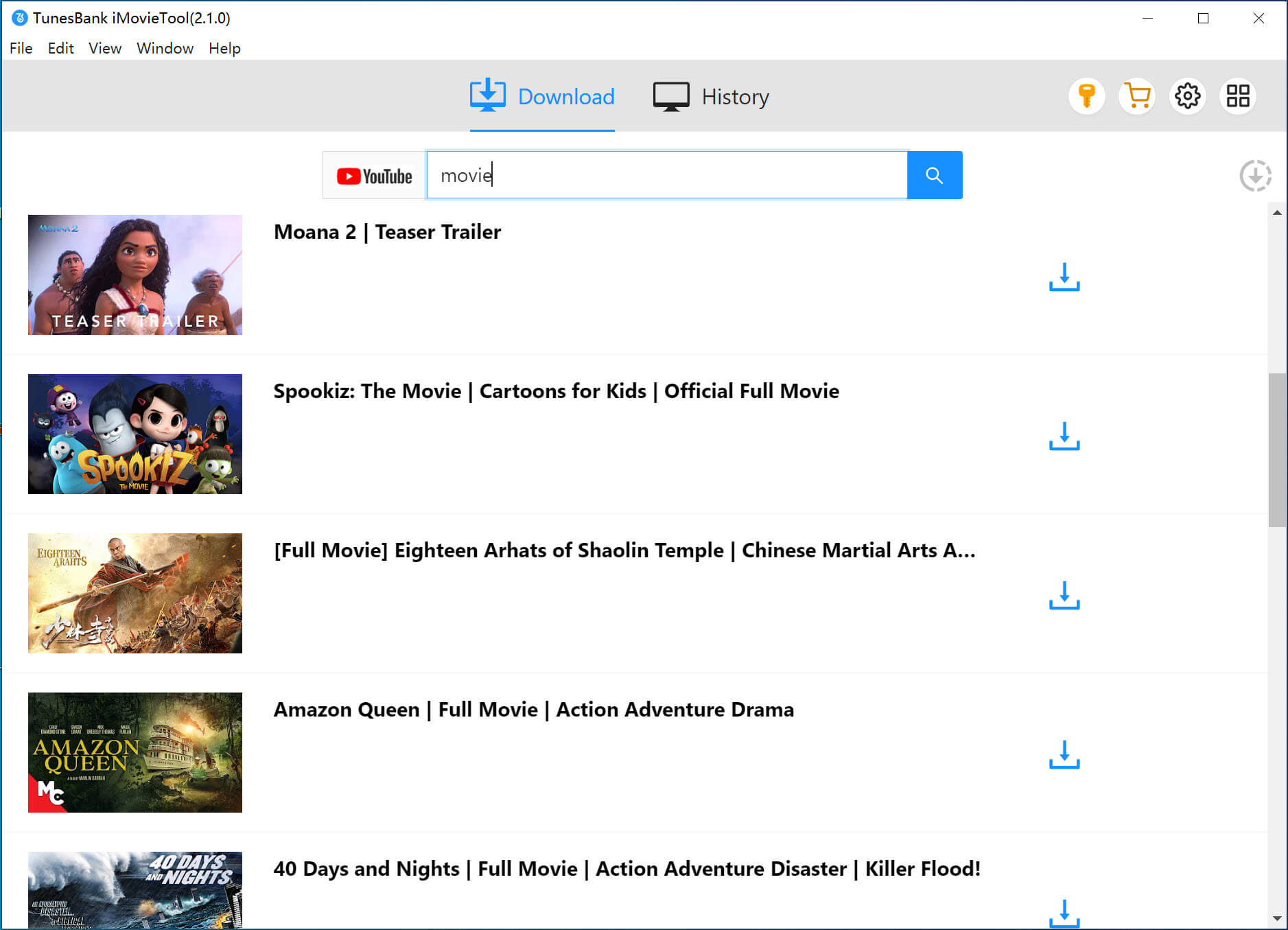
Step 2. Find YouTube Video You Want to Download
Search for the video you want to download by entering its name or pasting the URL.
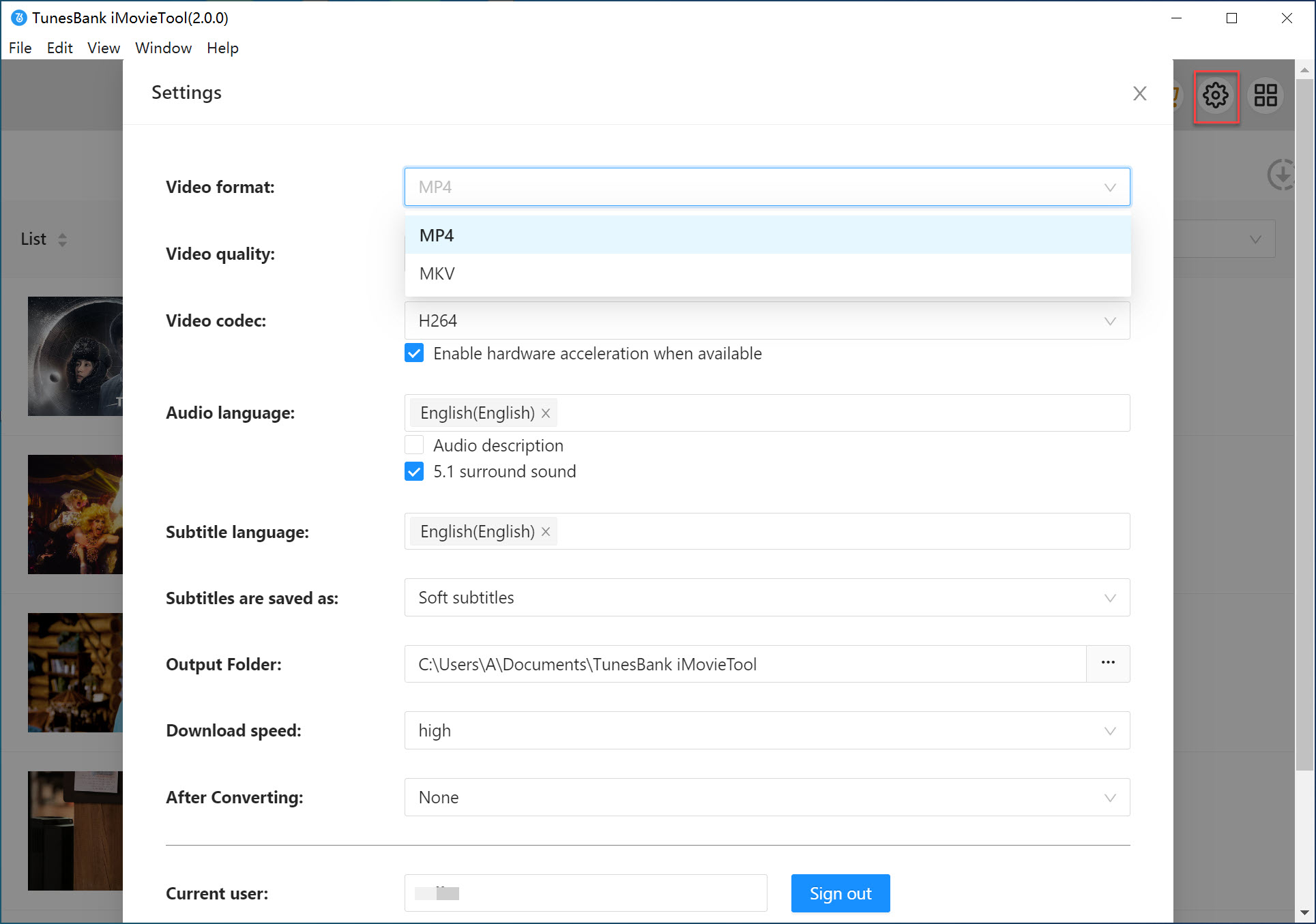
Step 3. Choose Format and Quality
Click the gear icon to select your preferred video format, resolution, audio track, and subtitles.
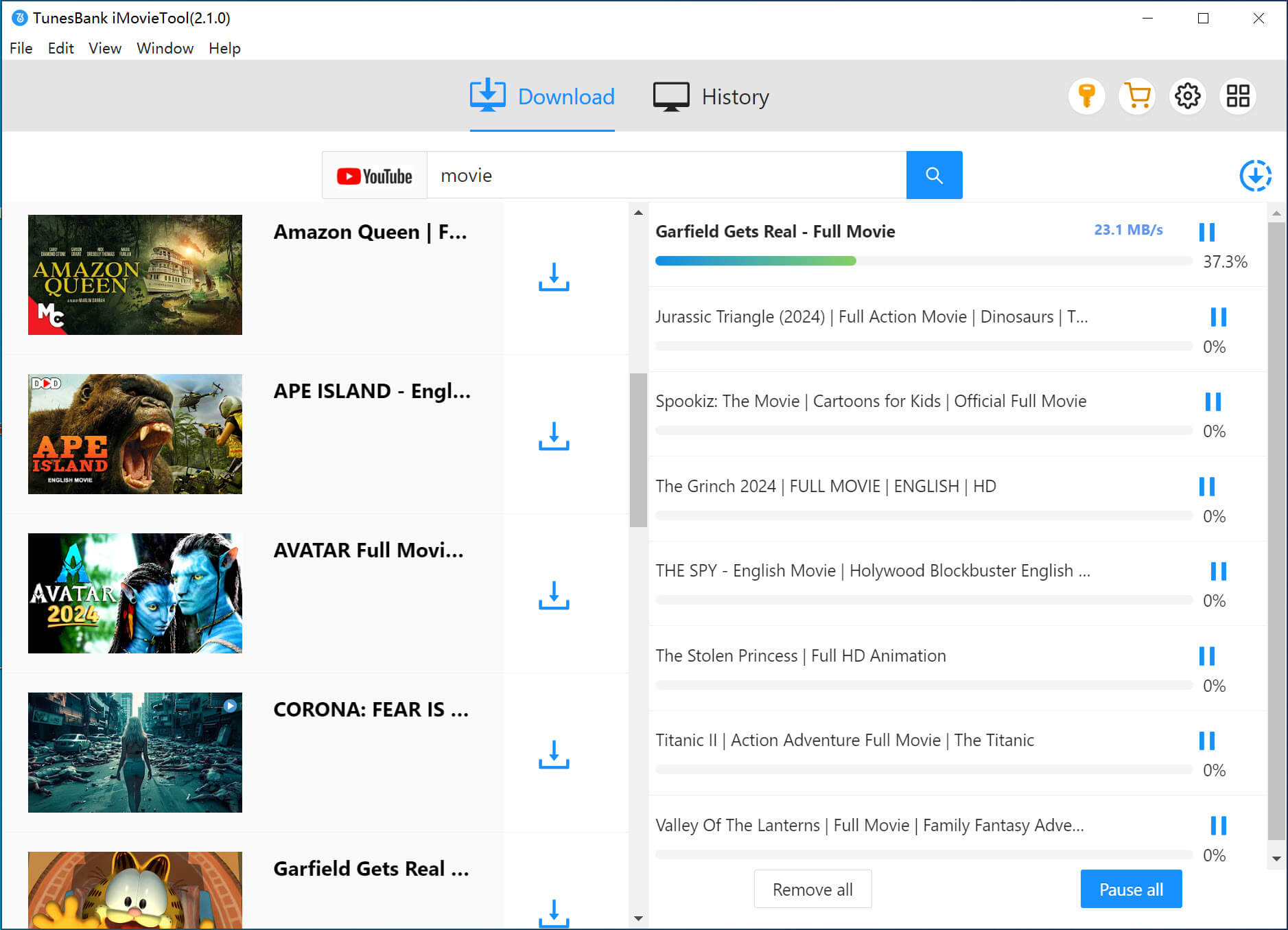
Step 4. Start to Download the Video
Press the Download button to save the YouTube video directly to your computer.
✅Pros:
- Works with YouTube, Netflix, Facebook, and more
- Support MP4 and MKV as output format
- Downloads YouTube videos in HD 1080p
- Ads-free, no Premium account needed
- Built-in browser for easy use
- Fast download speed in batch
- Saves audio and subtitles in multiple languages
❌Cons:
- Free trial has limited features
- No mobile app
Top 2. 4kFinder Video Downloader (Windows/Mac)
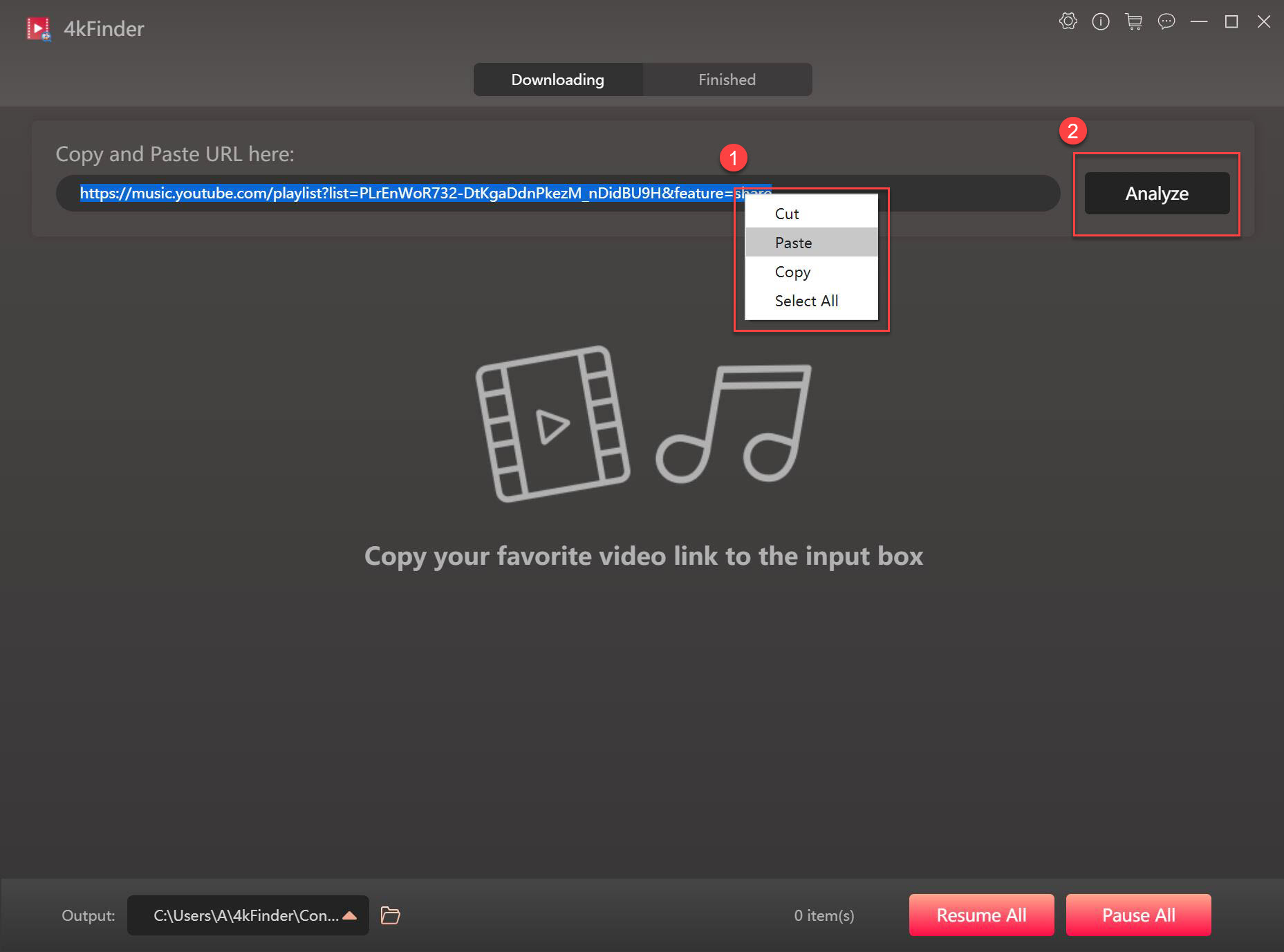
4kFinder Video Downloader is a powerful desktop app and one of the best YouTube downloaders. It lets you save videos and music from over 1000 sites, including YouTube, Vimeo, SoundCloud, TikTok, and more. It offers fast downloads, high-quality videos, and a reliable 100% success rate. Moreover, 4kFinder works by simply copying and pasting the video URL. You can download any YouTube content, from movies and music videos to live streams, 3D 360 and VR180 videos, full playlists, and channels. Videos can be saved in MP4, MOV, or WebM, with resolutions from 720p up to 8K for the best offline viewing experience.
Video Guide about how to use 4kFinder to download YouTube Videos to MP4 in 1080P
Downloading YouTube videos with 4kFinder is simple and fast
Step 1. Open 4kFinder, paste the YouTube link, and click Analyze.
Step 2. Select the video quality you want from the available options.
Step 3. Click Download to save the video to your computer.
✅Pros:
- Works with 1,000+ streaming sites
- Supports high-resolution downloads up to 8K/4K/HD
- Save YouTube videos in MP4, MOV, WebM, or MP3
- Batch download videos, playlists, or channels
- Unlimited downloads at up to 6X speed
- Clean and easy-to-use interface with no ads
- No need for YouTube Premium, app, or account
❌Cons:
- No mobile app
- Free version only allows 5 downloads
Top 3. Y2mate YouTube Video Downloader (Online)
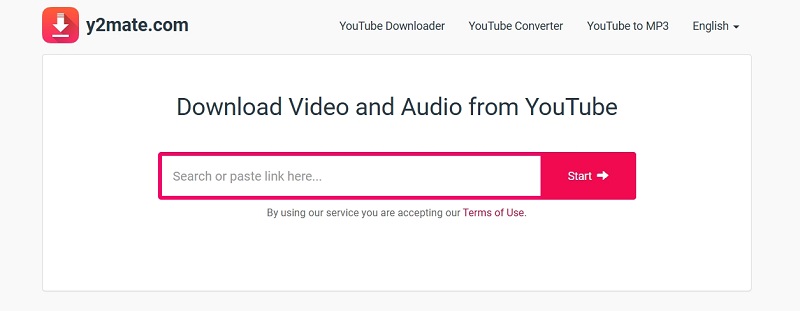
Y2mate YouTube Video Downloader is an online tool that works directly in your browser, so there’s no need to install anything. If you want a quick and easy way to save videos, Y2mate is worth a try. It supports multiple formats including MP4, MP3, FLV, WebM, and 3GP, and offers high-quality resolutions. Just paste the YouTube link, pick your format and quality, and start downloading. It works well on PC, Mac, and mobile devices.
On the downside, the Y2mate website contains a lot of ads and pop-ups, which often lead to unsafe third-party pages. Another drawback is that it doesn’t support batch downloading, so you can’t grab entire playlists or channels at once.
✅Pros:
- Works online without installing software
- Compatible with all devices
- Supports formats like MP4, MP3, FLV
- Free and easy to use
❌Cons:
- Annoying pop-up ads and redirects
- No option for batch downloads
- Can’t download subtitles
- Sometimes unstable
Top 4. TubeMate YouTube Downloader (Android)
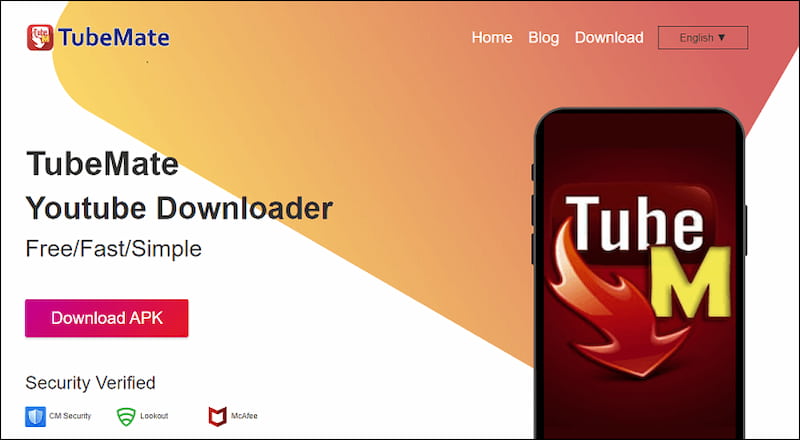
TubeMate YouTube Downloader is among the most well-known YouTube downloaders for Android, trusted by millions thanks to its easy-to-use design and powerful features. It supports 4K resolution for high-quality offline viewing and allows batch downloads, making it simple to save entire playlists at once. You can also convert videos to MP3, perfect for listening to YouTube music anywhere.
The downside is that TubeMate isn’t available on the Google Play Store because of policy restrictions. To install it, you’ll need to download the APK from a third-party website, which carries some risks if you’re not cautious.
✅Pros:
- Free with unlimited downloads
- Video quality options from 144p up to 4K
- Supports batch downloads for faster saving
- Built-in converter for MP3
- Easy to use
❌Cons:
- Not on Google Play, APK install required
- Lots of ads in the app
- May crash when handling multiple high-quality downloads
Top 5. You Down App (iOS)
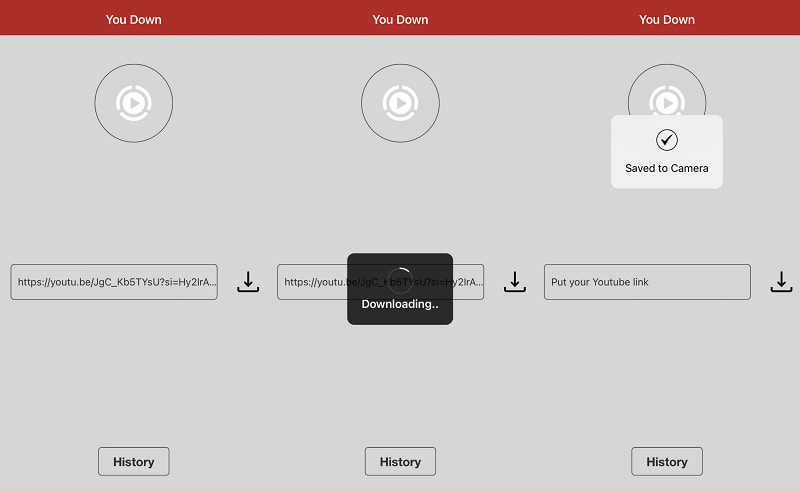
TubeMate is made for Android, while You Down is a trusted YouTube downloader for iOS. It works with Safari using a share extension, so you can download videos straight from the browser by tapping the Share button and choosing You Down. The app supports MP4 and MP3 formats, with video quality up to 1080p.
Because of iOS rules, downloaded videos are stored in the Files app instead of the Photos app, keeping the app within App Store guidelines.
✅Pros:
- Works smoothly with iOS and Safari
- Supports 1080p video and 320 kbps audio
- Easy download through shared YouTube links
- Free to use with no ads
❌Cons:
- Free version limited to 720p
- HD downloads require payment
- Needs iOS 9.0 or later
- Videos can’t be saved to Photos app
- Only supports MP4 and MP3 formats
Comparison of the Best YouTube Downloaders
We’ve reviewed the top 5 best YouTube downloaders in detail. With so many choices, it can be hard to decide which one is right for you. To make it easier, here’s a comparison table that highlights the features of each option and helps you choose the best fit.
| iMovieTool YouTube Movie Downloader | 4kFinder Video Downloader | Y2mate YouTube Video Downloader | TubeMate YouTube Downloader | You Down App | |
|---|---|---|---|---|---|
| Support OS | Windows/Mac | Windows/Mac | Online | Android | iOS |
| Output Formats | MP4, MKV | MP4, MOV, WebM, MP3 | MP4, MP3, FLV, WebM, and 3GP | MP3 | MP4, MP3 |
| Output Quaitly | HD 1080P | 720p, 1080p, 4k | 720p, 1080p, 4k | 144p up to 4K | 1080p video and 320 kbps audio |
| Batch Download | Yes | Yes | Yes | Yes | Yes |
| Speed | Very fast | Fast | Medium | Slow | Medium |
| Ad-free | Yes | Yes | Yes | Yes | Yes |
| Price | Free Trial | Free Trial | Free | Free | Free |
FAQs About the Best YouTube Downloader
Q1. Is there a completely free YouTube downloader?
Yes! Apps like Y2mate and TubeMate let you download videos for free, though they may show ads or require you to skip them manually. Some desktop programs, like iMovieTool for Video, offer free trials as well. Be careful to avoid fake or scammy downloaders that can carry malwar, always use trusted sources like official websites or reputable app stores.
Q2. What’s the best YouTube downloader?
It depends on your device and needs:
- Windows/macOS: iMovieTool and 4kFinder are top picks for high-quality, fast downloads, including 8K videos. They can also handle DRM-protected content and offers a free trial.
- Android: TubeMate YouTube Downloader is versatile and reliable, though it requires APK installation.
- iOS: You Down App works smoothly within Apple’s ecosystem for a seamless downloading experience.
You May Like:
Conclusion
Downloading YouTube videos has never been easier when you use the right tool, no matter what device you have. Among the top 5 best YouTube downloaders above, iMovieTool and 4kFinder stand out for its reliability, lossless quality, and advanced features. Android users can enjoy TubeMate for its customization options, while iOS users will find You Down App simple and convenient.
When choosing YouTube downloaders, always focus on security and avoid risky tools. For an all-in-one solution that delivers the best performance and quality, iMovieTool YouTube Movie Downloader is the ultimate choice.