
 Download Netflix videos to MP4 or MKV format in 1080P Full HD resolution.
 English
 Arabic
 Chinese (Simplified)
 Chinese (Traditional)
 Croatian
 Czech
Czech Danish
 Dutch
Dutch Finnish
 French
 German
 Greek
Greek Hebrew
 Hindi
Hindi Indonesian
 Italian
 Japanese
 Korean
 Malay
Malay Norwegian
 Polish
 Portuguese
 Russian
 Slovenian
 Spanish
 Swedish
 Thai
Thai Turkish
 Ukrainian
 Vietnamese



Wondering how to download Suno songs for free? In this article, we’ll show you two easy and effective methods to download your favorite Suno songs without hassles. One method uses a powerful desktop tool, and the other uses a free online website that works right in your browser. Let’s dive in and start downloading!
Suno is a growing music platform that offers a wide range of songs, from trending hits to regional and independent music. While the platform allows streaming, many users prefer to download songs for offline listening, especially to save on data or enjoy music during travel. If you’re looking for simple ways to download Suno songs for free, this guide is for you. We’ll walk you through two effective methods: one using a desktop tool called 4kFinder Video Downloader, and the other using a free online website. Let’s get started.
CONTENTS
Part 1. How to Download Suno Songs for Free with 4kFinder [Hot]
4kFinder Video Downloader is a trusted and easy-to-use tool that helps you download music and videos from more than 1,000 popular websites. This includes platforms like YouTube, Facebook, Vimeo, SoundCloud, and many others, even sites where Suno songs are available. Whether you want to save a music video or just the audio, 4kFinder has you covered. The tool is able to download Suno songs for free and supports many file formats such as MP3 for audio and MP4 for video, so you can choose the one that works best for your device. One of its best features is the ability to download music in high quality up to 320kbps, which means you’ll enjoy clear, crisp sound just like streaming it online. Whether you’re downloading a single song or an entire playlist, 4kFinder makes the process fast, smooth, and hassle-free.
Key Features of 4kFinder Vieo Downloader
- Download Suno songs for free on computer.
- Support 1000+ popular platforms, including YouTube, Facebook, SoundCloud, etc.
- Convert Suno songs to MP3, M4A formats.
- Download audio in high quality up to 320kbps.
- Supports 6X download speed in batch.
- Works on both Windows and Mac computers.
Tutorial: How to Download Suno Songs for Free
Step 1. Download and Launch 4kFinder
Start by downloading the 4kFinder Video Downloader from its official website. It works on both Windows and Mac. After the installation is complete, open the program.

Step 2. Copy the Song Link from Suno
Visit the Suno website or any other platform where the Suno song is hosted (like YouTube). Find the song you want and copy its URL from the browser’s address bar.
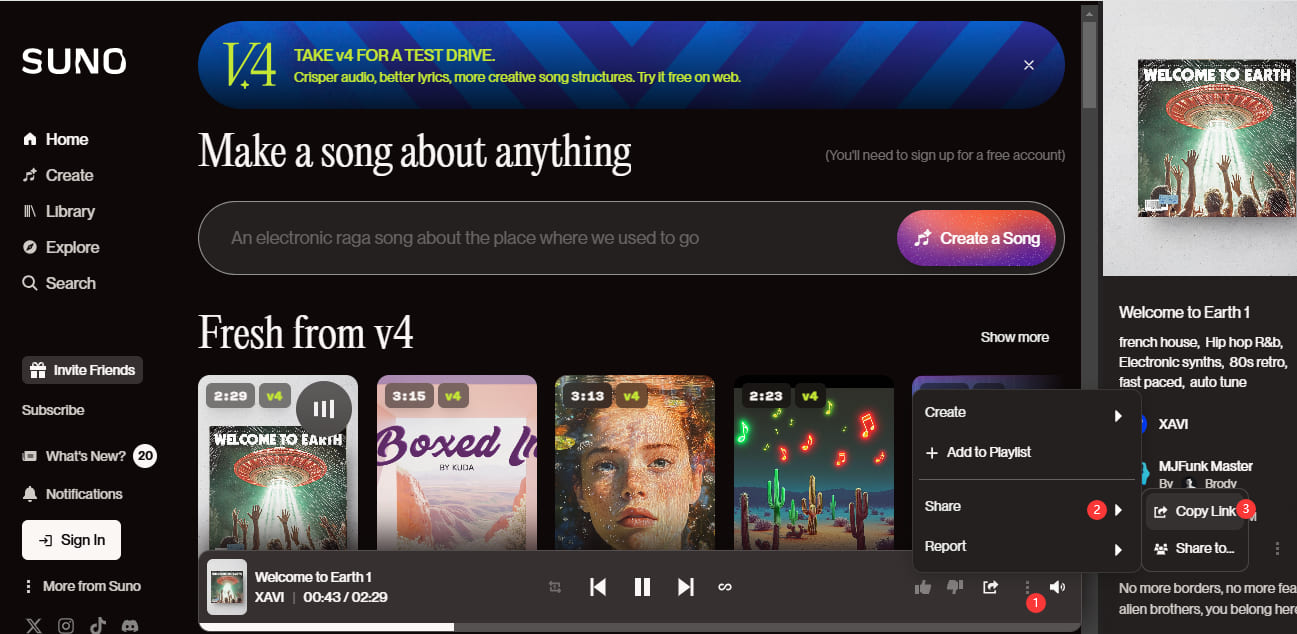
Then, paste the copied link into the search bar at the top of 4kFinder and click the “Analyze” button. The program will process the link and show available download options.
Step 3. Set the Format and Audio Quality
Once the video is analyzed, you’ll see different format and quality choices. Select MP3 as the format and choose a high-quality option like 320kbps for the best sound.
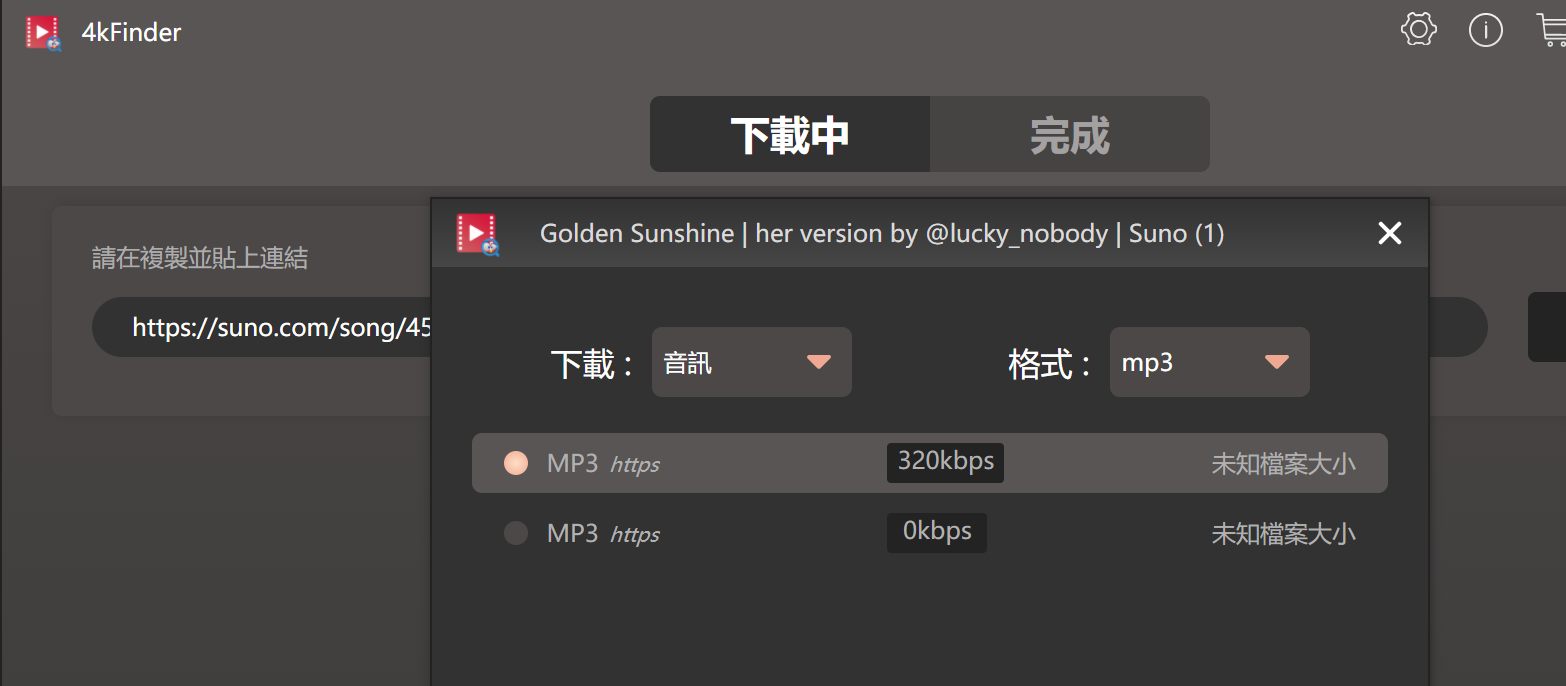
Step 4. Start to Download Suno Songs
Click the “Download” button to begin saving the Suno song as an MP3 file on your computer.
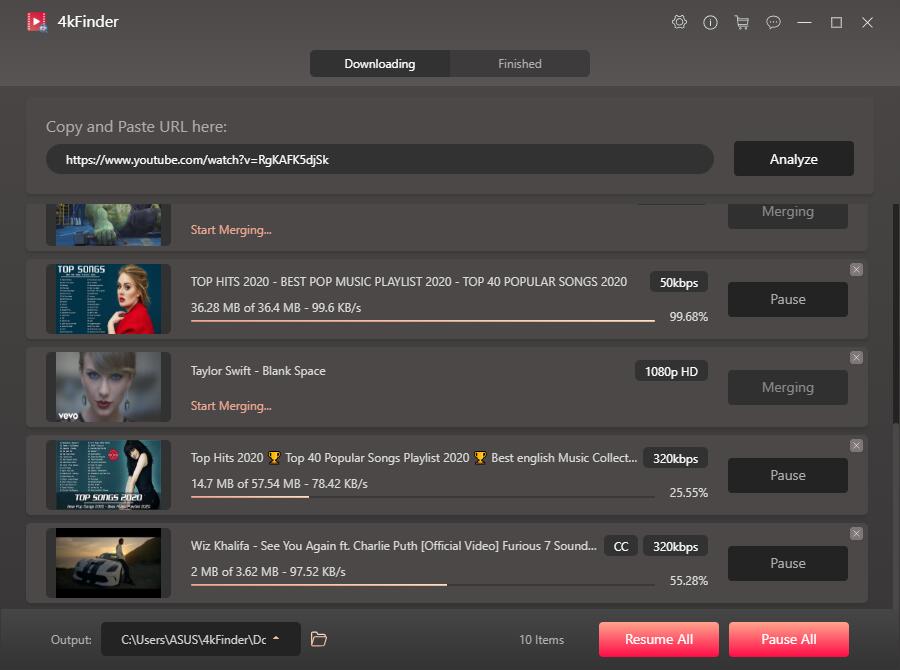
Tip: Want to download more songs? Just repeat the steps to paste more URLs. 4kFinder allows batch downloading, so you can grab multiple tracks at once.
Step 5. Access Your Downloaded Songs
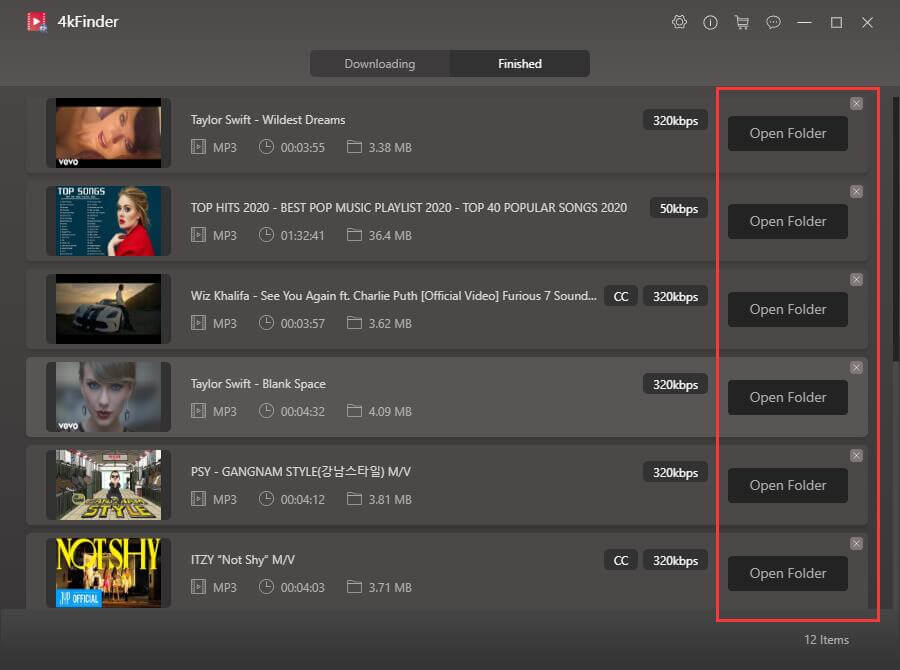
Once the download is complete, go to the “Finished” tab. Click “Open Folder” to find all your downloaded Suno songs in MP3 format for offline listening!
Part 2. How to Download Suno Songs for Free via Online Tool
If you don’t want to install any software, using a free online tool is a simple and quick solution. These tools work directly in your browser and allow you to paste a song link and download the audio in MP3 format.
Recommended Online Tools:
Here are a few online tools that can help you download Suno songs for free:
- YTMP3.cc
- SaveFrom.net
- MP3Juices
- Y2Mate
Availability may vary depending on your region or the hosting site of the Suno songs.
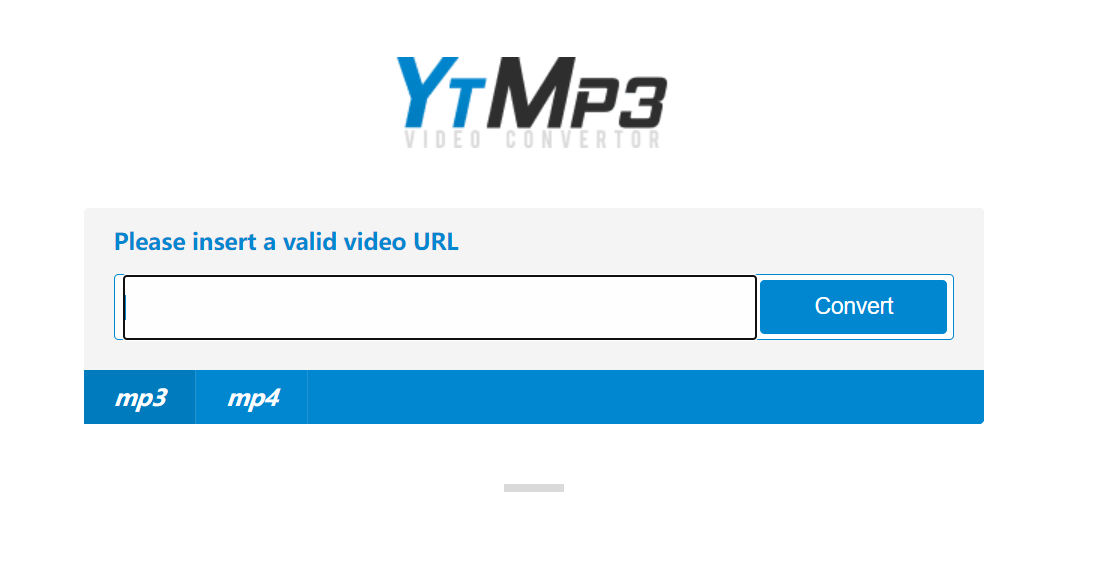
Steps to Download Suno Songs Using an Online Tool
Step 1. Copy the Song Link
Go to the Suno platform or wherever the song is publicly available (YouTube, etc.). Copy the link of the song you want to download.
Step 2. Open the Online Tool
Go to your preferred online downloader in your browser (e.g., YTMP3.cc).
Step 3. Paste the Link and Convert
Paste the copied link into the input box on the online tool’s homepage. Then, choose the format you want (usually MP3 for songs) and click the “Convert” or “Start” button.
Step 4. Download the Song
After the conversion finishes, a “Download” button will appear. Click it, and the song will be downloaded to your device. You can now play it offline whenever you like.
Pros of Online Tools:
- No installation required
- Quick and easy to use
- Works on all devices, including phones and tablets
- Free of charge
Cons of Online Tools:
- Slower than software-based options
- May have ads or popups
- Limited format and quality choices
- Not always reliable for batch downloads
Conclusion
Downloading Suno songs for free is easier than you might think. Whether you prefer a full-featured software like 4kFinder Video Downloader for stable, high-quality downloads or a quick online tool for one-off songs, both methods work great for offline listening.
If you download music often and care about audio quality and batch downloading, 4kFinder Video Downloader is worth trying. On the other hand, if you just want to grab a song or two quickly without installing anything, online tools will get the job done. No matter which method you choose, you’ll be able to enjoy your favorite Suno songs anytime, anywhere, completely offline and without restrictions.