 Download Netflix videos to MP4 or MKV format in 1080P Full HD resolution.
 English
 Arabic
 Chinese (Simplified)
 Chinese (Traditional)
 Croatian
 Czech
Czech Danish
 Dutch
Dutch Finnish
 French
 German
 Greek
Greek Hebrew
 Hindi
Hindi Indonesian
 Italian
 Japanese
 Korean
 Malay
Malay Norwegian
 Polish
 Portuguese
 Russian
 Slovenian
 Spanish
 Swedish
 Thai
Thai Turkish
 Ukrainian
 Vietnamese

Grab the best OnlyFans video downloaders for PC and mobile in this article! Here, we will show you the top 8 tools, including dedicated software, online tool, Chrome extension and mobile apps to download OnlyFans videos to MP4!
OnlyFans, a subscription-based online platform and app, hosts a diverse range of creators, including fitness trainers, chefs, musicians, artists, and influencers. However, it doesn’t allow user to download OnlyFans videos on the app or platform. As a result, some users look for ways to download OnlyFans videos to MP4 for a flexible offline viewing experience.
In this article, we will review the 8 best OnlyFans Video Downloaders for 2025, including PC software, browser extension, online tool and mobile app. Next, we will also highlight their features, pros, cons, and even step-by-step guide to help you grab your favorite OnlyFans videos easily!
CONTENTS
- How to Choose the Best OnlyFans Video Downloader?
- Best OnlyFans Video Downloaders on PC
- 1. 4kFinder OnlyFans Video Downloader Recommend
- 2. OnlyFans Downloader Chrome Github
- 3. Bulk Media Downloader (Chrome Extension)
- 4. iVigo OnlyFans Downloader (Online Tool)
- 5. TubeOffline (Online Tool)
- Best OnlyFans Video Downloader on Mobile
- 1. AhaSave (Android)
- 2. StreamFork (Android & Chrome)
- 3. Documents by Readdle (iOS)
- Comparison Table of 8 Best OnlyFans Video Downloaders
- Conclusion
How to Choose the Best OnlyFans Video Downloader?
Consider whether or not the top OnlyFans video downloader meet your needs before making your choice. Take a look at these several key factors we used to rank the best OnlyFans video downloaders.
Compatibility: Ensure the downloader supports your device’s operating system, be it Windows, macOS, Android, or iOS.
Ease of Use: A user-friendly interface simplifies the downloading process, especially for beginners.
Format Support: Allow you to download OnlyFans Video to MP4 or other popular formats, ensuring broad compatibility across media players.
Video Quality: Maintain original video quality for an immersive viewing experience.
Download Speed: Faster download speeds save time, especially when downloading multiple videos from OnlyFans.
Security: Choose a trusted OnlyFans downloader to safeguard your device from malware and ensure data privacy.
Additional Features: Features like batch downloads, built-in browsers, video metadata preservation, and support for DRM-protected OnlyFans video content enhance usability.
Let’s explore which OnlyFans video downloaders adhere to these standards most strictly!
Best OnlyFans Video Downloaders on PC
If you prefer to watch OnlyFans videos offline on PC or laptop, desktop tools are an excellent options. Here is one of the best desktop tools to download OnlyFans videos on PC. These tools deliver great reliability, fast downloads and high-quality output. Check it out!
1. 4kFinder OnlyFans Video Downloader
4kFinder OnlyFans Video Downloader stands out as a premier Best OnlyFans Video Downloader for PC and Mac, offering a blend of speed, quality, and versatility. It is capable of downloading videos, leaks, and messages videos from OnlyFans in high quality up to HD 720p and even 1080p. With its ability to convert and download OnlyFans videos to a wide range of video & audio formats such as MP4, MOV, WEBM, and MP3, this OnlyFans video downloader provides flexibility for your video collection and playback.
The intuitive and multilingual interface makes it eafy to download videos from OFTV/OnlyFans, while innovative technology ensures that the download speed can be up to 50 times faster, saving you time. In addition, 4kFinder also supports downloading videos from over 1,000 websites, including OnlyFans, YouTube, Vimeo, DailyMotion, Twitter, Facebook, Tub8, etc.
Key Features of 4kFinder OnlyFans Video Downloader:
- Download OnlyFans Video to PC/Mac in HD MP4 or WEBM.
- Supports downloading videos in 8K, 4K, 2K, 1080p, and 720p, etc.
- Batch mode allows to download multiple videos simultaneously.
- Download video and audio from 1000+ popular websites.
- Offer up to 50X faster speed to save time and effort.
Here’s how to download OnlyFans video to PC using the 4kFinder.
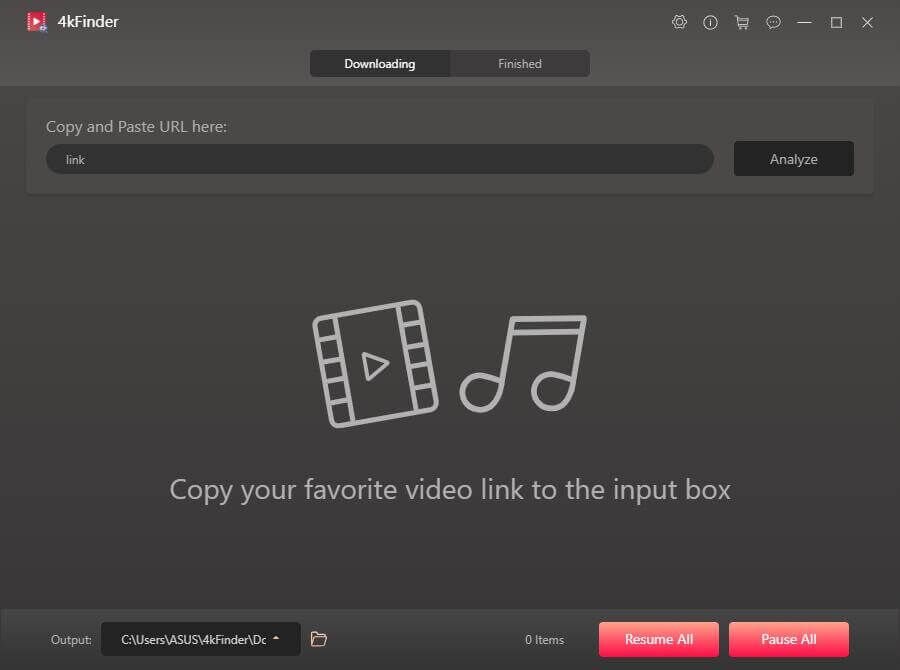
Step 1. Launch 4kFinder
After installation, open the 4kFinder OnlyFans Video Downloader on your PC.
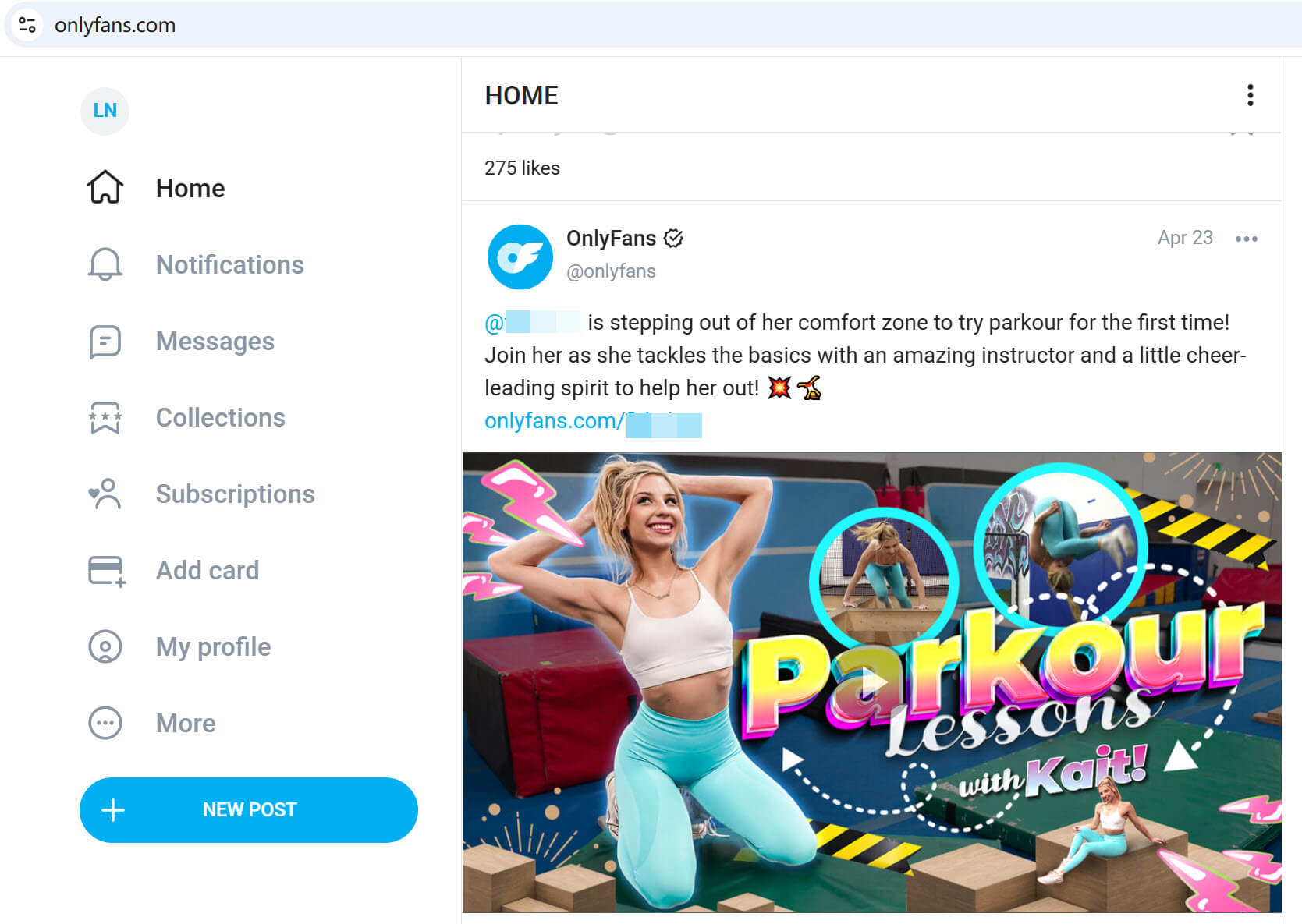
Step 2. Copy & Paste OnlyFans Video URL
Go to OFTV website, copy the URL your desited video.
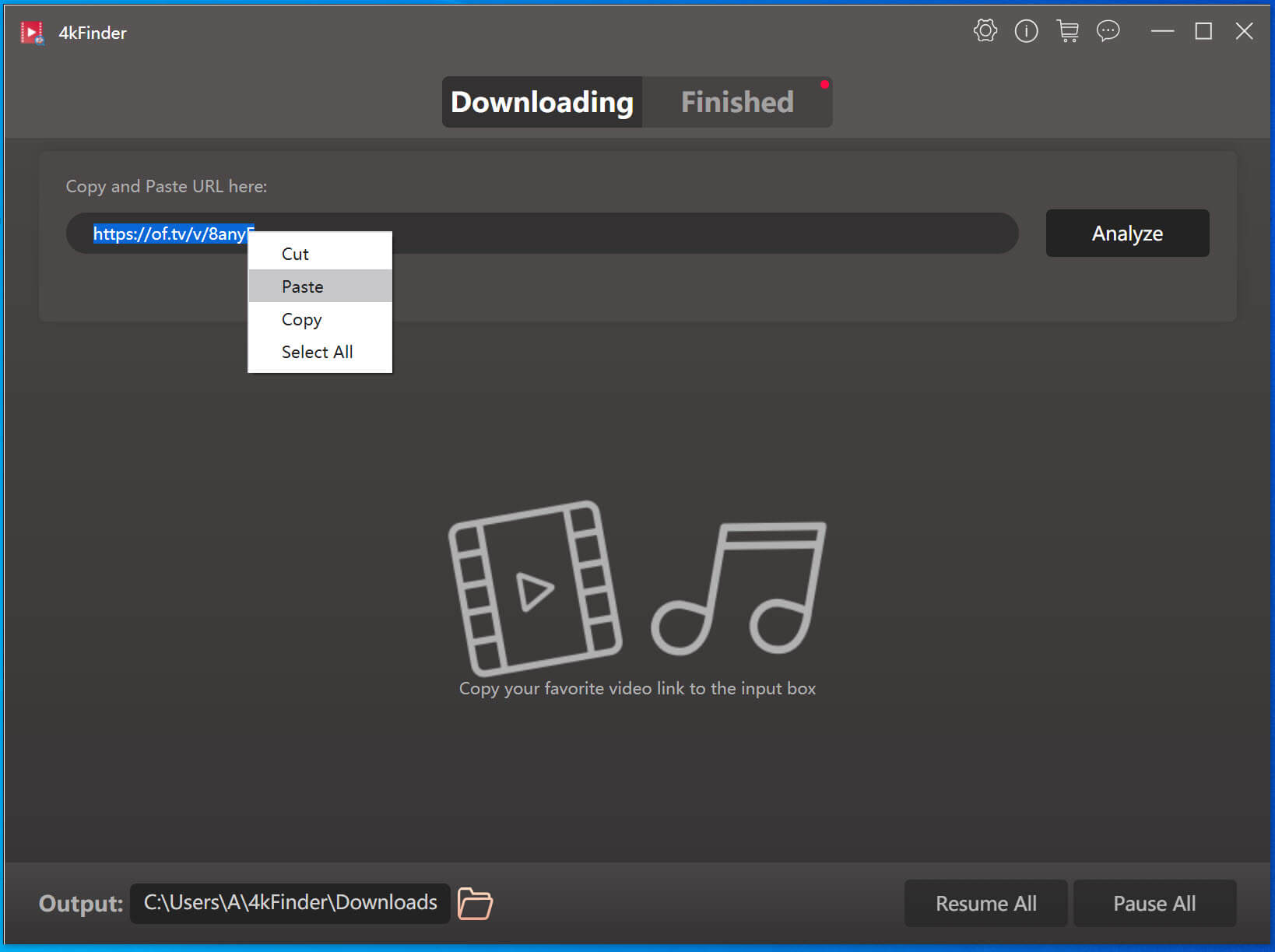
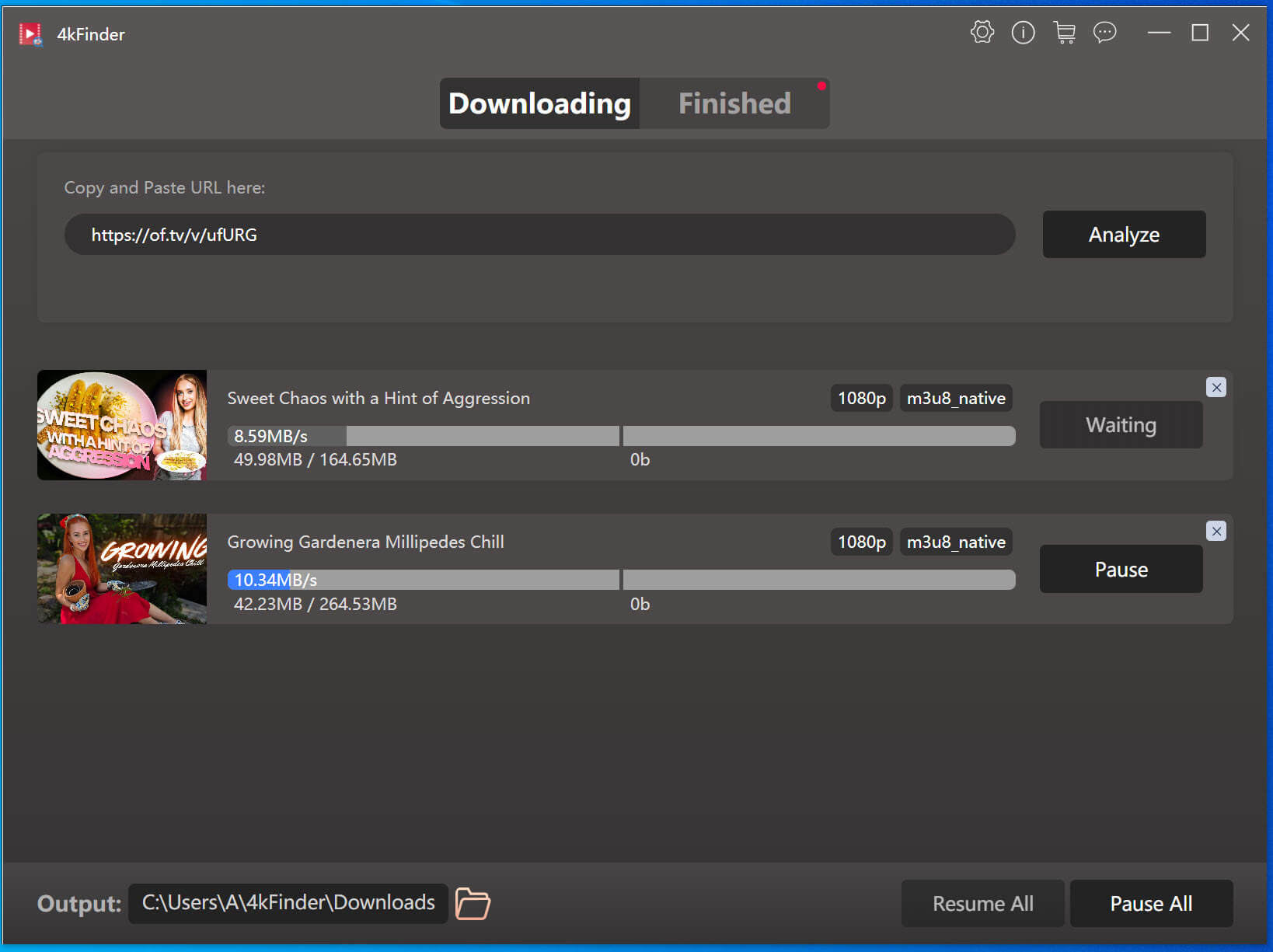
Then paste the copied URL to 4kFinder and click “Analyze” button.
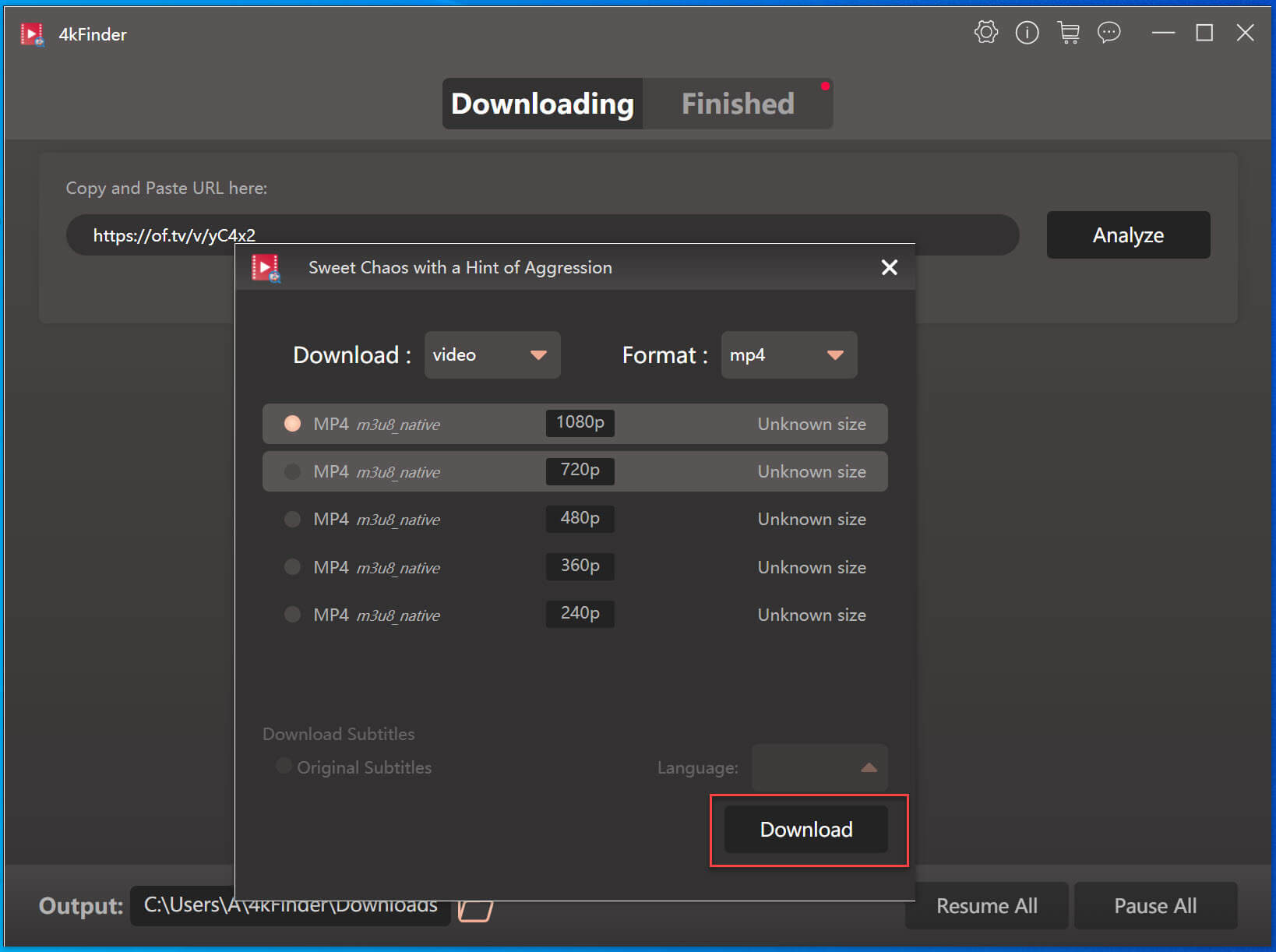
Step 3. Modify Download Settings
Switch to “Video” mode, select the desired format and quality. Here we choose MP4 format and 1080p quality to ensure the best viewing experience!
Step 4. Download OnlyFans Video to PC
Click “Download” to start downloading the video from OnlyFans to your PC. Batch mode allows you to continue adding more video URLs to its search bar.
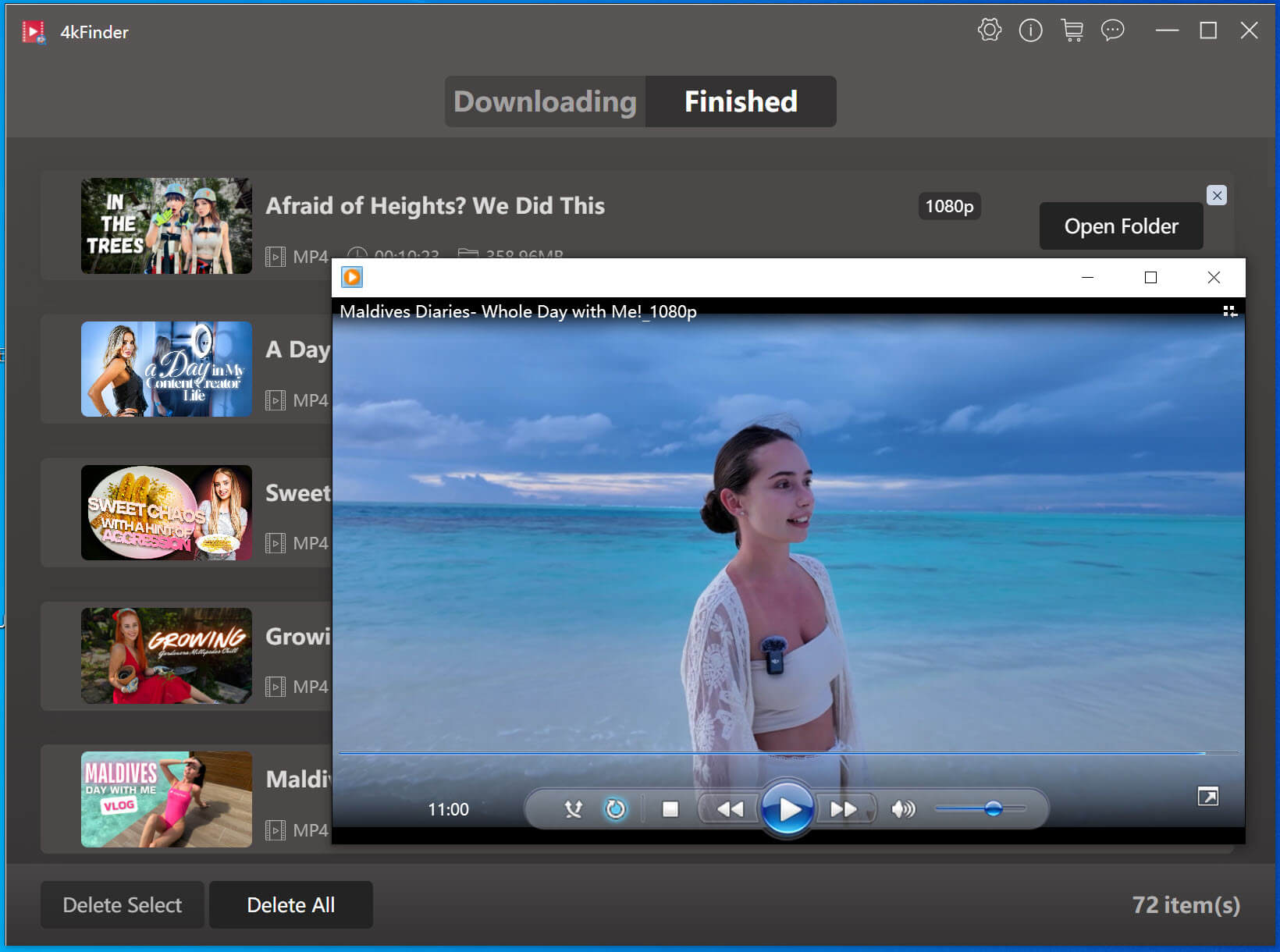
When finished, turn to “Finished” section to get the downloaded OnlyFans videos and watch them offline!
| 👍 Pros | 👎 Cons |
|
● Supports 1,000+ sites. |
● Only lets you download 5 OnlyFans videos for free. |
2. OnlyFans Downloader Chrome Github
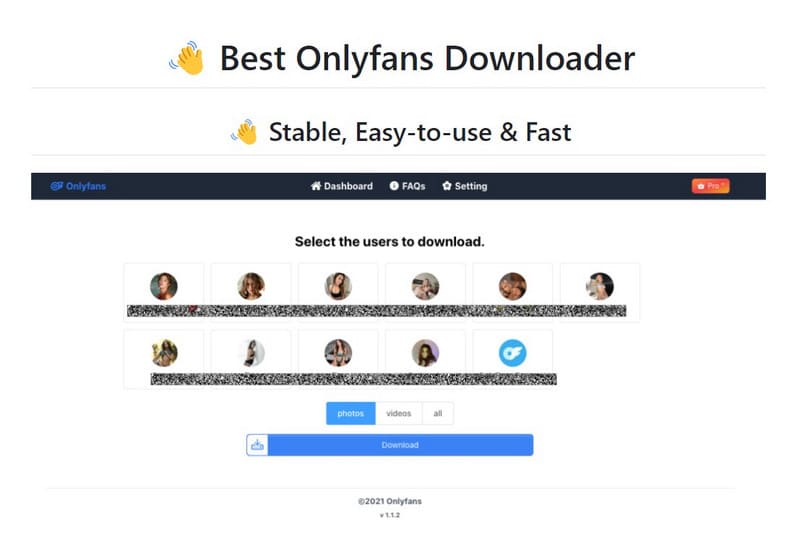
If you intend to download OnlyFans videos directly through your browser, the OnlyFans Downloader extension from Github may be your ideal pick. It enables you to download videos from OnlyFans to MP4 format for free and automatically preserves video metadata. Also, whether it is downloading a video, gifs, audio or an image, it can be done easily.
However, this extension doesn’t supports downloading OnlyFans DRM video. Moreover, it was removed from Chrome Web Store, and you need to download it from Github. Note that this extension also has a limited number of downloads per day, if you exceed this number your account may be signed out. To download unlimited OnlyFans videos, I prefer 4kFinder OnlyFans Video Downloader.
| 👍 Pros | 👎 Cons |
|
● Free and lightweight. |
● Requires manual installation from Github. |
3. Bulk Media Downloader (Chrome Extension)
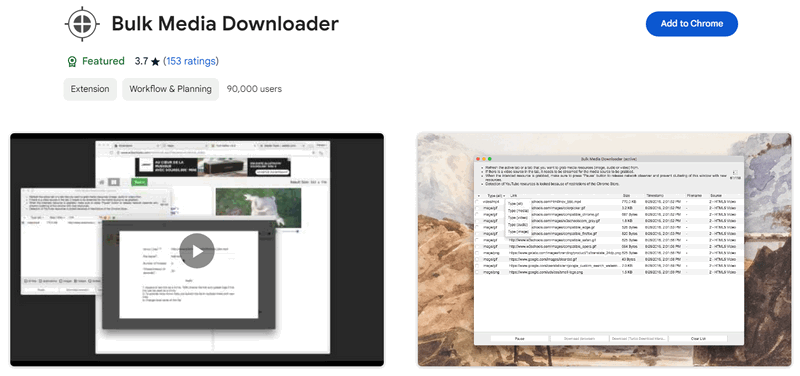
Another popular browser extension is Bulk Media Downloader, which supports to captures various media types from web pages, including OnlyFans. Using it, users can download videos, images, and audios from OnlyFans in batch. It is quite operate. Once added this OnlyFans Chrome extension, you can play any video on OnlyFans website, it will fetch OnlyFans media resources and display a “Download” button.
However, this extension only offers very limited customization for output formats and settings. If you want an OnlyFans video downlaoder with advanced features, consider using the 4kFinder OnlyFans Video Downloader, which supports downloading OnlyFans videos to MP4 in HD 1080p.
| 👍 Pros | 👎 Cons |
|
● Easy to use. |
● Not free, only lets you download 10 videos. |
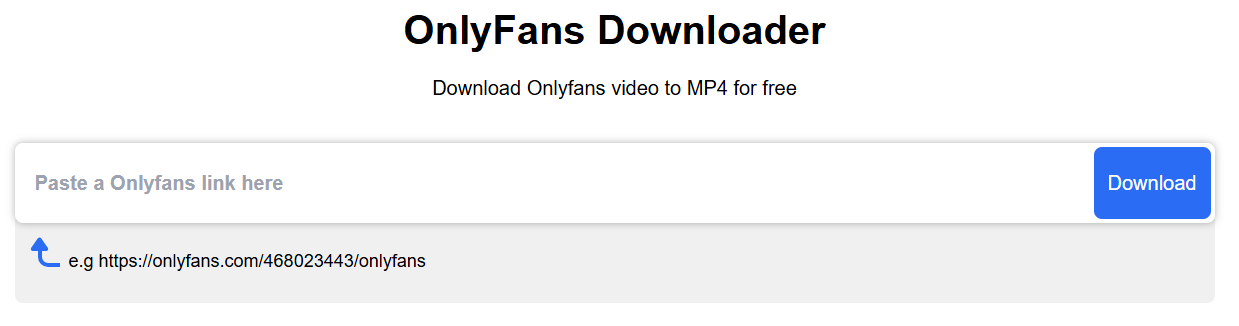
4. iVigo OnlyFans Downloader (Online Tool)
iVigo is also a viable choice. This online OnlyFans downloader doesn’t require installing any software or app. Simply visit its website in your browser (either PC or mobile device), copy and paste the OnlyFans video link, and you can download OnlyFans video to MP4 for free. What’s more, it is also lets you save OnlyFans as MP3 or M4A audios, but only 129kbps bitrate.
While this online OnlyFans video downloader offers an easy way to save videos from from your favorite creators, it also has some limitations, such as output MP4 format only, slow speed and not supporting batch downloads. This online tool may not meet the expectations of users looking for high efficient downloads.
| 👍 Pros | 👎 Cons |
|
● Free download OnlyFans video. |
● Unstable, occasional crashes. |
5. TubeOffline (Online Tool)
TubeOffline is another popular online OnlyFans downloader for PC and mobile users. It is free and supports multiple platforms beyond OnlyFans. With just the video URL, you can easily download OnlyFans video online. Afterwards, you can watch OnlyFans videos on your PC or mobile using other players. However, it lacks advanced options like quality customization and metadata preservation.

Compared the previous online OnlyFans downloader, TubeOffline includes many annoying on-page ads, which will affect your experience. Moreover, although it claims to offer a straightforward downloading process, during testing, I found that it actually use a traditional recording technology to rip OnlyFans content. So, I recommend that you utilize a dedicated software such as 4kFinder OnlyFans Video Downloader.
| 👍 Pros | 👎 Cons |
|
● Free & no installation. |
● Include many annoying on-page ads. |
Best OnlyFans Video Downloader on Mobile
For those who are looking for ways to download OnlyFans videos on Android or iOS, here are some powerful OnlyFans video downloader for mobile app. With its help, you can save your favorite videos from the Creator you subscribed to your mobile phone, and watch it offline anytime!
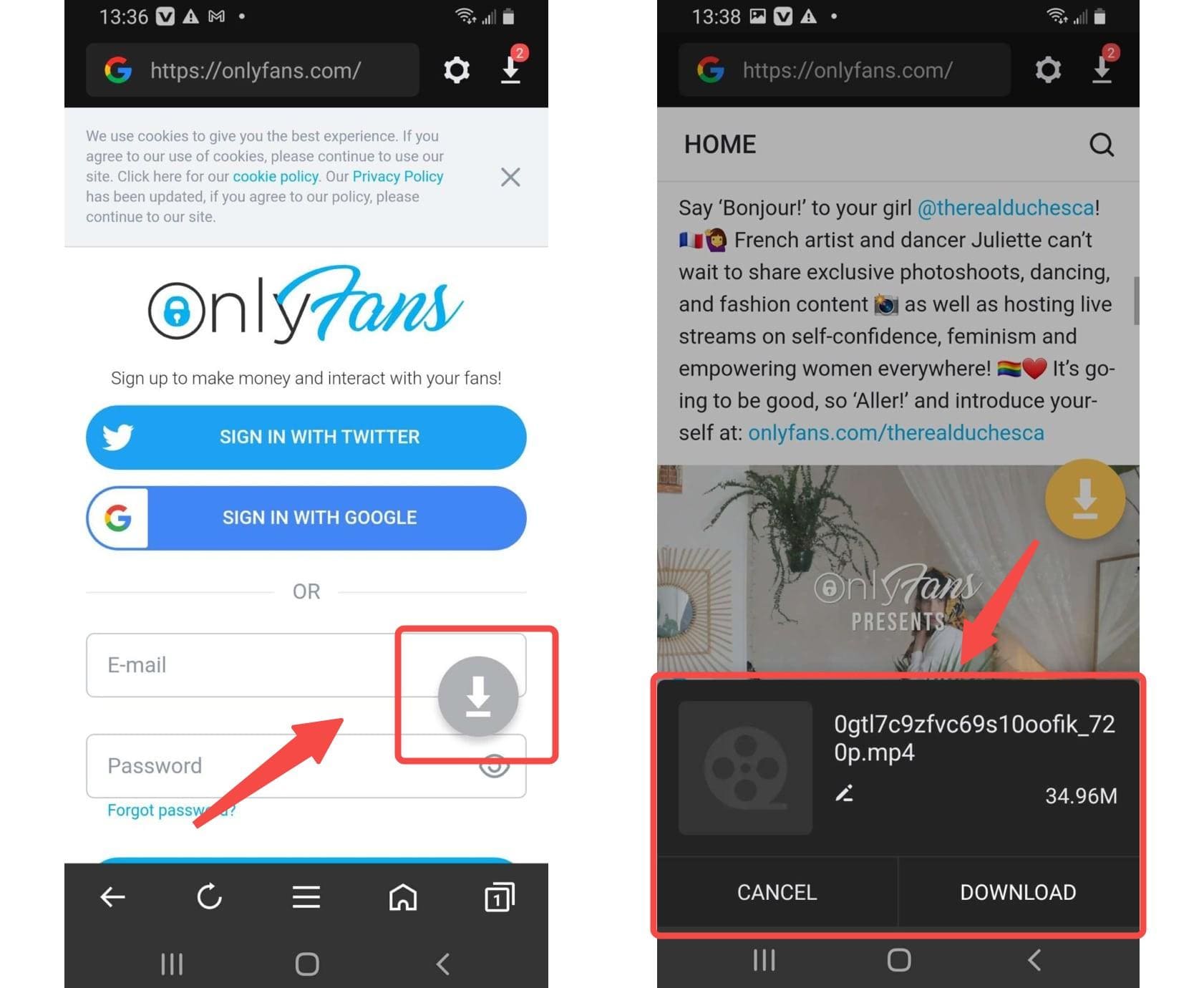
1. AhaSave (Android)
AhaSave is a simple and reliable mobile app for Android users to download videos, images, and audio from OnlyFans and other sites. With a user-firendly interface, it empowers you to download OnlyFans videos in HD quality, ensuring the best viewing experience. While it is a good option for basic downloading needs, this OnlyFans video downloader for mobile doesn’t offer specific settings for OnlyFans content. If these issues don’t bother you, this tool is still worth a try.
| 👍 Pros | 👎 Cons |
|
● Simple UI. |
● No iOS support. |
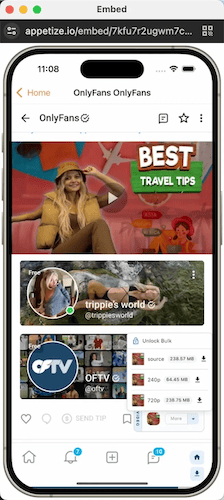
2. StreamFork (Android & Chrome)
StreamFork is specializes in saving streaming content, including OnlyFans. It is available as both a browser extension (including Google Chrome, Microsoft Edge, and Brave) and Android app. One of the best things is that it can download DRM-protected videos from OnlyFans for offline viewing. This app/extension is not completely free. Downloading regular videos and images from OnlyFans is free, but downloading DRM-protected OnlyFans videos requires a paid subscription
However, it is a pity that it can only process one OnlyFans video download at a time. If you want to download multiple OnlyFans videos to your device, professional tool like 4kFinder OnlyFans Video Downloader would be an ideal option.
| 👍 Pros | 👎 Cons |
|
● Ease of use. |
● Only works on Android 10+. |
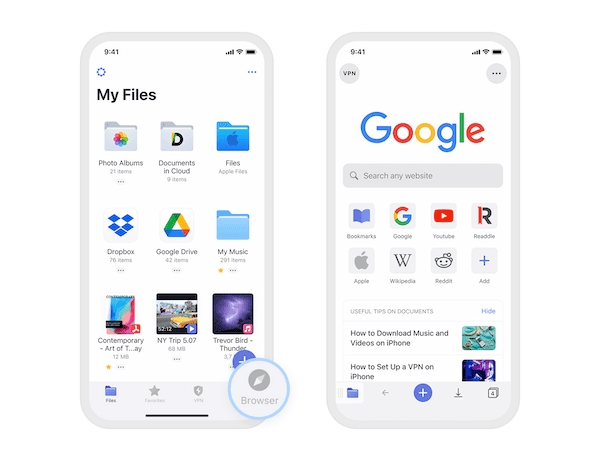
3. Documents by Readdle (iOS)
Finally, Documents by Readdle, serves as an excellent file manager and organizer for iOS, as well as a versatile OnlyFans Video Downloader. Unlike above two Android app versions, Documents by Readdle works around iOS limitations. It offers an effective way to download videos from OnlyFans to your iPhone or iPad through its integrated browser.
Unlike above two Android app versions, Documents by Readdle offers an effective way to download videos from OnlyFans to your iPhone or iPad through its integrated browser. It works around iOS limitations. After downloading, you can use its file management capabilities to organize the downloaded OnlyFans videos at ease.
Note: This iOS app is not as direct or automated as dedicated OnlyFans downloader. Instead, it requires manual browsing and downloading. And the DRM-protected OnlyFans videos are not supported. For a more robust and efficient solution, 4kFinder OnlyFans Video Downloader is a better alternative.
| 👍 Pros | 👎 Cons |
|
● No jailbreak needed. |
● iOS-exclusive. |
Comparison Table of 8 Best OnlyFans Video Downloaders
If you want a clearer comparison of these 8 best OnlyFans Video Downloader for PC and mobile listed in the article, below is a table that highlights the key differences to help you choose the best one for you, check out now!
| Platform Compatibility | Format Support | Video Quality | Download DRM Content | Speed | Batch Download | Ease of Use | Rating | |
| 4kFinder OnlyFans Video Downloader | Windows, macOS | MP4, WEBM, MOV, MP3 | HD, 4K, 8K | ✔ | 50X super fast | ✔ | ✔ | ★★★★★ |
| OnlyFans Chrome (GitHub) | Windows, macOS (Chrome) | MP4 | HD | ✘ | Normal | ✘ | ✔ | ★★★★☆ |
| Bulk Media Downloader | Windows, macOS (Chrome) | MP4 | HD | ✘ | Medium | ✔ | ✔ | ★★★☆☆ |
| iVigo OnlyFans Downloader | Web-based | MP4, MP3, M4A | 720P | ✘ | Slow | ✘ | ✔ | ★★★☆☆ |
| TubeOffline | Web-based | MP4, FLV, MP3 | 720P | ✘ | Slow | ✘ | ✔ | ★★★☆☆ |
| AhaSave | Android | MP4 | 720P | ✘ | Normal | ✘ | ✔ | ★★★☆☆ |
| StreamFork | Android and Chrome | MP4 | 720P | ✔ | Normal | ✘ | ✔ | ★★★☆☆ |
| Documents by Readdle | iOS | MOV | 720P | ✘ | Slow | ✘ | ✔ | ★★☆☆☆ |
Conclusion
In short, all the options in the list are workable to download videos from OnlyFans to your PC or mobile device. Selecting the Best OnlyFans Video Downloader in 2025 depends on your specific needs and device compatibility. Among them, 4kFinder OnlyFans Video Downloader stands out as a top choice with its UI, high-quality downloads, efficiency, stability, and safety. Plus, 4kFinder supports downloading videos from 1,000 sites, improving your video playback experience! More importantly, it is a safe and stable OnlyFans video downloader for PC & Mac with no ads, malware, or any potential risk. Give it a try right now!