 Download Netflix videos to MP4 or MKV format in 1080P Full HD resolution.
 English
 Arabic
 Chinese (Simplified)
 Chinese (Traditional)
 Croatian
 Czech
Czech Danish
 Dutch
Dutch Finnish
 French
 German
 Greek
Greek Hebrew
 Hindi
Hindi Indonesian
 Italian
 Japanese
 Korean
 Malay
Malay Norwegian
 Polish
 Portuguese
 Russian
 Slovenian
 Spanish
 Swedish
 Thai
Thai Turkish
 Ukrainian
 Vietnamese


No matter you want to download Netflix to MP4 or convert Netflix NFV to MP4, this guide is for you. Here you will get a professional Netflix downloader and learn how to download Netflix to MP4 with full HD 1080p quality.
Question: “How do I convert Netflix videos to MP4? I want to save Netflix movies to my USB drive, then I can watch movie in my car media player. Any ideas?”
It is no longer possible to download Netflix movies on Windows computer using the Netflix app due to its download feature has been removed. In addition, the Netflix company hasm’t offers Netflix app for Mac device. However, if you want watch Netflix movies/TV shows on your laptop, PC and Mac computer, you need to looking for some third-party tool to download and convert Netflix videos to MP4.
Netflix only allows its subscribers to download contents on mobile phone, Netflix downloads stored in encoded NFV format, which are exclusively viewable within its app, you cannot transfer them to other media players or devices for playback. Therefore, most users are turning to download Netflix movies to MP4 for transferring across devices. If you are one of them, you can’t miss this article. Here we’re going to show you Netflix movies into MP4 format.
Best Netflix to MP4 Downloader Review
To download Netflix videos to MP4, you can ask help from a professional Netflix Video Downloader, such as 4kFinder Netflix Video Downloader. This tool assists you to download movies, TV series and documentaries from Netflix to your Windows or Mac with multiple quality options provided, including low, middle (720p), high (HD 1080p). With it, you can download Netflix movies into MP4 format, which can be played on most media players. So then you could watch Netflix movies offline on any device, like mobile phone, MP4 player, tablet, laptop, MacBook, smart TV, game console, etc.
Besides MP4 format, it also lets you download Netflix movies to MKV format. Unlike other traditional video recorders, 4kFinder program also offers 6X faster download speed and batch download mode, saving your time. What we like this tool is the built-in Netflix web browser. Simply sign with your Netflix account, search for any movie or add the movie URL directly, then set output preferences, and the movie will be downloaded in seconds. Let’s take a look at its main features and detailed tutorials.
Features of 4kFinder Netflix to MP4 Downloader:
- Supports Netflix movies, TV series, anime, documentaries, etc.
- Download movies and TV shows without the Netflix app.
- Download Netflix movies in MP4 or MKV format.
- Download Netflix videos with HD 720p, 1080p quality.
- Keep audio tracks, subtitles in many languages.
- Add Netflix videos by pasting URL or entering name.
- Built-in Netflix web player, no Netflix app needed.
- Supports downloading Netflix movies in batches.
- Handle the download task at up to 6X faster speed.
How to Download Netflix Movies to MP4 on Mac/PC
Now follow this guide to download Netflix movies to MP4 using 4kFiner Netflix Video Downloader.
Step 1. Launch 4kFiner Netflix Video Downloader
Download, install and launch 4kFiner Netflix Video Downloader on your computer. If this is your first time login, you need to login with your Netflix account to enter the built-in web browser.
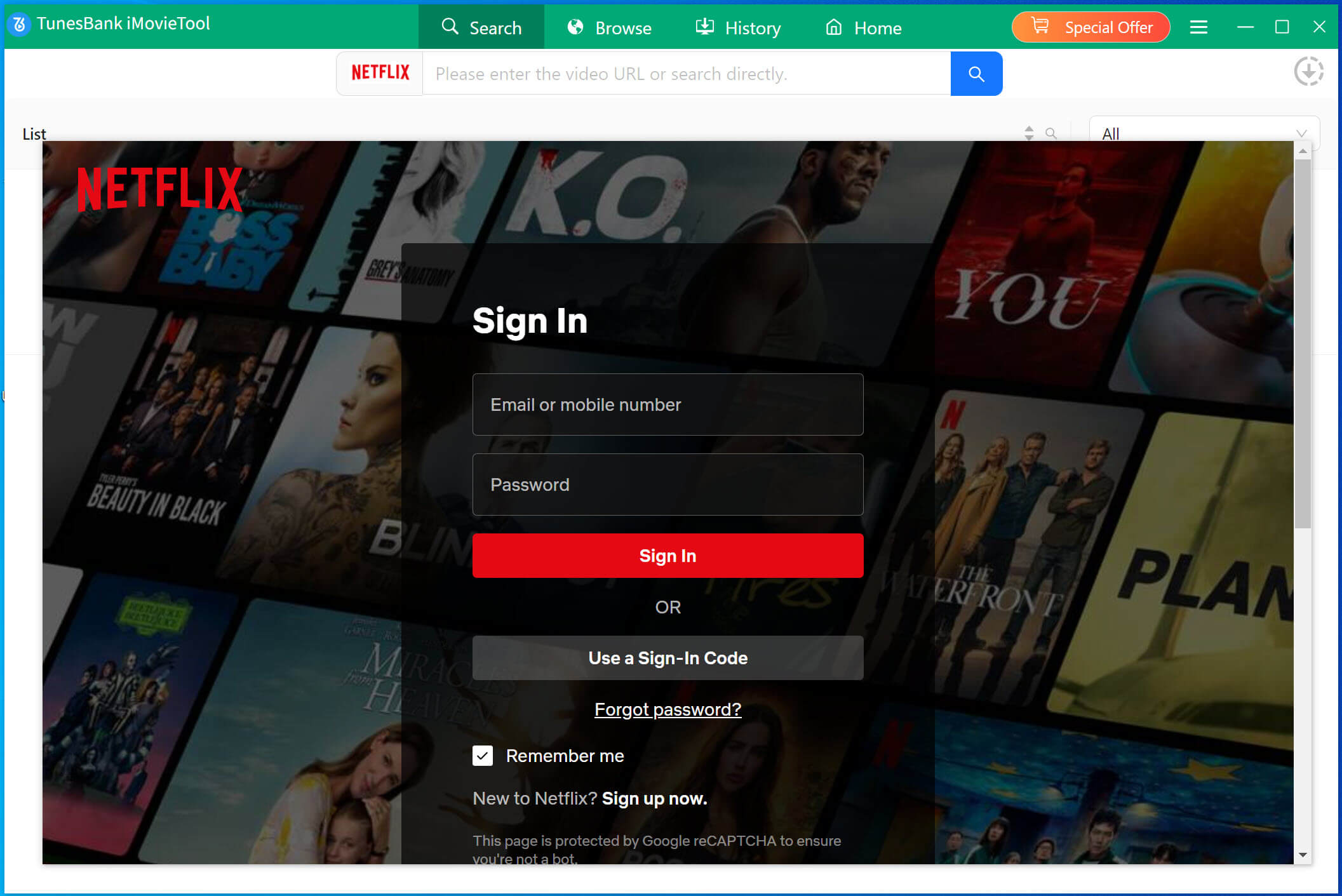
Don’t worry, 4kFinder program will not take any information out of your Netflix account.
Step 2. Add Netflix Movies to Program
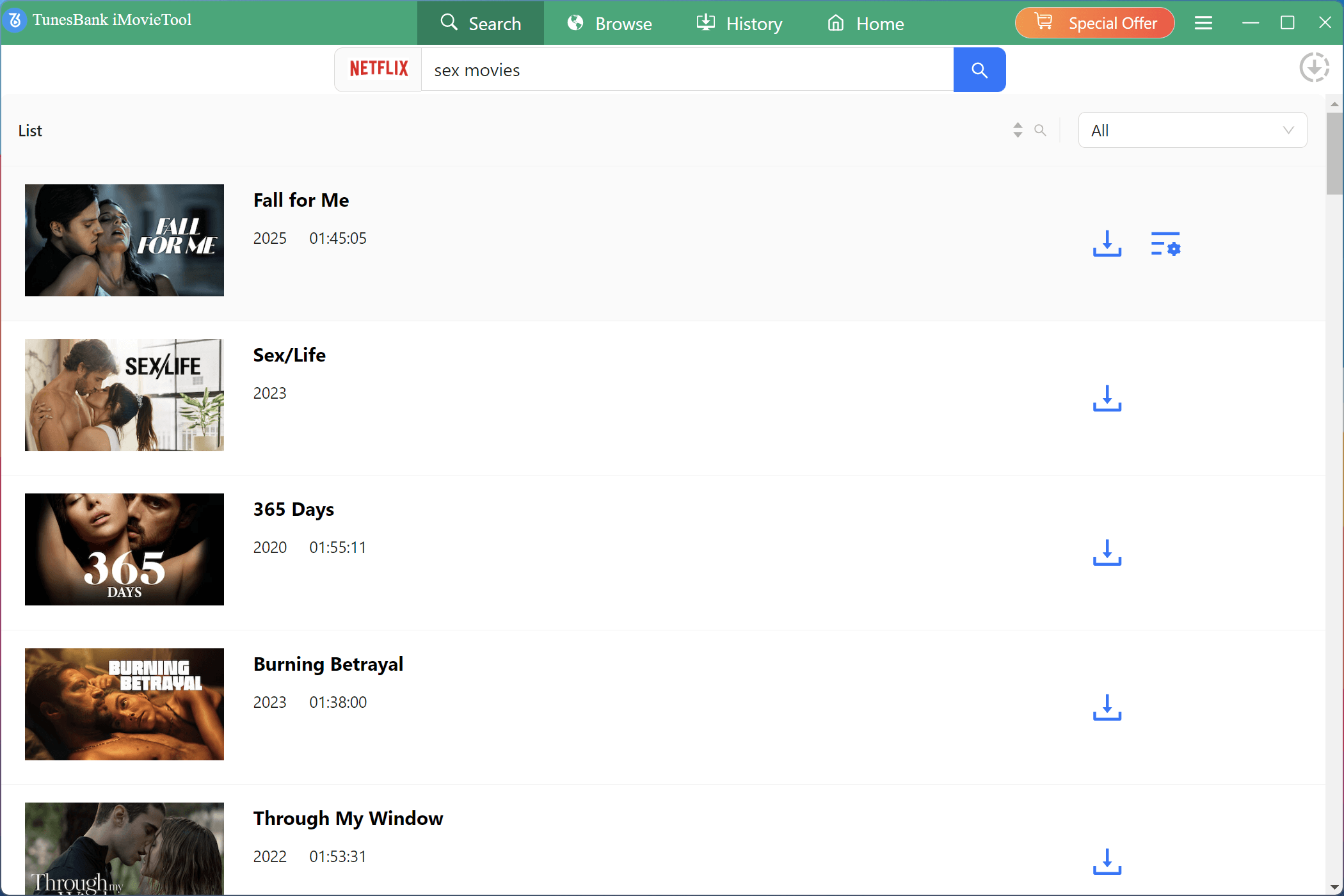
You can add the Netflix movies to the 4kFinder program in 3 ways. Select “Search” at the top of the screen, type movie name in the Search box and press Enter in the keyboard.
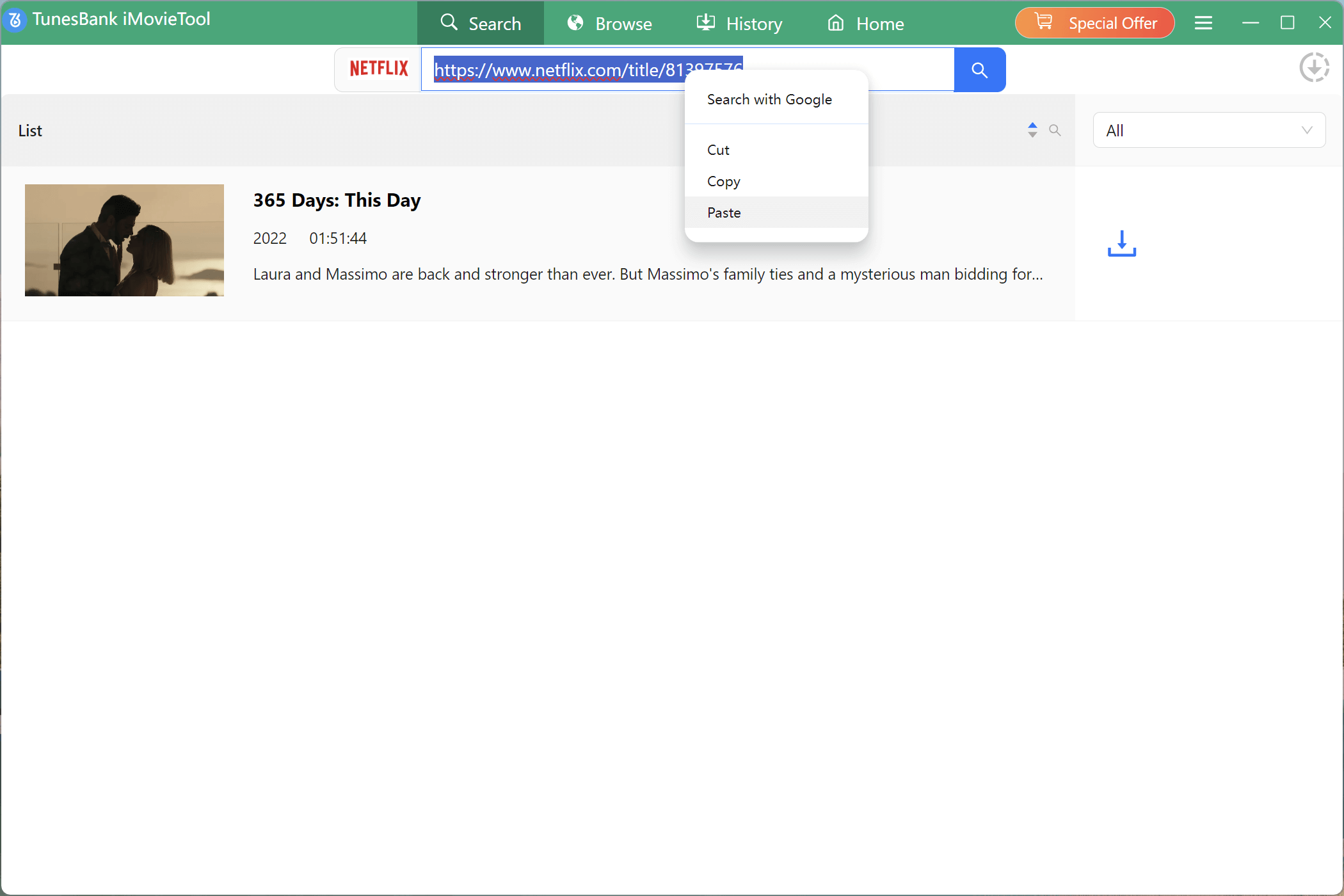
Another is to get the Netflix movie URL from your browser and paste it directly in the Search box.
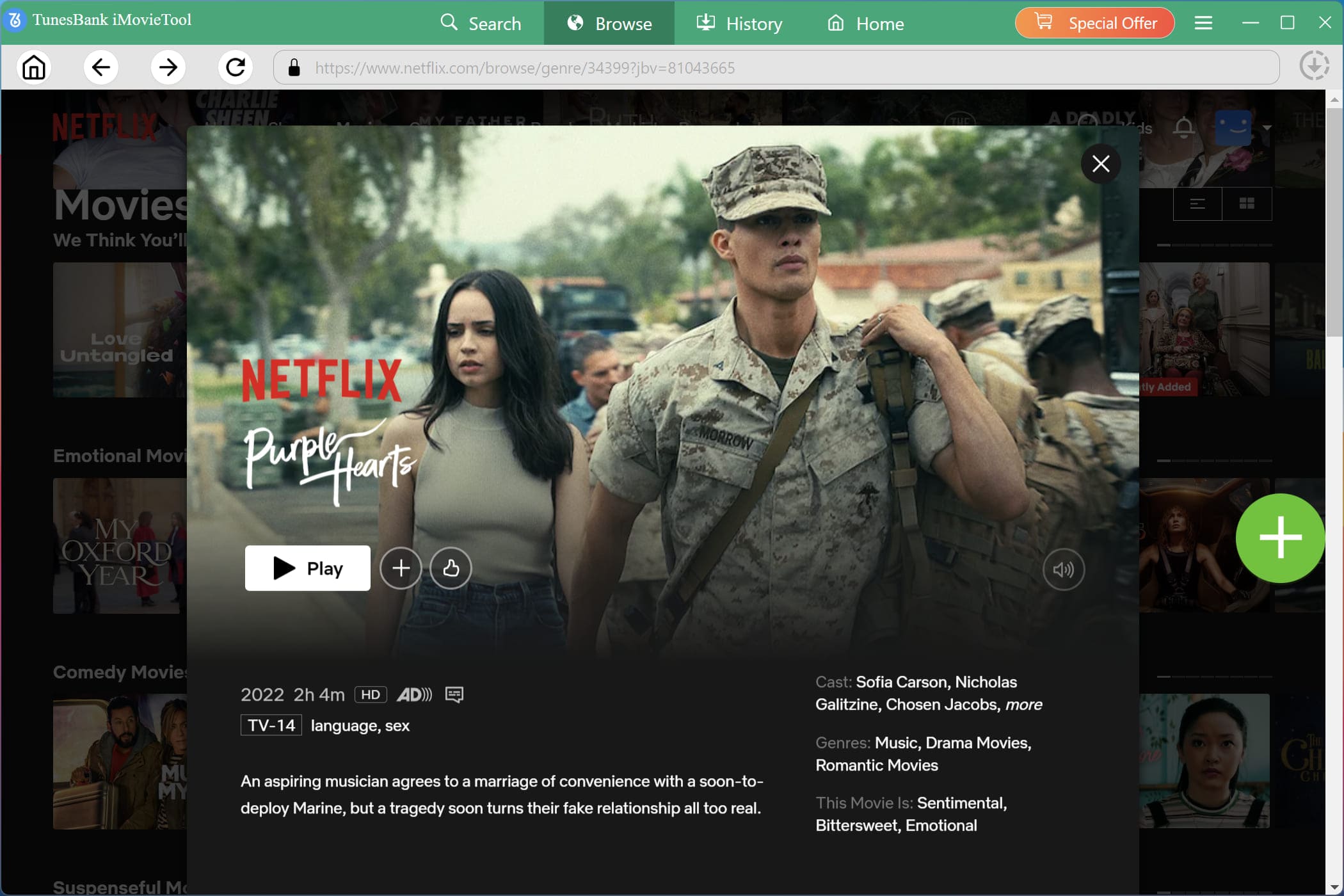
The third method is go to “Browse”, locate your target video by category, open it, play the the video online, and click “+” to add it to your downloading list.
Step 3. Customize Output Settings
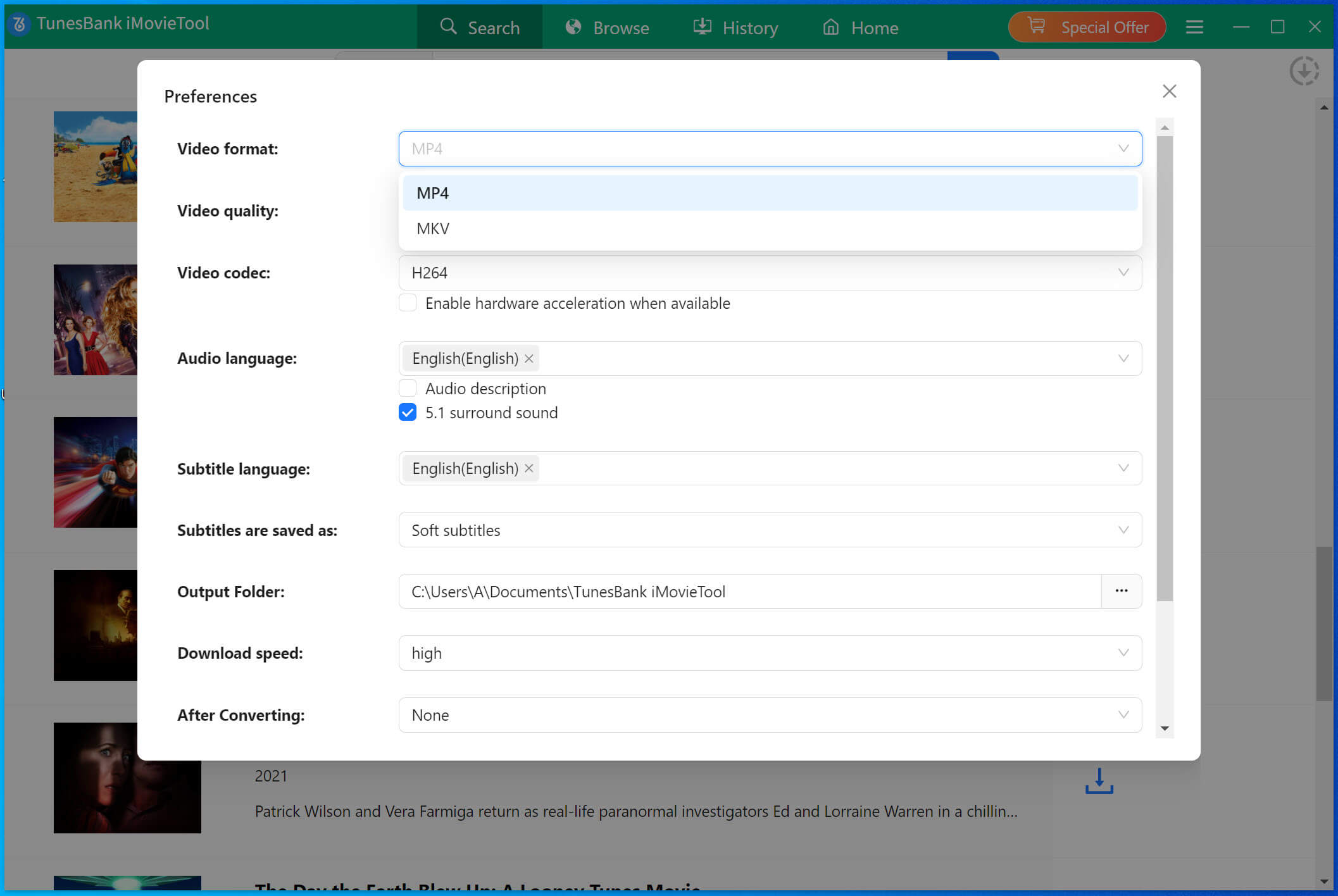
Click “Gear” icon at the upper right corner. In the settings window, you can set the video format, video quality, language and more. From the Video Format option, select MP4 format for Netflix videos, and pick High in Video Quality option.
Step 4. Start to Download Netflix Movie to MP4
After the above settings, hit on “Download” button to start downloading movie from Netflix to computer in MP4 format. During the process, you can add more movie URL to the search box for batch download.
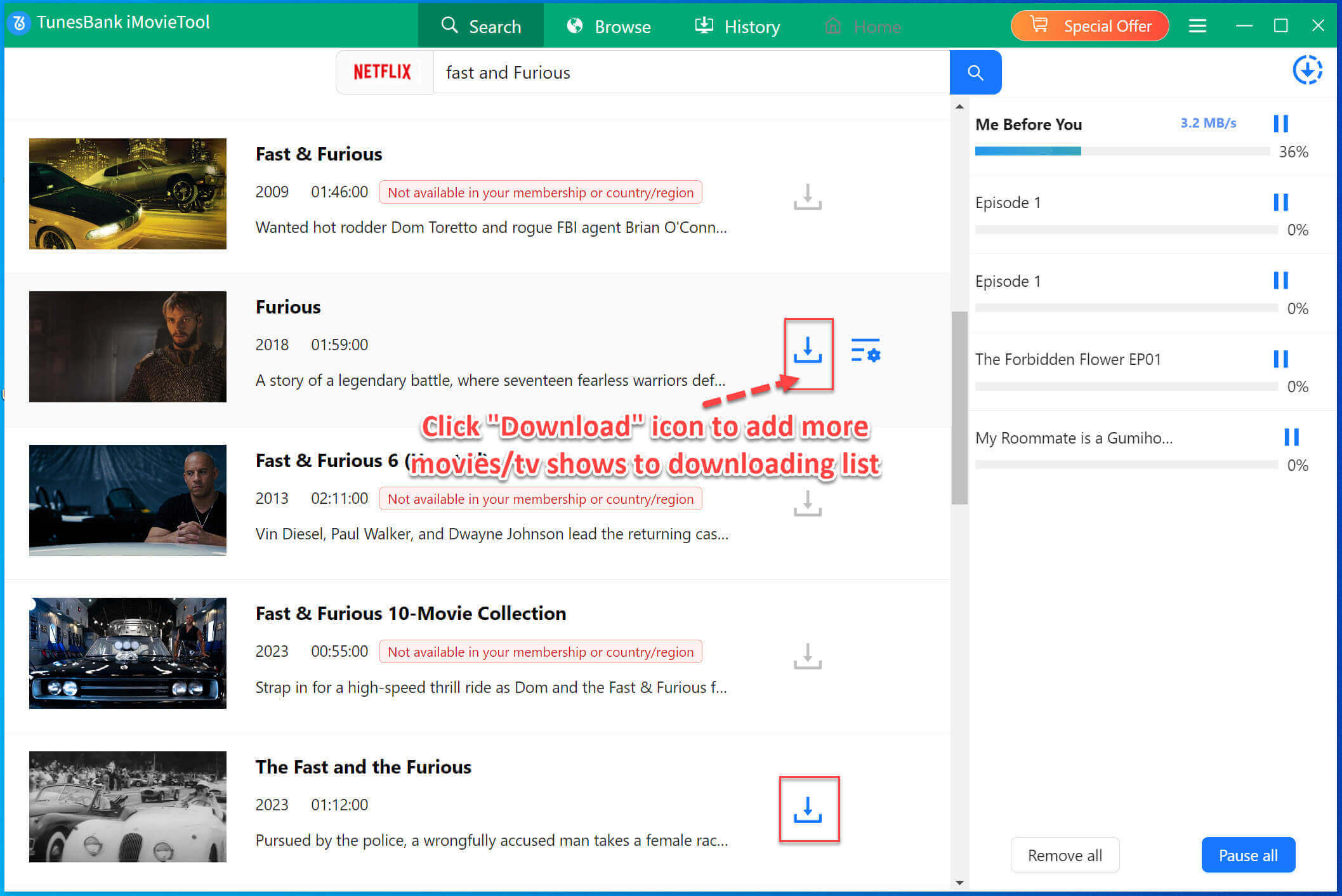
Step 5. Find the Downloaded Netflix MP4 Movies
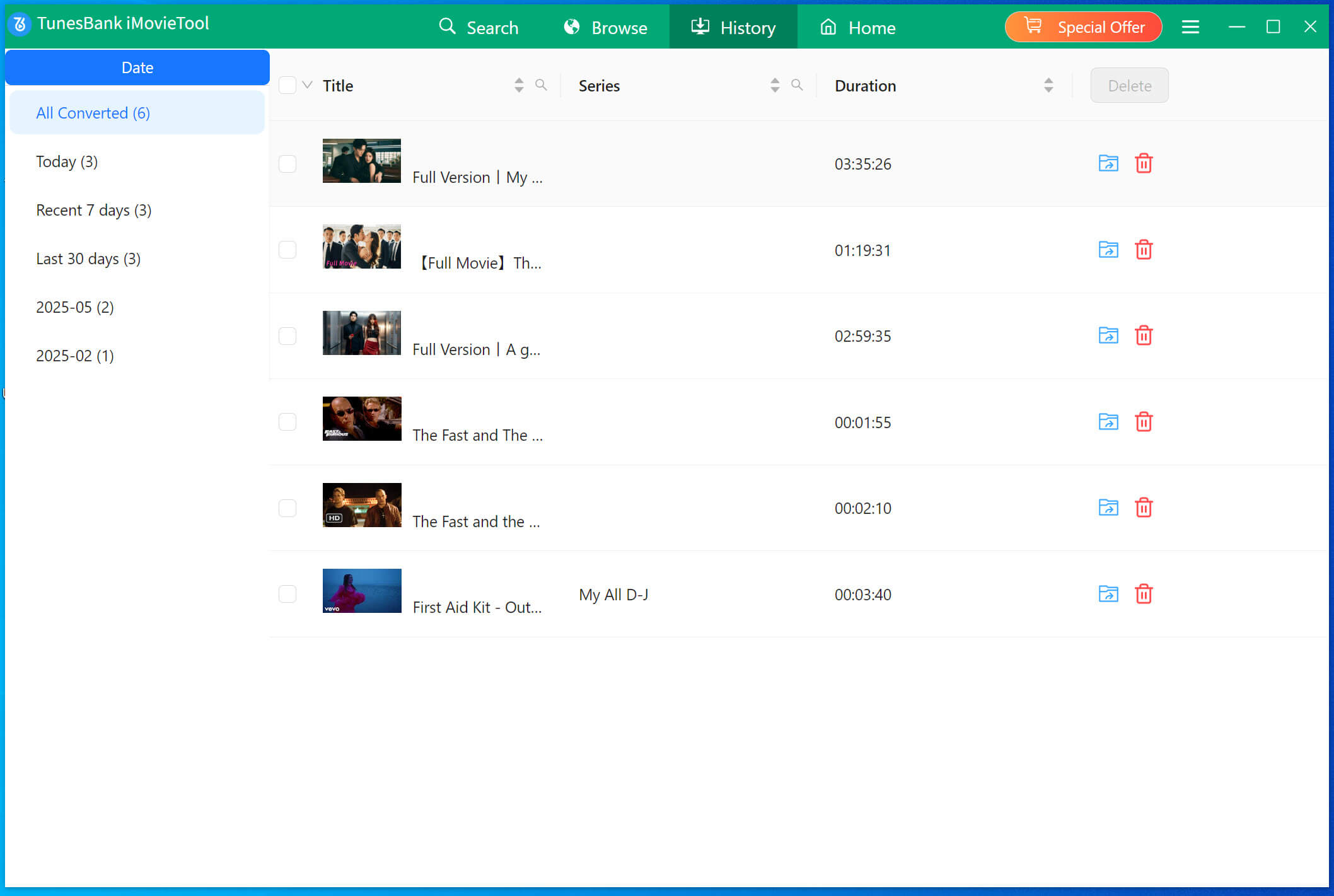
When finished, you can click “History” > “Blue Folder” icon to locate the downloaded Netflix movies directly.
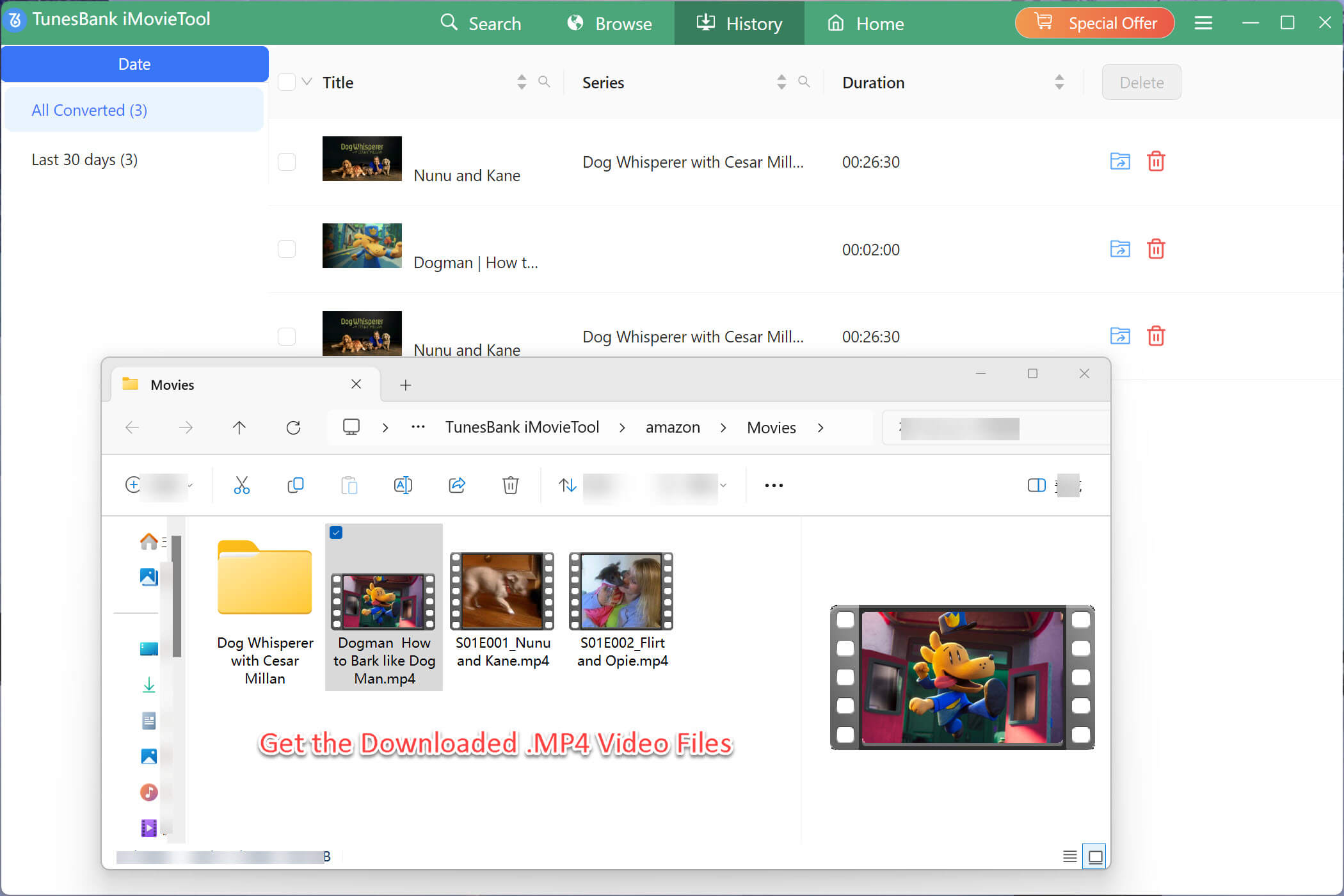
As you can see, the downloaded Netflix movies are stored in .mp4 format, and you can open them through other media players!
Final Words
There are many situations in daily life that you need to download Netflix movies to MP4. For example, you expect to burn Netflix movies to DVD, backup and save Netflix movies to USB disk. Or you want to transfer Netflix movies to other incompatible devices for playing offline. Of course as you know Netflix doesn’t offers a MP4 download option. Here 4kFinder Netflix Video Downloader is the best choice when you need to download Netflix videos to MP4 format. It is easy-to-use, fast, safe, stable, high-quality, etc. So give it a try, you won’t be disappointed!