 Download Netflix videos to MP4 or MKV format in 1080P Full HD resolution.
 English
 Arabic
 Chinese (Simplified)
 Chinese (Traditional)
 Croatian
 Czech
Czech Danish
 Dutch
Dutch Finnish
 French
 German
 Greek
Greek Hebrew
 Hindi
Hindi Indonesian
 Italian
 Japanese
 Korean
 Malay
Malay Norwegian
 Polish
 Portuguese
 Russian
 Slovenian
 Spanish
 Swedish
 Thai
Thai Turkish
 Ukrainian
 Vietnamese

Want to save Instagram videos for offline viewing or collection? In this guide, we’ll show you 3 easy and effective ways to download Instagram videos on PC, Mac, online, iPhone and Android for free!
Instagram is a treasure trove of viral reels, tutorials, and memories. When scrolling through Instagram, you suddenly come across a video you want to save. If you’ve ever tried to download Instagram videos on Mac or PC, you’ll know it’s not an easy task. No download options, watermarks are everywhere, or the videos are just saved in SD quality.
Whether you want to download Instagram Reel videos without watermark, repurpose content (ethically!), or archive posts, we’ve got you covered. In this guide, we’ll break down the best Instagram video downloader tools, giving you detailed guide on how to download Instagram videos on PC, Mac, Online, Android and iPhone! Among them, iMvieTool Video Downloader is the top-ranking Instagram downloader, which enables you to download Instagram videos, reel, IGTV, story to MP4 for free! You can give it a try right now!
CONTENTS
Way 1. Download Instagram Videos on Mac/PC (Free & Fast)
If you are looking for a safe and fast way to download Instagram videos, you can’t miss the iMovieTool Video Downloader. It is a top-tier desktop tool to download Instagram video, Reel, IGTV, story on Mac or PC in MP4, MKV files for free! Unlike browser extensions or online web video downloaders, it’s a standalone app that supports batch downloads, multi-tasking download and 50X blazing speed. With it, users can bypasses Instagram’s restrictions effortlessly and save Instagram reels videos in HD 1080p resolution.
Better yet, iMovieTool also supports downloading videos from popular websites, including Facebook, Twitter, TikTok, YouTube, Netflix, Hulu, Max, Amazon Prime, Disney+, Apple TV+, and Paramount+. The program has built-in web browsers, allowing to search for videos using URL or name! Only in a few clicks, you can grab your favorite Instagram videos and other video content without hassle!
Step-by-step Guide: Download Instagram Video on PC
Step 1. Install iMovieTool Video Downloader
Visit TunesBank’s official site and install the iMovieTool Video Downloader. Also, you can click the “Download” button to install it directly.
Step 2. Enter Instagram Downloader
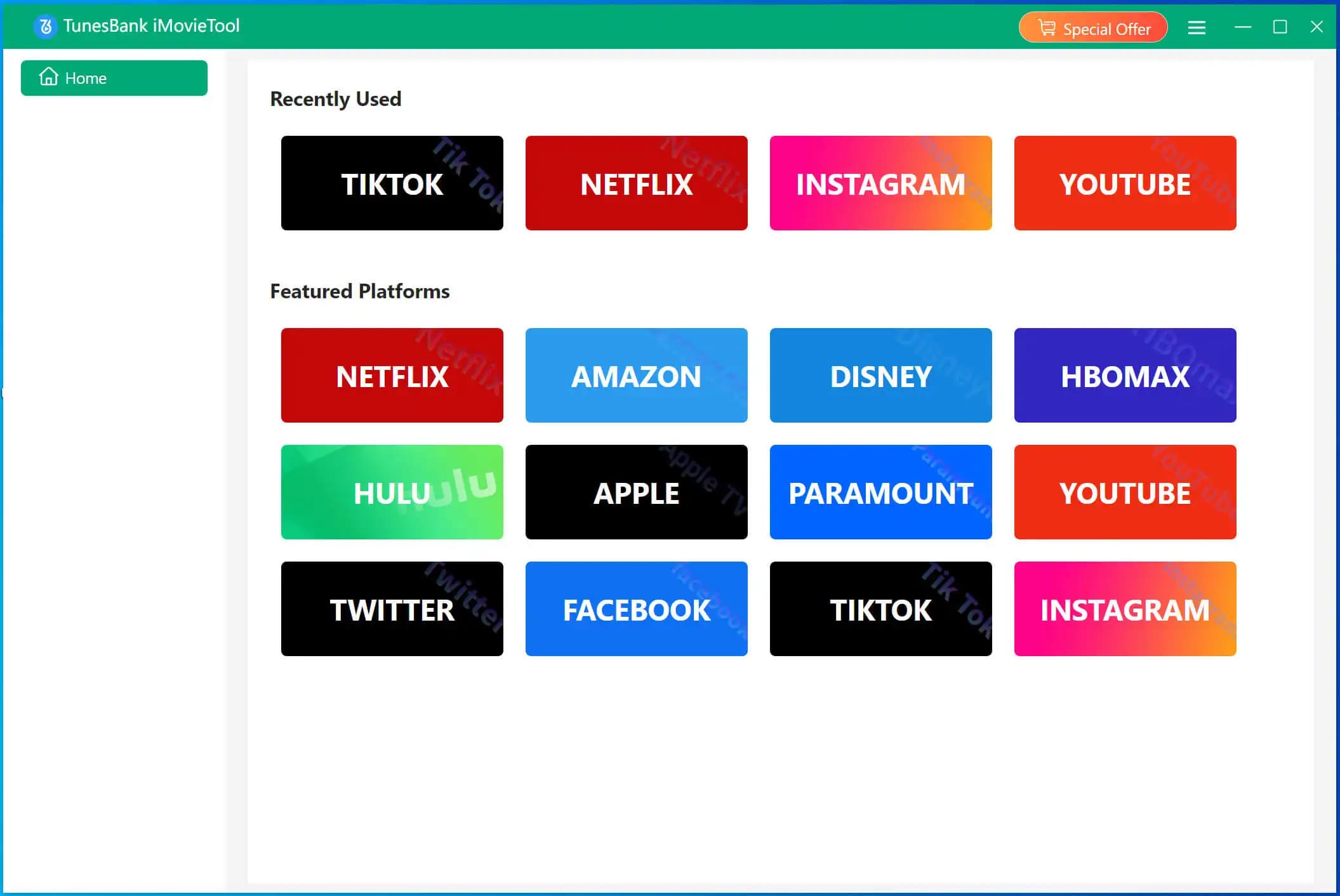
After installation, fire up iMovieTool, choose “Instagram” platform.
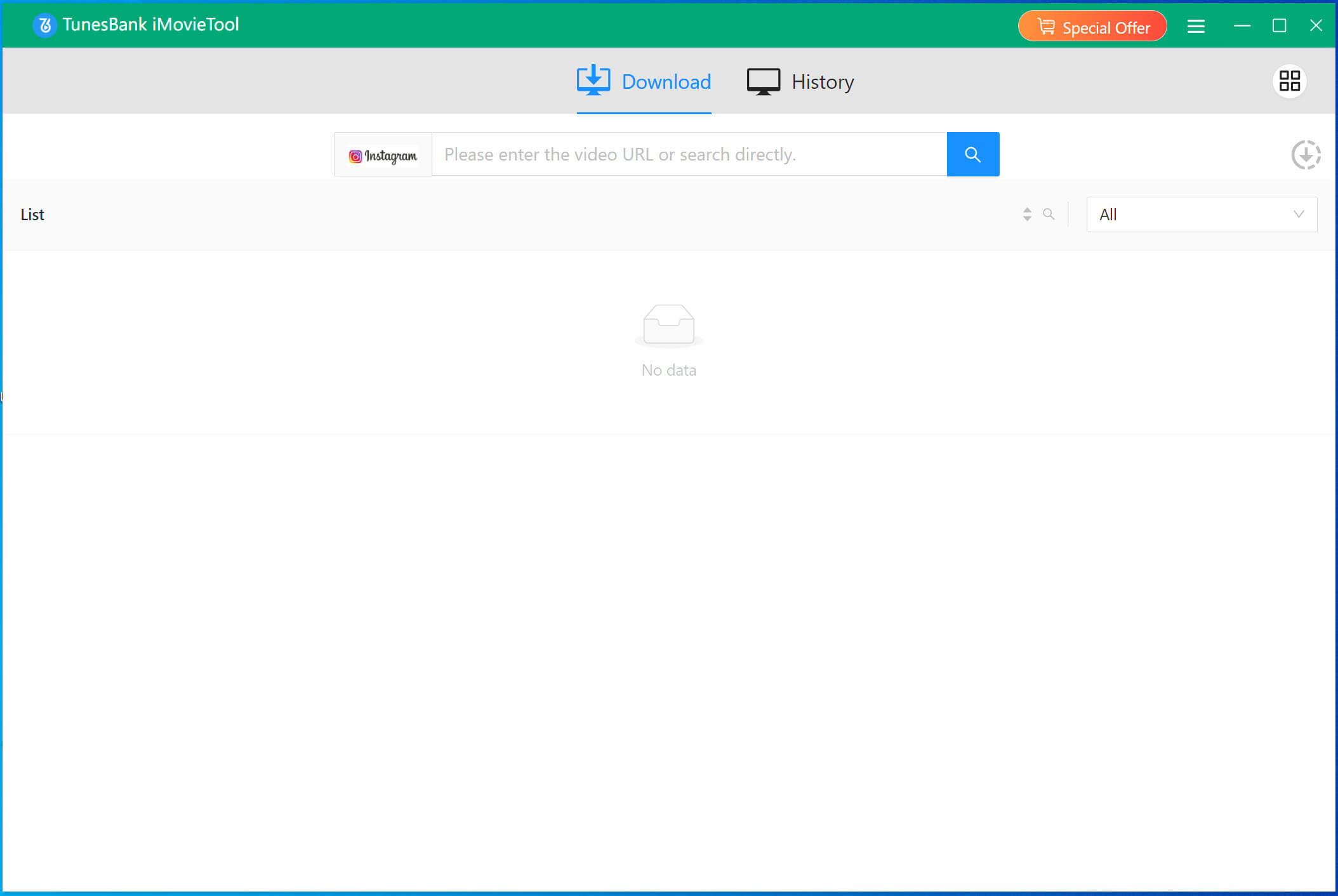
Then you will enter its free Instagram downloader.
Step 3. Copy & Paste Instagram Video URL
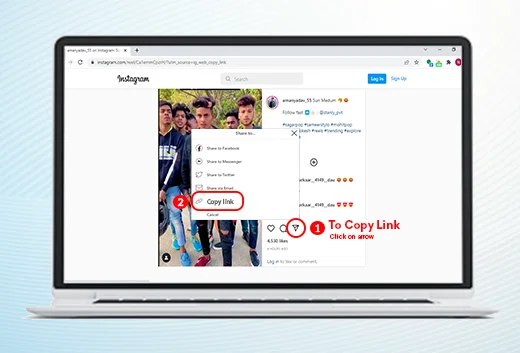
Open Instagram, copy the video URL of post or Reel.
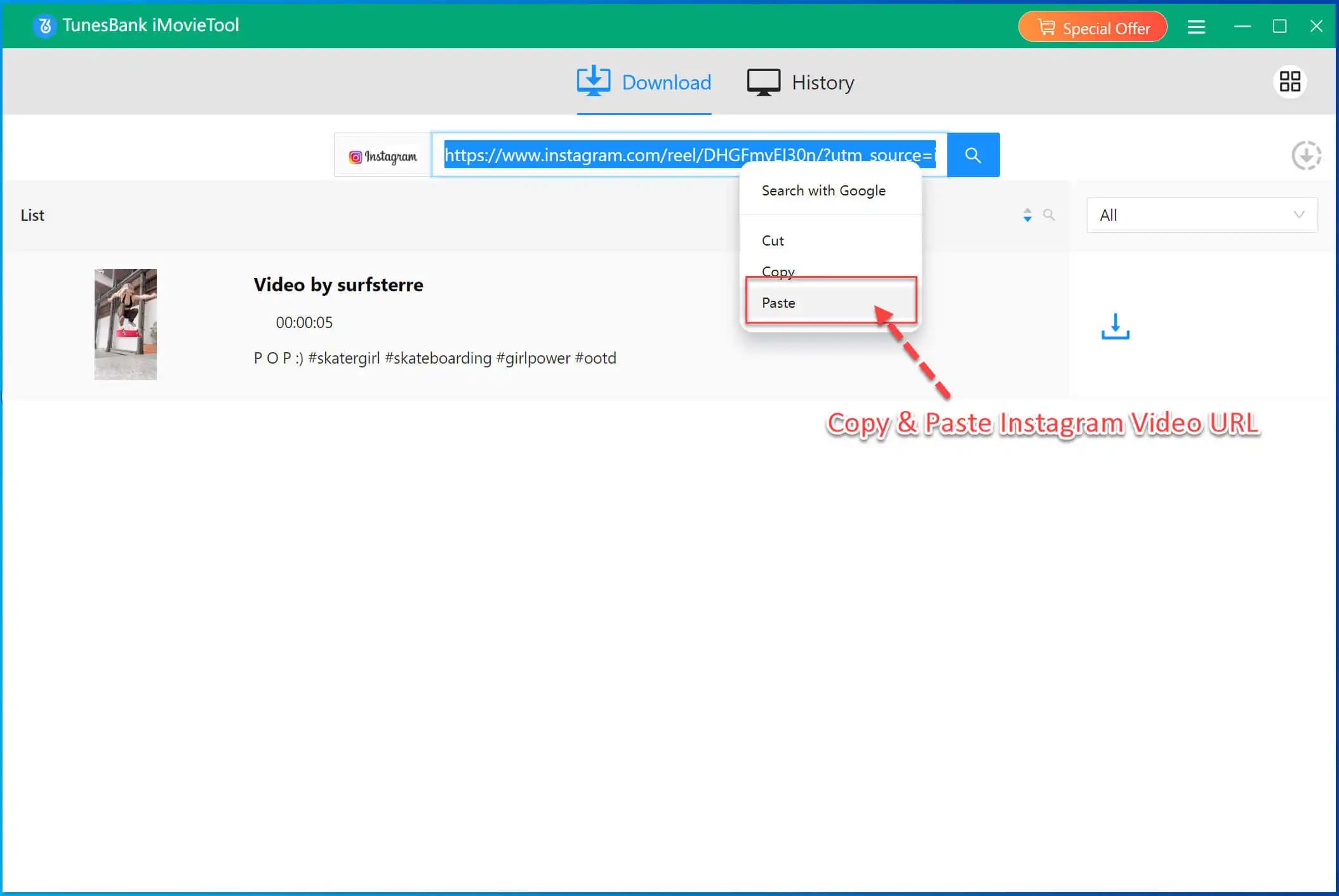
Then paste the URL into iMovieTool, and click “Search” icon.
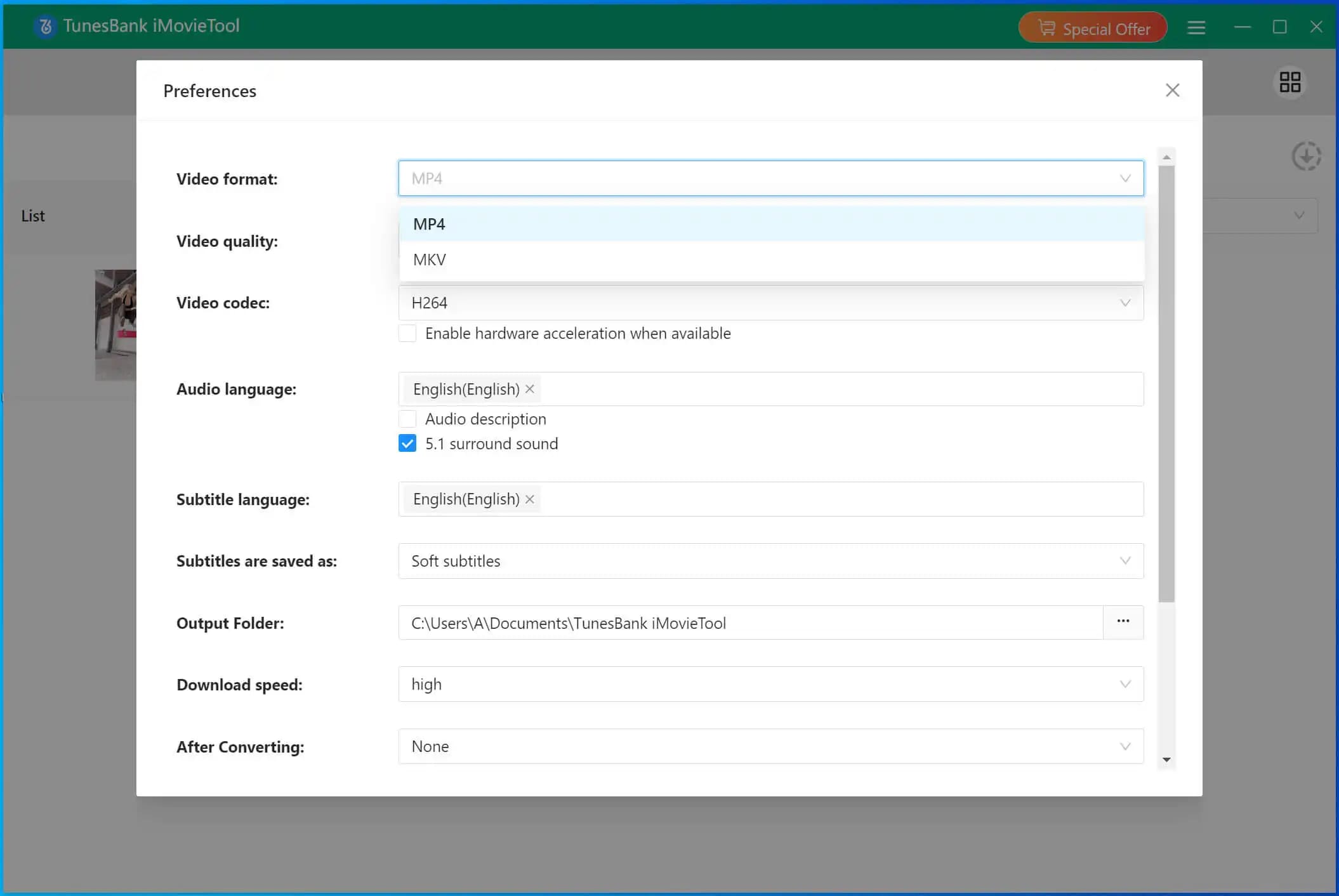
Step 4. Set Output Format
Go to “Preference” at the upper right corner. A settings window will pop up. From where you can define the output format (MP4, MKV), output quality (up to 1080p) and more settings.
Step 5. Download Video from Instagram
Click “Download” to save the Instagram video to your local folder.
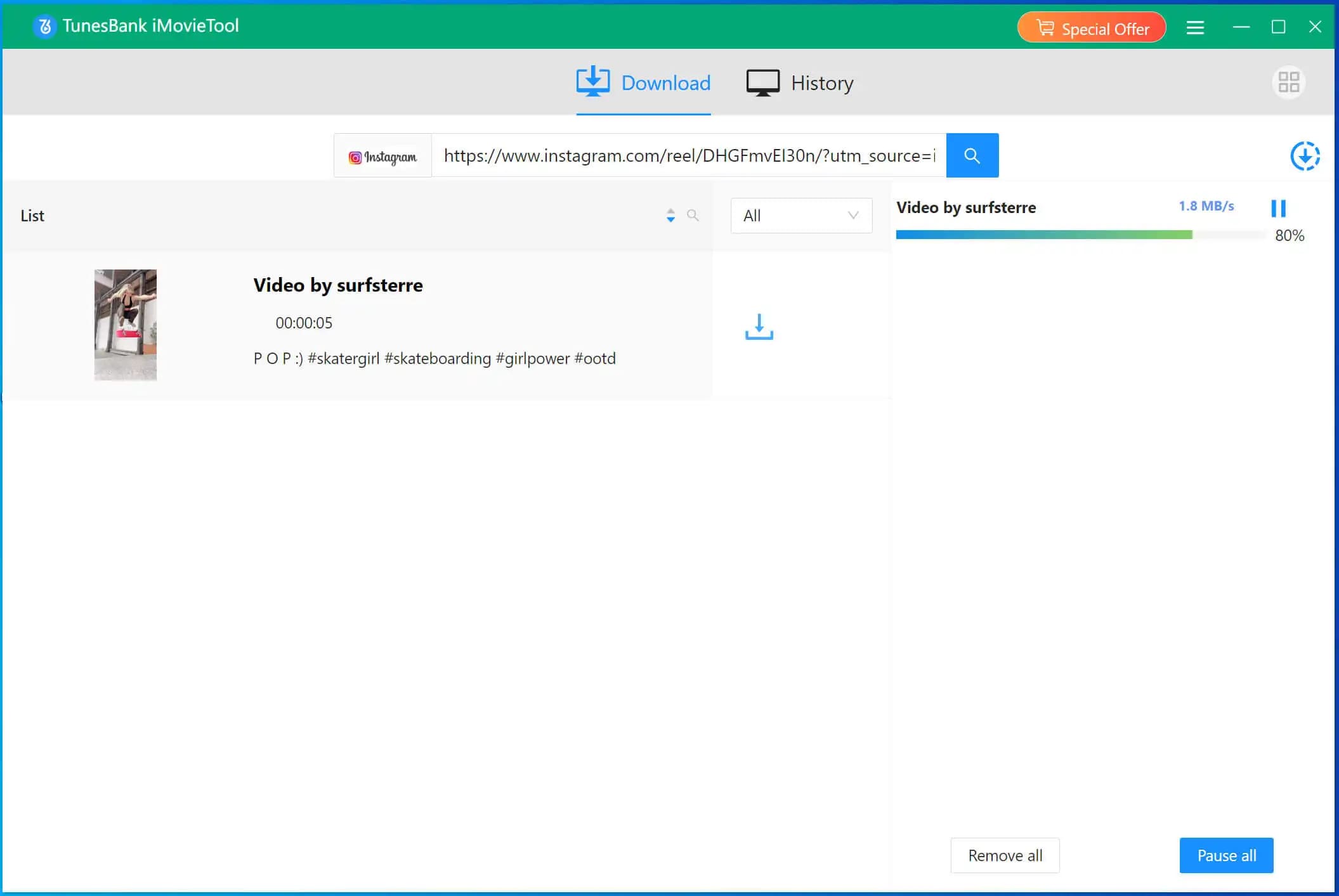
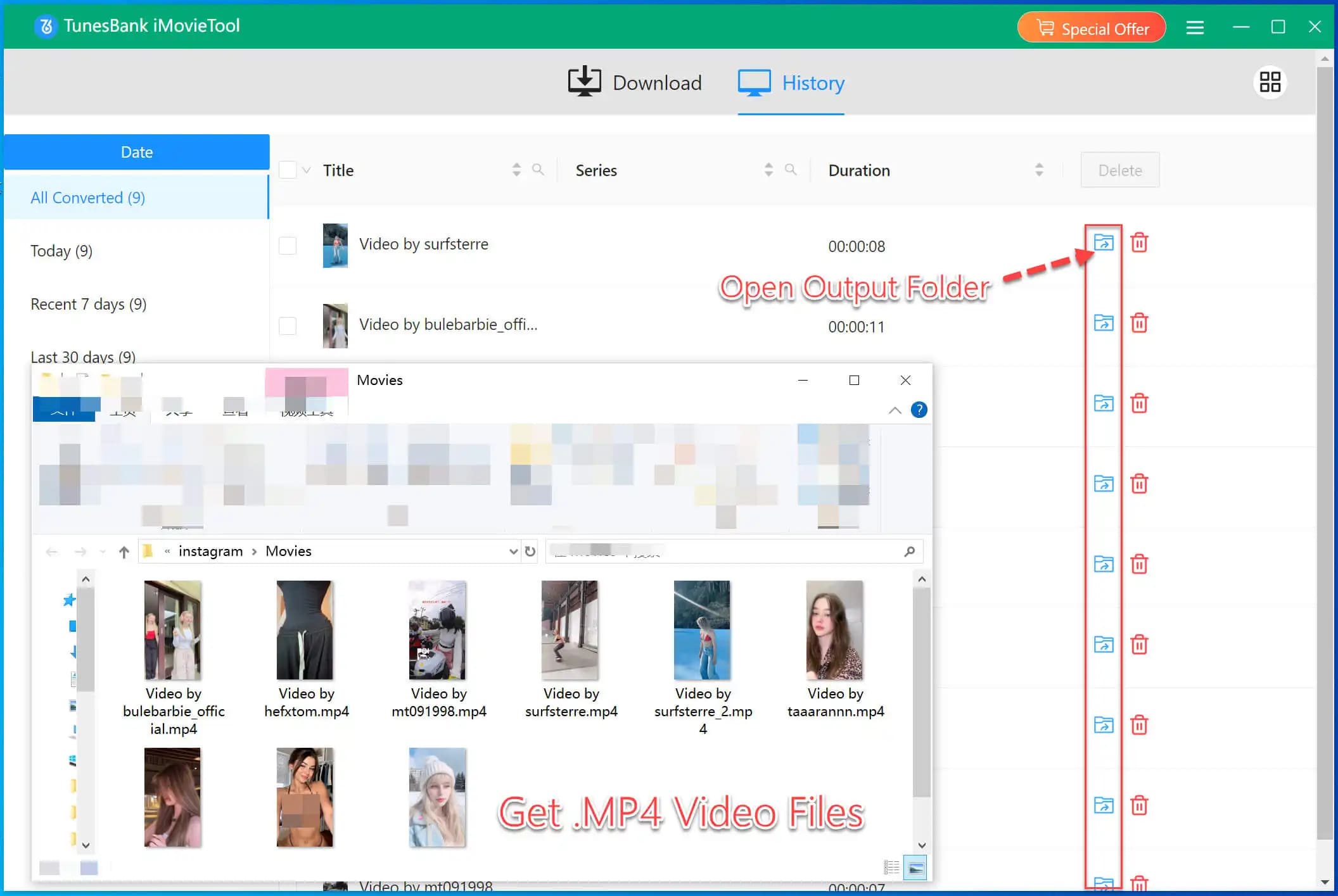
When finished, go to “History” section to find the downloaded Instagram video, enjoy it offline!
Pros:
✅ High-quality output: 720p, 1080p.
✅ 50X faster speed to save time.
✅ Downloads multiple Instagram videos at once.
✅ Clean MP4/MKV files without ads or watermark.
✅ Support 12+ streaming video websites.
✅ Allows to customize the video quality, video codec, format and more.
Cons:
❌ No mobile app version.
Way 2. Download Instagram Videos Online
If you prefer not to use extra software, online Instagram video downloader provide an alternation option. It enables you to download Instagram video for free without software. As a web-based tool, it is compatible with desktop and mobile devices. This means you are able to save Instagram videos either using your computer or phone. Simply paste the link to its , and you’re done!
However, the drawback is that the online website doesn’t support to customize the video quality and video format. When you press on the “Download” button, the Instagram video will be saved as MP4 in SD resolution only. To download Instagram Reels videos in high resolution, we recommend you choose the iMovieTool Video Downloader. It’s safe, free and offers high-quality downloads!
Here’s how to download Instagram video using an online Instagram downloader.
Step 1. Open Instagram and copy the video URL.
Step 2. Go to the official website of Online Instagram Downloader.
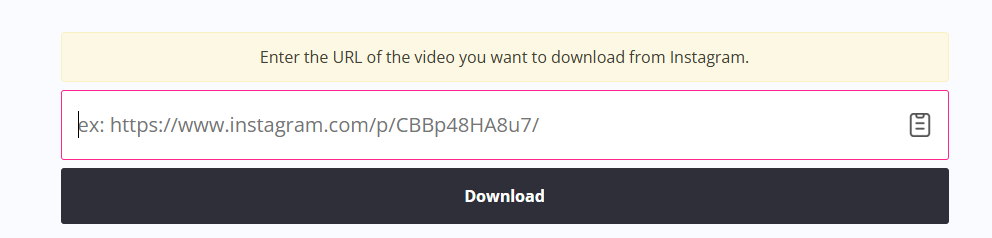
Step 3. Enter the URL in the search bar and click “Download”.
Pros:
✅ No installation
✅ Free to use.
Cons:
❌ Lower quality output.
❌ Ads & pop-ups on the page.
❌ Batch download is not supported.
Way 3. Download Instagram Videos on Phone
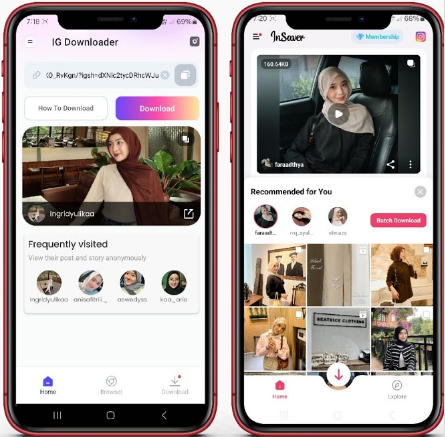
InSaver for Instagram is a mobile app, available for iOS and Android. It allows to download Instagram videos, photos, stories, reels on phone with one tap. This functionality allows for offline access and personal archiving of favorite posts. In this way, you can collect your favorite Instagram videos on your phone and enjoy offline viewing anytime!
However, two things may disappoint you. One is that this app only allows to download Instagram video one by one manually. The other is that it can only save Instagram video in 480p which is a little lossy. By comparison, we advise you to batch download Instagram videos on computer first by using the iMovieTool Video Downloader, then transfer the Instagram videos to your phone.
If you don’t mind, now follow below steps to download a video from Instagram to your phone.
Step 1. Download from the InSaver for Instagram from App Store or Google Play, then open the app.
Step 2. Open Instagram app on your phone, find a video, and tap “Share” on the video, then select InSaver.
Step 3. Choose MP4 quality and save to your camera roll.
Pros:
✅ User-friendly interface.
✅ Works natively on iOS/Android.
✅ Save Stories and Reels, not just posts.
Cons:
❌ Free versions include ads.
❌ It requires access to your photos/Instagram account.
❌ Little lossy output quality, 480p only.
❌ It can’t batch download Instagram videos.
FAQs About Downloading Instagram Videos
Q1. Is it legal to download Instagram videos?
Yes, make sure the downloaded Instagram videos are only for personal use or entertianment. Redistributing content without permission violates copyright laws.
Q2. Can I download Instagram private videos?
No. You can only download public videos or content from accounts you follow.
Q3. Can I download Instagram Live videos?
Most tools only support pre-recorded posts, Reels, and Stories. To get Instagram videos, you can try to use a real-time recording tool.
Q4. Why does my downloaded video have no sound?
Ensure your tool supports audio extraction. iMovieTool Video Downloader will preserve audio by default. Using it, users can download high-quality videos from Instagram while remaining original audio tracks.
Conclusion
To sum up, there are 3 doable ways for your to download Instagram videos on Mac, PC, online, iPhone and Android. If you want a more effective and high-quality solution, we highly recommend the iMovieTool Video Downloader. This outstanding tool allows you to download video from popular streaming videos sites like Instagram, Facebook, YouTube, X, Netflix, Prime Video and Hulu, etc., saving the videos as HD MP4 or MKV files. Now, download it and grab the Instagram videos for free!