
 Download Netflix videos to MP4 or MKV format in 1080P Full HD resolution.
 English
 Arabic
 Chinese (Simplified)
 Chinese (Traditional)
 Croatian
 Czech
Czech Danish
 Dutch
Dutch Finnish
 French
 German
 Greek
Greek Hebrew
 Hindi
Hindi Indonesian
 Italian
 Japanese
 Korean
 Malay
Malay Norwegian
 Polish
 Portuguese
 Russian
 Slovenian
 Spanish
 Swedish
 Thai
Thai Turkish
 Ukrainian
 Vietnamese


“The Life of a Showgirl” is the latest album by Taylor Swift released on October 3, 2025 as part of her twelfth album. Read on this article to learn how to download The Life of a Showgirl to MP3 in 320kbps from YouTube or YouTube Music, without Premium subscription.
Taylor Swift continues to redefine modern pop music. Have you listened to Taylor Swift’s new album? “The Life of a Showgirl” was released on October 3, 2025, marking her twelfth studio album. The record delivers high-energy pop tracks that pull back the curtain on Swift’s life behind the scenes during her record-breaking Eras Tour. This album also represents another breakthrough in her singing career.
Led by the hit single of the same name “The Life of a Showgirl”, Swifties can now stream the full album The Life of a Showgirl on major platforms such as YouTube, YouTube Music, Spotify, Apple Music, and more. To download The Life of a Showgirl for offline listening, users typically need to upgrade to a paid Premium subscription. Alternatively, keep reading this guide, we’ll show you how to download The Life of a Showgirl album to MP3 in 320kbps, and keep them permanently on your device, even without a subscription.
CONTENTS
Enjoy “The Life of a Showgirl” Album on YouTube for Free
Method 1. Download “The Life of a Showgirl” Album to MP3 from YouTube Music
Technically, the official YouTube Music app only lets Premium subscribers save encrypted offline files, rather than standard MP3 audio. To download ‘The Life of a Showgirl’ album from YouTube to MP3 for local storage or enjoy on other devices, you need to use a third-party tool, such as 4kFinder YouTube Music Converter.
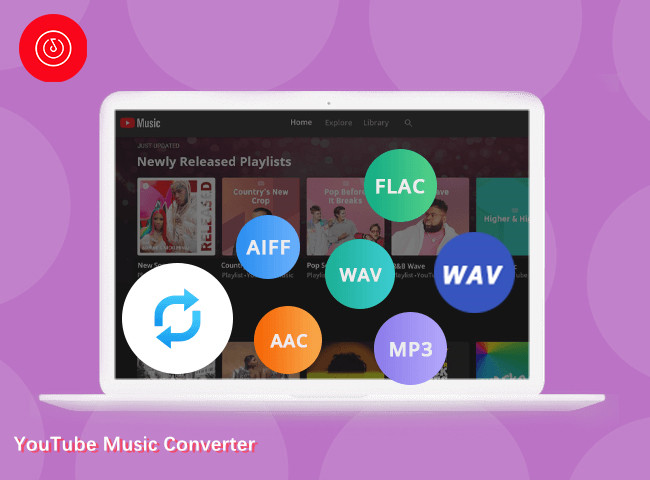
It allows you to download individual tracks, entire albums, playlists and music videos from YouTube Music without Premium. Plus, the software has the ability to preserve original audio quality, allowing users to export tracks in MP3 at up to 320kbps and M4A/AAC at up to 320kbps. Using it, you can easily download the full album The Life of a Showgirl to MP3 in 320kbps with just a few clicks.
Better yet, 4kFinder YouTube Music Converter ha embedded a built-in YouTube Music web player. Users can log in to their YouTube Music accounts within the software (or even without logging in), browse albums directly, search for “The Life of a Showgirl”, and add tracks without switching apps or browsers. Once downloaded, you can keep the high-quality songs permanently and enjoy them offline anytime.
Main Features of 4kFinder YouTube Music Converter:
- Free download YouTube Music tracks, playlists, MV, and albums.
- Supports MP3, M4A, WAV, AAC, FLAC, AAC and AIFF.
- Built-in YouTube Music web player, music player.
- Preserve full ID3 tags and album artwork.
- Fast conversion speed with high success rate.
- Highly compatible with both Windows and macOS.
How to Convert The Life of a Showgirl Album to MP3?
Step 1. Launch 4kFinder YouTube Music Converter
Download and install the 4kFinder YouTube Music Converter on a Mac or Windows computer. Open the software to access the official YouTube Music library online.
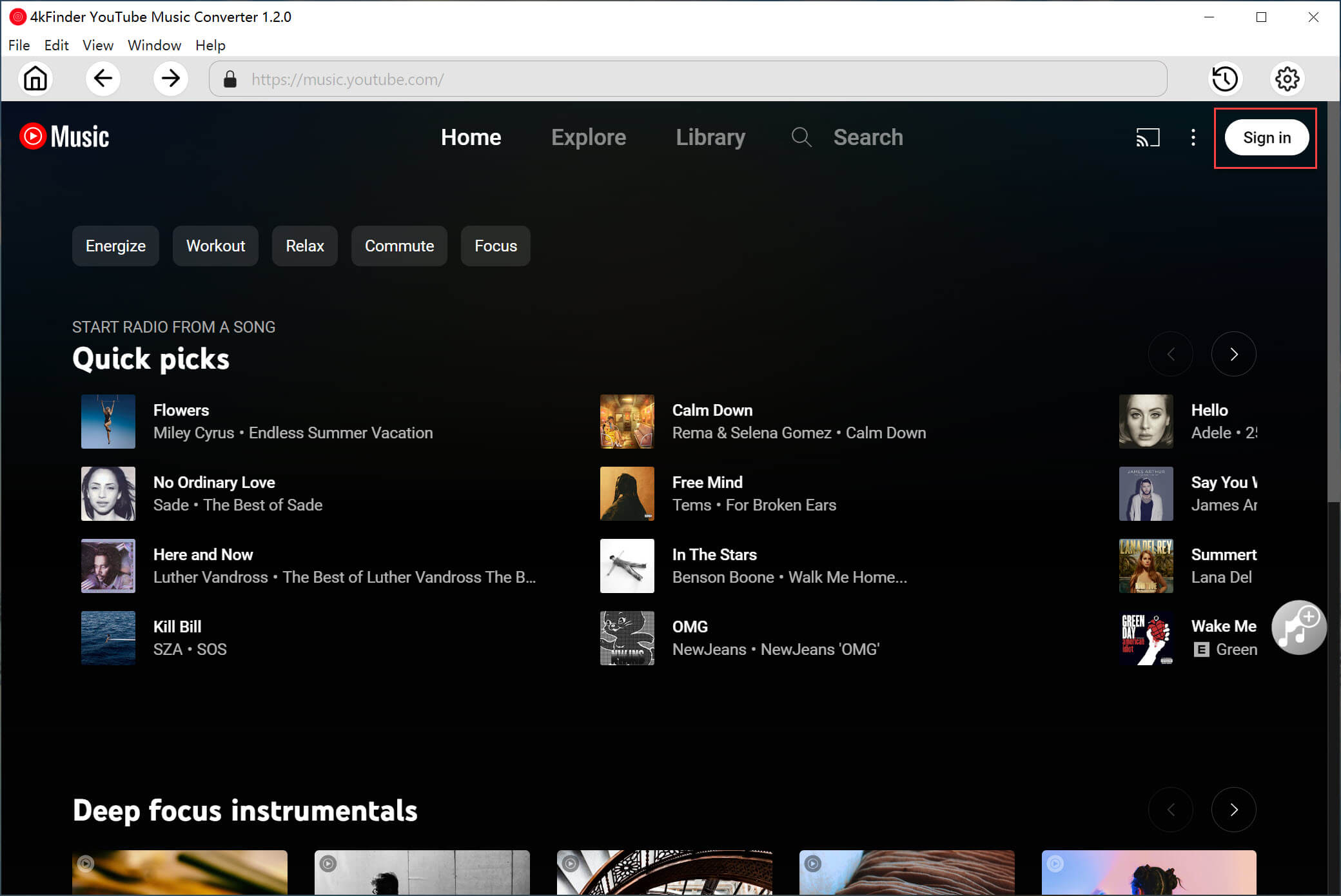
If you want to load your personal music library, you need to log in to your YouTube Music Free or Premium account.
Step 2. Set Output Audio Parameters
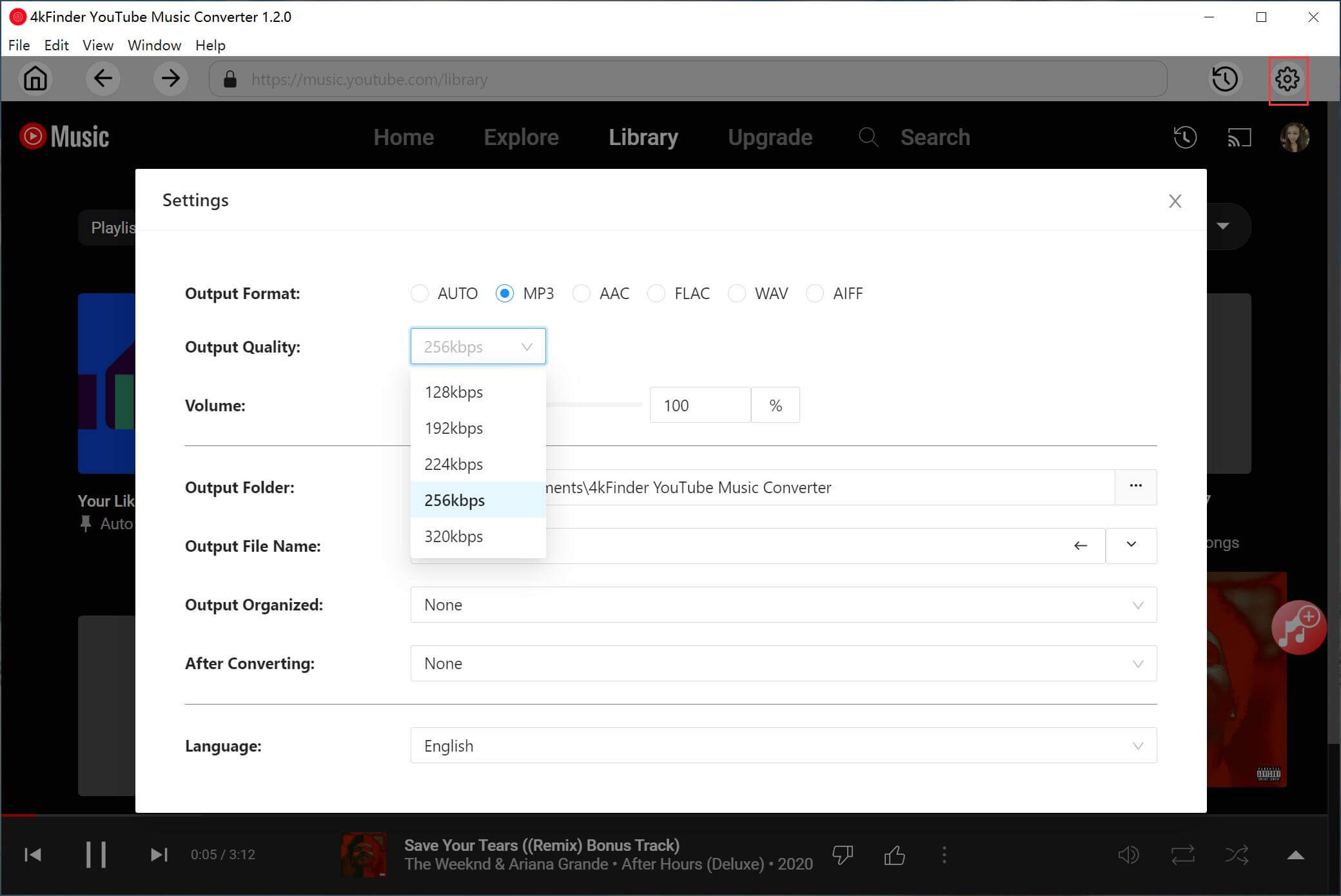
Click on the “Gear” icon to choose MP3 as the output format, set the audio quality to 320kbps, and customize output folders, file naming rules, and metadata preferences.
Step 3. Add The Life of a Showgirl Album
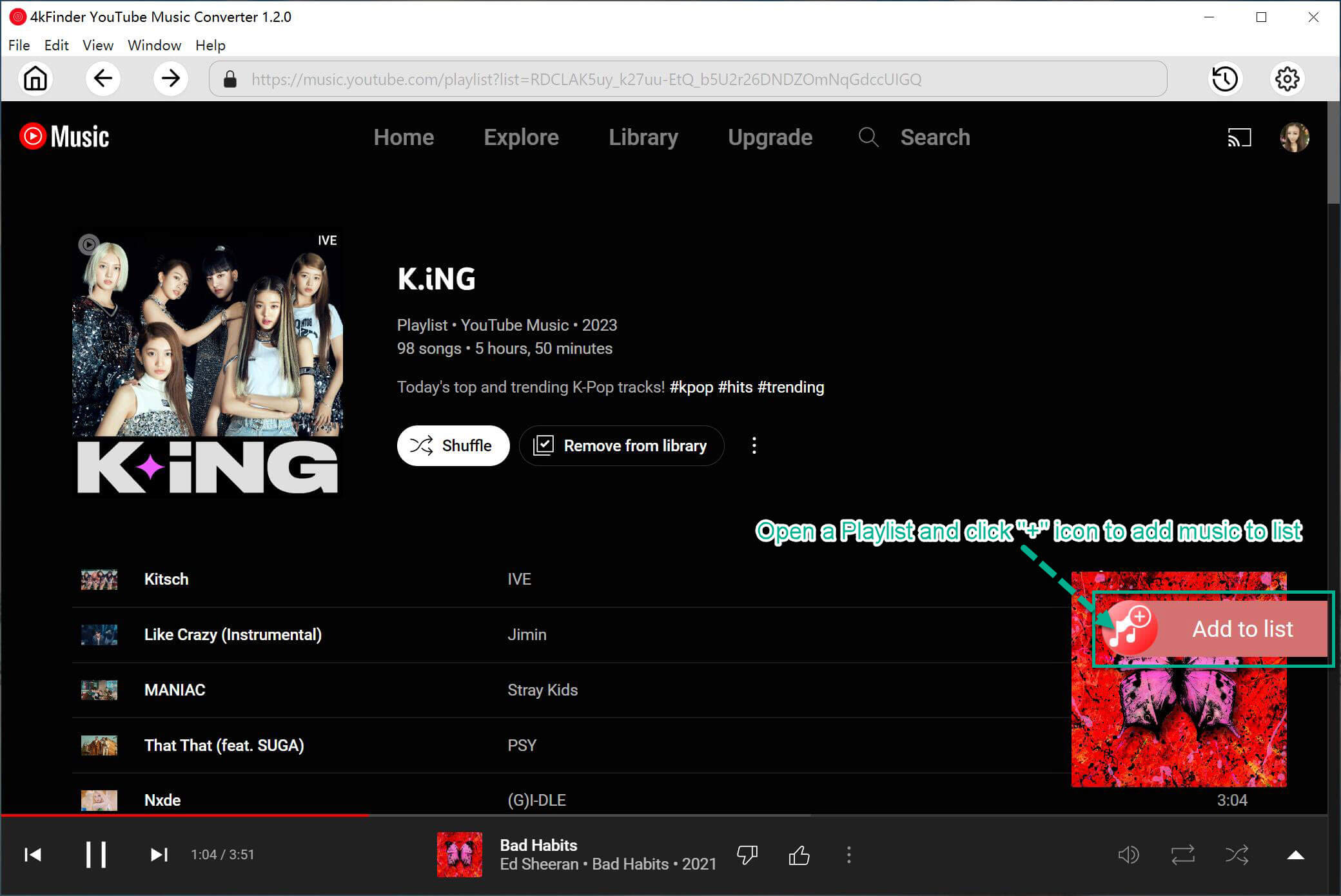
Search for The Life of a Showgirl album within the built-in YouTube Music player, open the album page, and click “Add” to load all tracks.
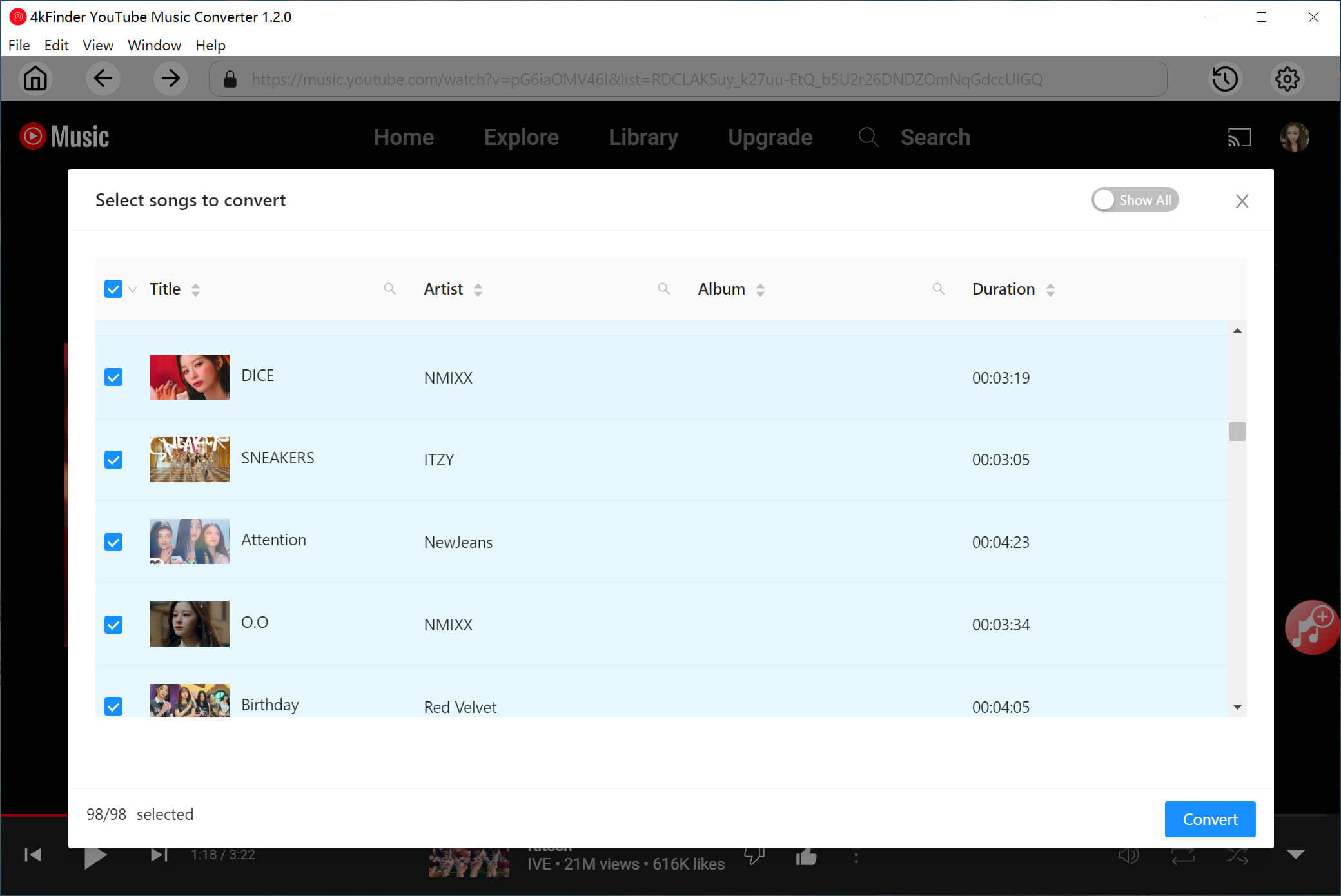
Confirm the track list and select individual songs or the entire album before conversion, ensuring every track from The Life of a Showgirl is included.
Step 4. Convert The Life of a Showgirl Album to MP3
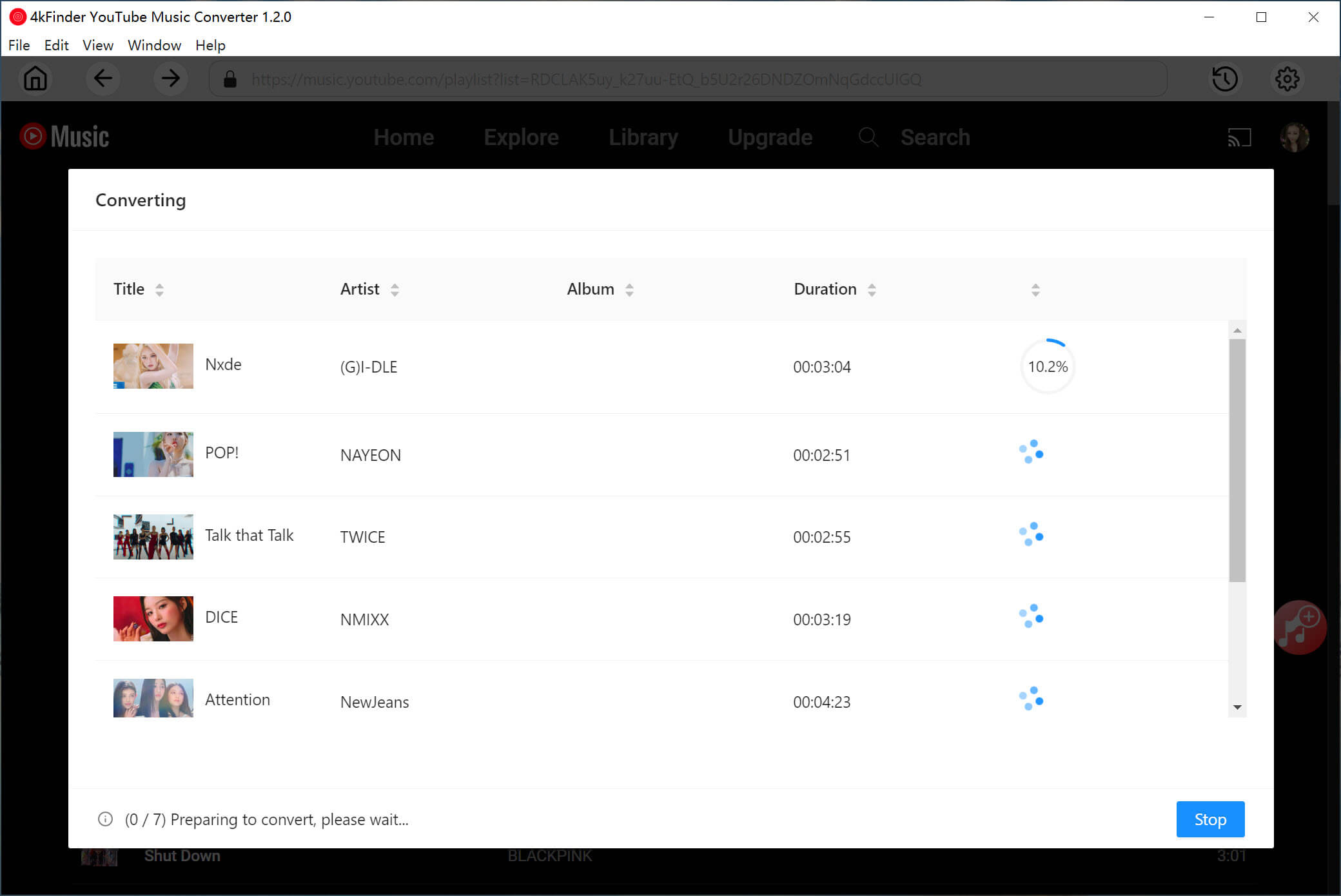
Click the “Convert” button to start downloading and converting The Life of a Showgirl album to MP3 in 320kbps, with real-time progress displayed on the interface.
Step 5. Check Downloaded MP3 Songs
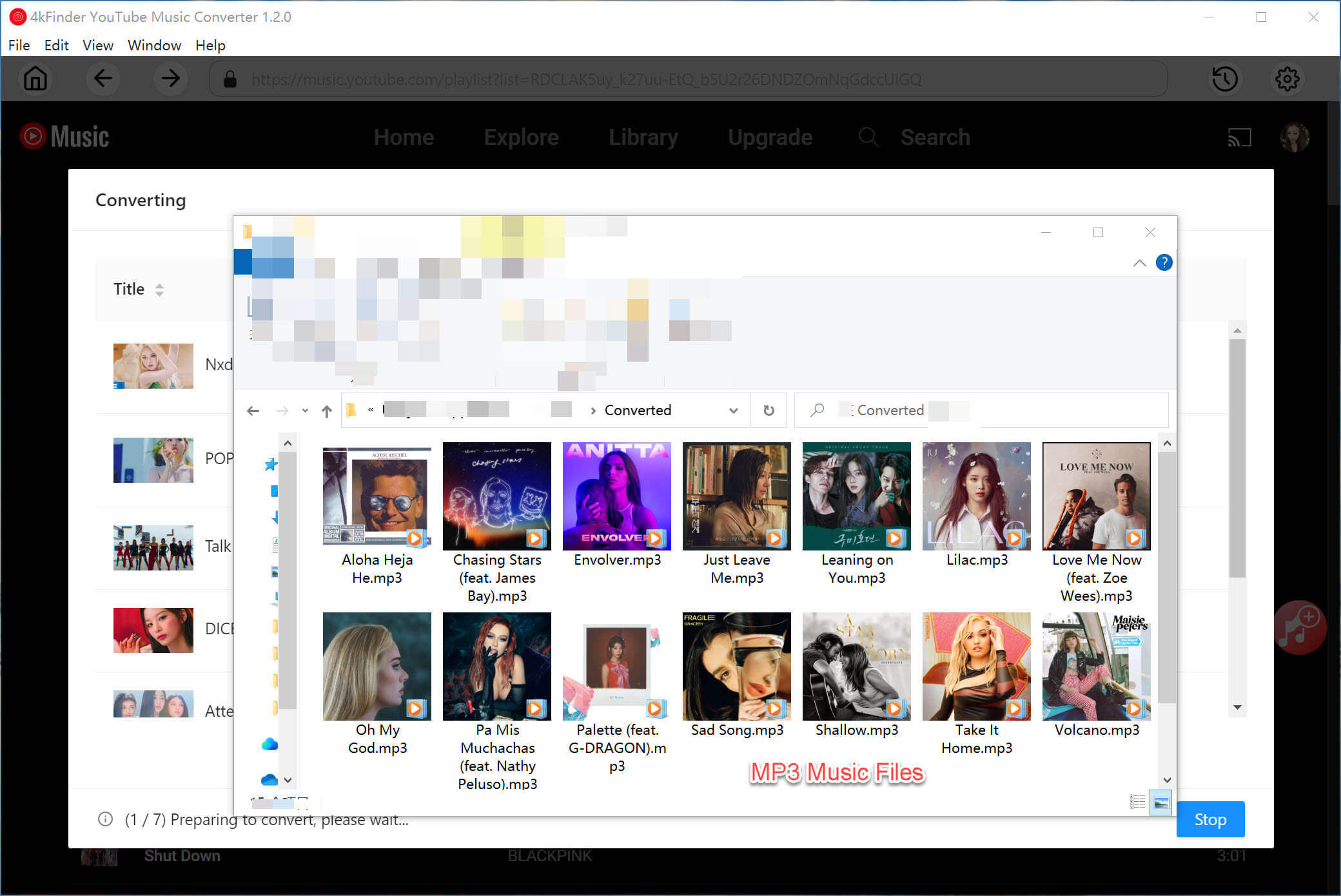
Once the conversion is complete, click the “History” icon at the upper right corner. With a built-in music player on 4kFinder, you directly listen to YouTube Music on desktop computer offline!
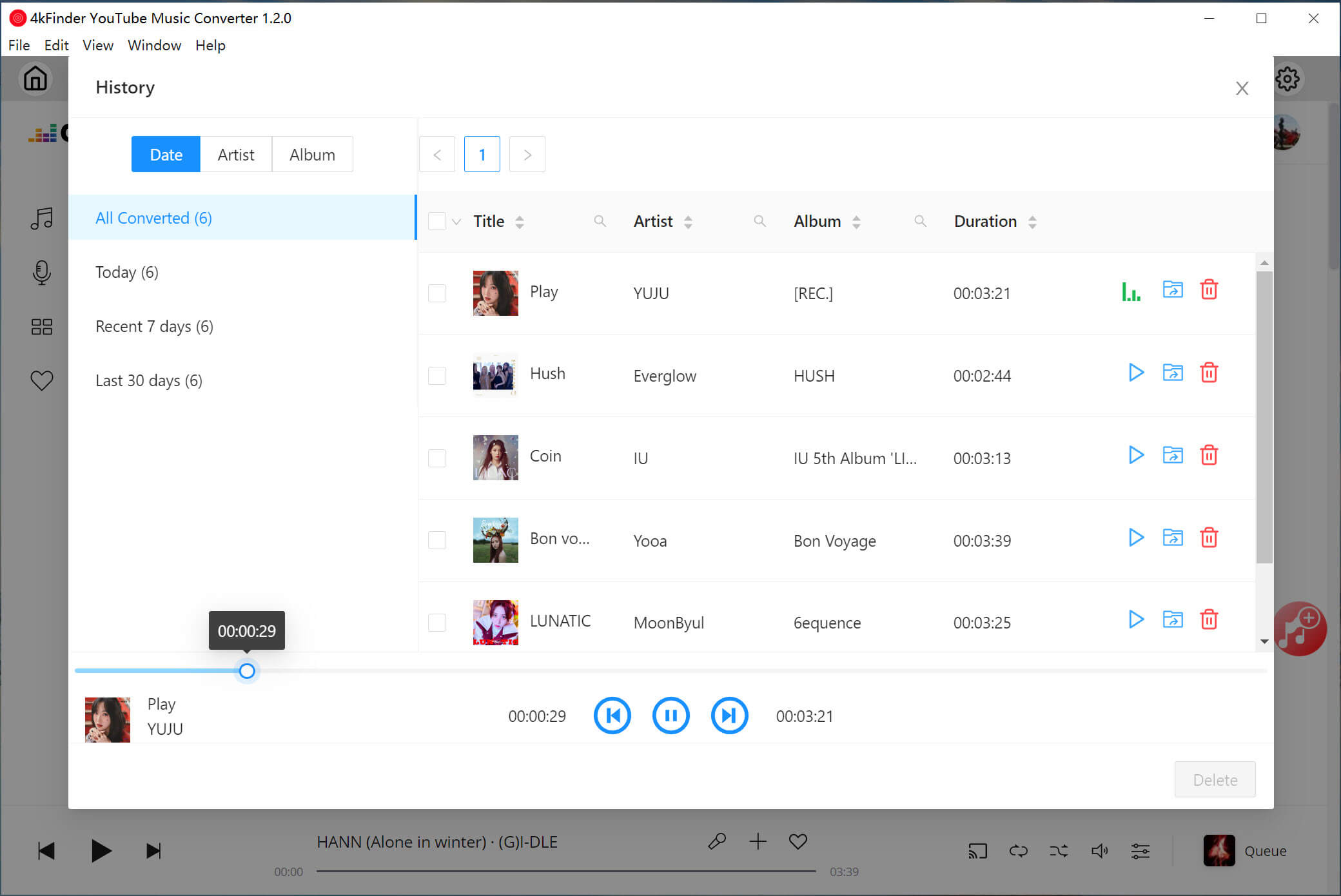
Once completed, click the “History” icon to check the well downloaded songs. Tap on “blue folder” icon to open the output folder to access your downloaded MP3 files, all neatly organized with album art and metadata intact.
Method 2. Download “The Life of a Showgirl” Album to MP3 from YouTube
Another effective method to download The Life of a Showgirl album to MP3 is using 4kFinder Video Downloader, a professional video and audio downloader designed for YouTube and other popular video platforms.
For those who prefer sourcing music directly from official YouTube uploads, lyric videos, or album playlists, 4kFinder Video Downloader offers a flexible and reliable solution. It is able to download videos and extract audio from YouTube in high quality. Unlike basic online YouTube downloaders with lossy quality and slow speed, 4kFinder supports high-quality MP3 320kbps extraction, and downloads YouTube videos in HD 1080p, 2K, 4K and even 8K resolution.
Additionally, it also supports batch downloads, allowing users to download The Life of a Showgirl album and music videos to MP3 at 320kbps efficiently, with up to 50X faster speed. The software delivers an intuitive interface. Users simply copy and paste the YouTube URL of The Life of a Showgirl album or song, select MP3 as the output format, and start downloading.
Detailed Steps to Download The Life of a Showgirl Album to MP3
Step 1. Install and Launch 4kFinder
First, click the above Download button, get 4kFinder Video Downloader installed on your Windows PC or Mac. Then launch the downloader.
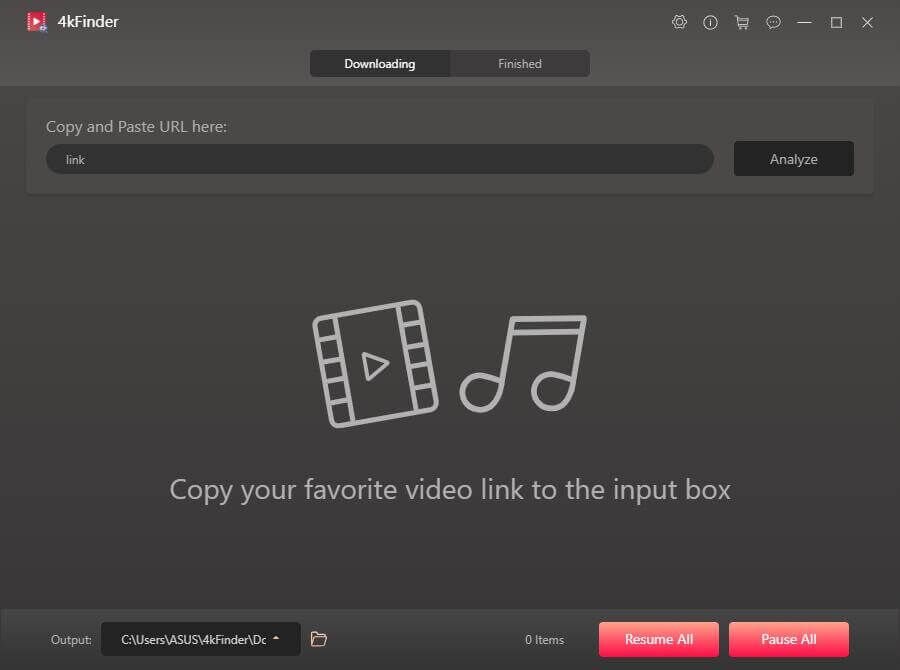
Step 2. Copy & Paste The Life of a Showgirl Album URL
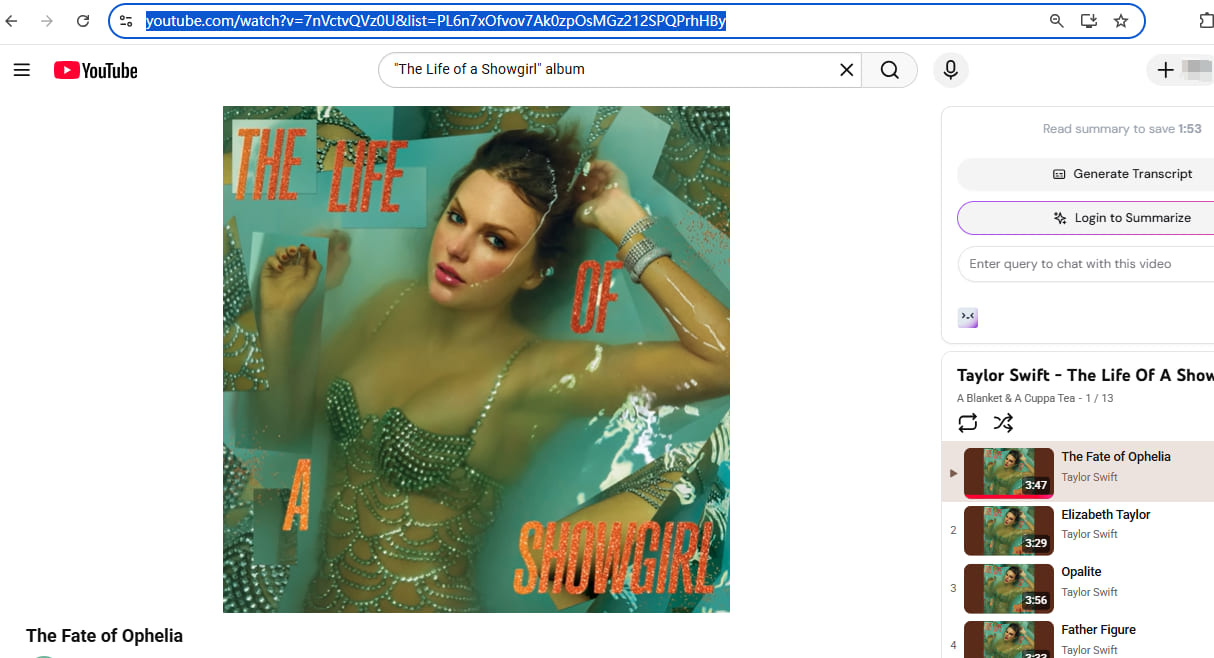
Go to YouTube website in a browser, copy the YouTube URL of The Life of a Showgirl album or playlist, or individual music video.
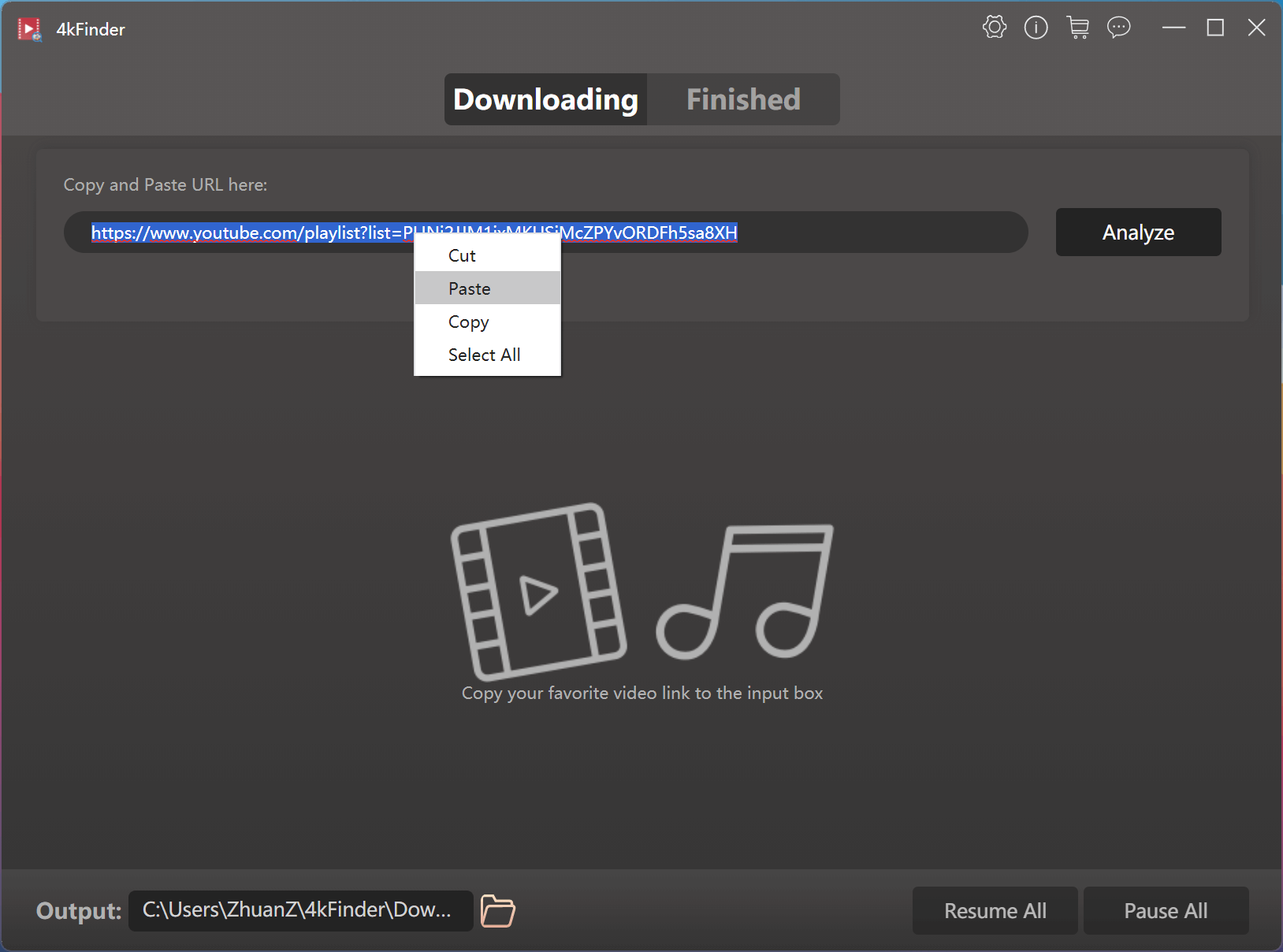
Next, paste the link into 4kFinder and click “Analyze” button.
Step 3. Pick MP3 and 320kbps Option
In the pop-up window, select all songs in the album for downloading. Then, tap “audio” tab, select “MP3” as the output format and choose “320kbps” or “best” quality option.
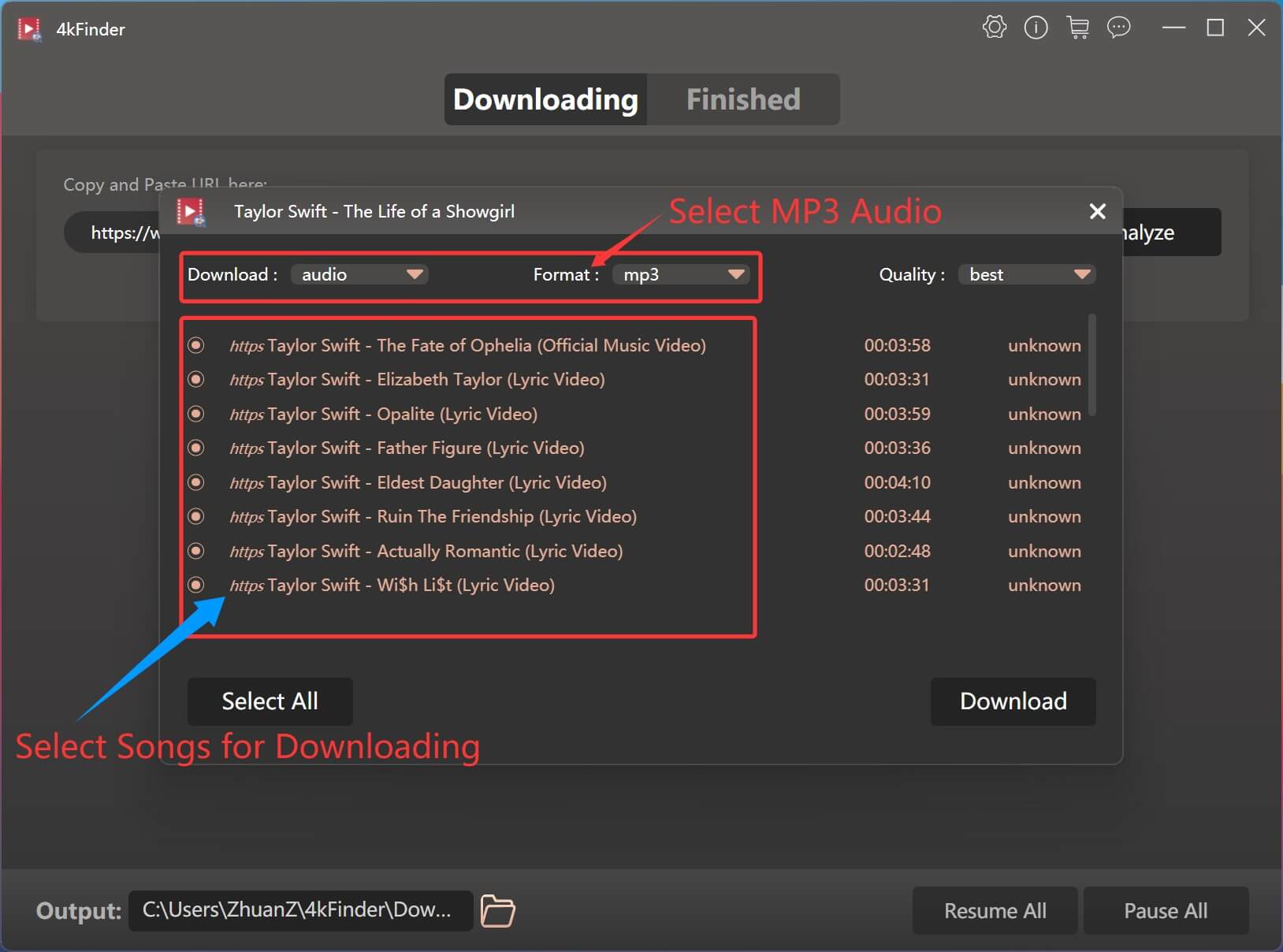
Tips: You can also choose to download The Life of a Showgirl album to MP4 in 1080p resolution.
Step 4. Download The Life of a Showgirl Album to MP3
When finish customization, click on the “Download” button. 4kFinder will start downloading and converting each music videos in the album into MP3 audio files.
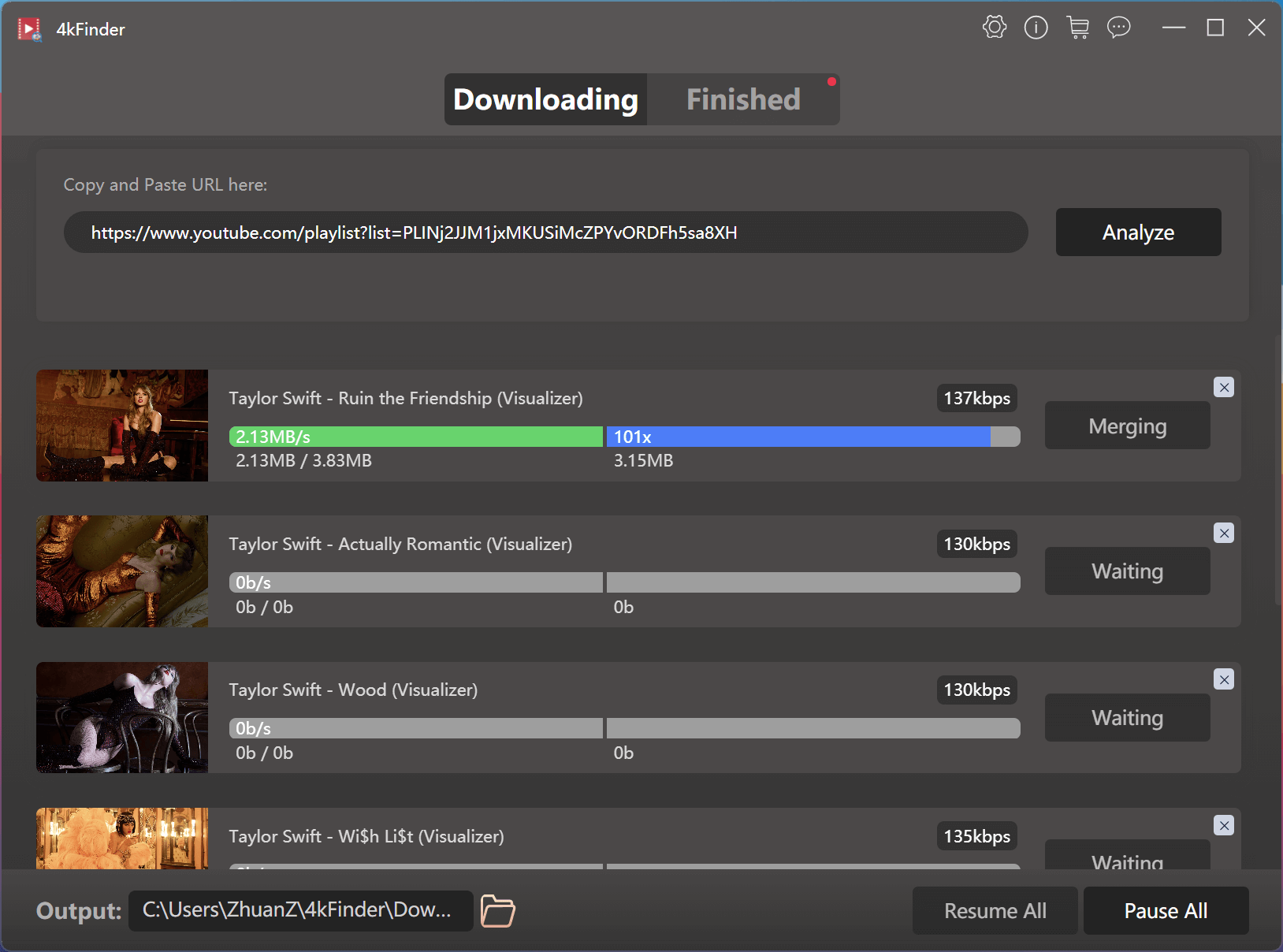
Step 5. Get MP3 320kbps Songs
After downloading, go to “Finished” section to find the download YouTube music.
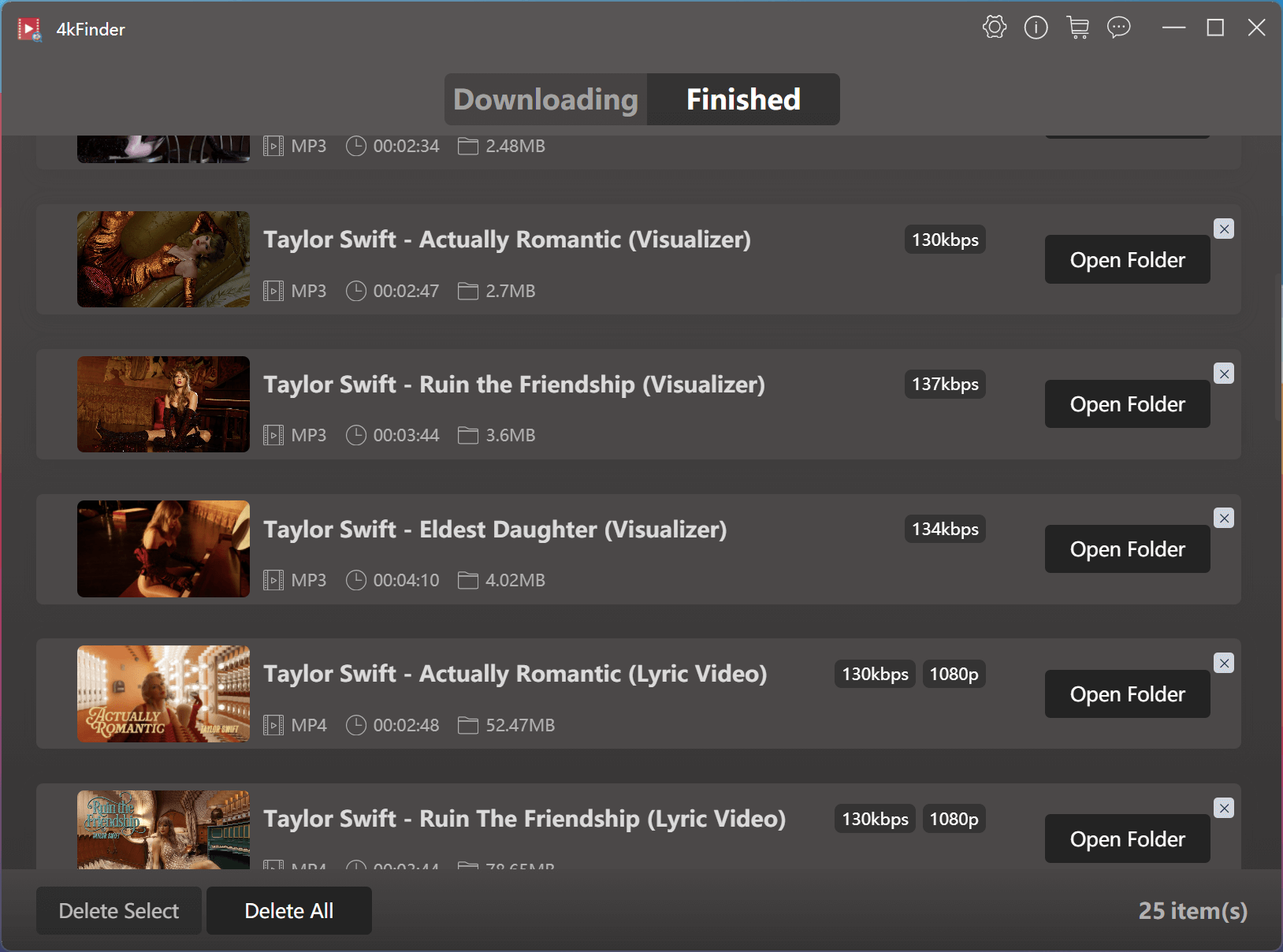
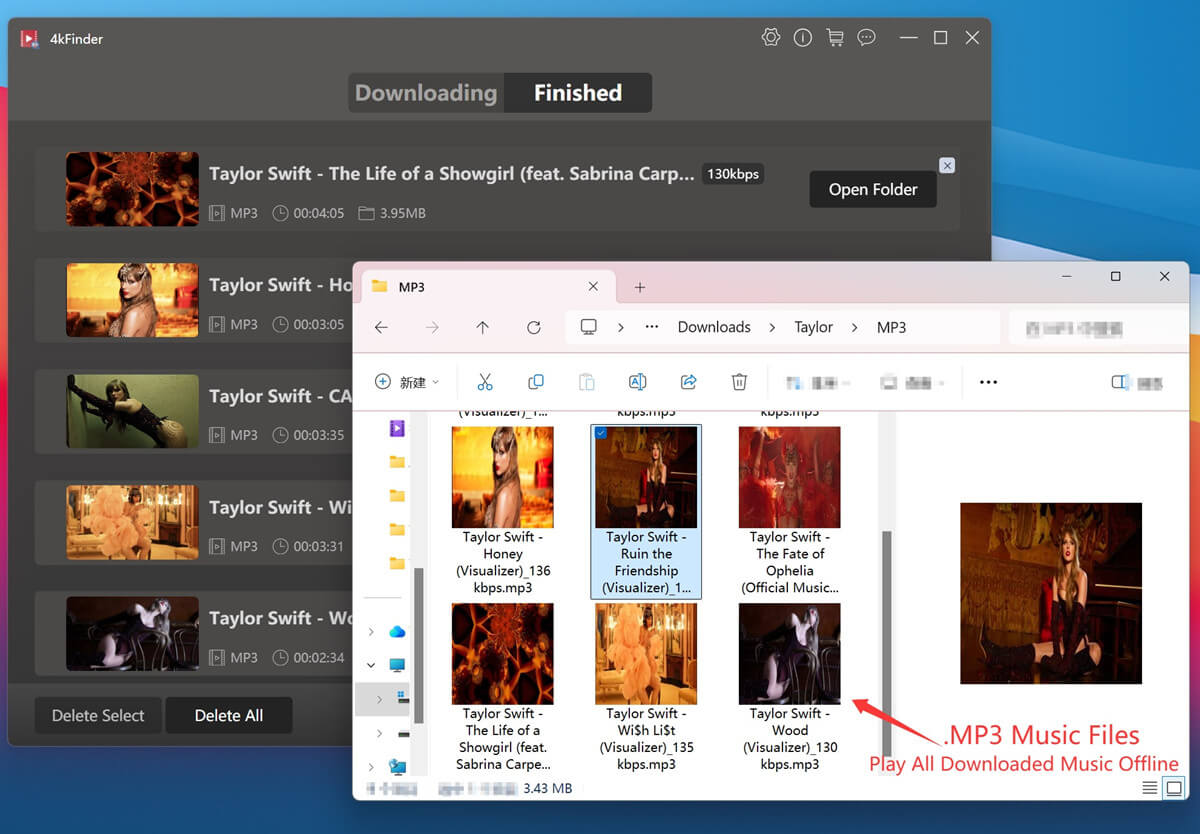
Click the “Open Folder” button to enjoy your downloaded MP3 files with local media players!
Conclusion
Now, you may have a clear understanding of how to download Taylor Swift’s album ‘The Life of a Showgirl’ to MP3 with the help of third-party downloader and converter. Both the 4kFinder YouTube Music Converter and 4kFinder Video Downloader, offer a safe and stable way to download or convert Taylor Swift’s albums, playlists, songs, and music videos from YouTube or YouTube Music to MP3 in batches while keeping consistent 320kbps quality. Hence, you can enjoy offline playback on any device, and keep your favorite Taylor Swift album forever, without worrying about subscription limits or internet access.