 Download Netflix videos to MP4 or MKV format in 1080P Full HD resolution.
 English
 Arabic
 Chinese (Simplified)
 Chinese (Traditional)
 Croatian
 Czech
Czech Danish
 Dutch
Dutch Finnish
 French
 German
 Greek
Greek Hebrew
 Hindi
Hindi Indonesian
 Italian
 Japanese
 Korean
 Malay
Malay Norwegian
 Polish
 Portuguese
 Russian
 Slovenian
 Spanish
 Swedish
 Thai
Thai Turkish
 Ukrainian
 Vietnamese

The official anthem of FIFA World Cup 2026 have released on YouTube. Learn how to free download Dai-Dai Music Video FIFA World Cup 2026 from YouTube for free. You can download the Dai-Dai music video to MP4 in 1080p, 2K, and 4K quality, or save the music as MP3 at 320kbps.
The FIFA World Cup 2026, taking place from June 11 to July 19, 2026, is set to be the largest tournament in FIFA history. Unlike previous editions hosted by a single nation, the 2026 FIFA World Cup marks a historic first as it is jointly hosted by the United States, Mexico, and Canada. Even if you can’t be there in person, you can still watch the exciting matches via live stream!
The FIFA World Cup is known not only for world-class football but also for its iconic music. The FiFA WORLD CUP 2026 official anthem have been already released – Dai Dai, performed by Shakira and Burna Boy. This World Cup song has already captured the attention of football fans and music lovers worldwide. You can now stream Dai Dai from Spotify, or watch Dai Dai music video from YouTube, Dailymotion, and other streaming platforms.
And if you are looking for a way to download FiFA WORLD CUP Dai-Dai Music Video for offline playback, here is the right place. You can free download Dai-Dai music video to MP4, or save the song to MP3 as local collection, even with a free account.
CONTENTS
Watch Dai-Dai Music Video FIFA World Cup 2026 in YouTube
The official “Dai-Dai” music video for the FIFA World Cup 2026 is primarily hosted on YouTube. Fans around the world can easily watch the Dai-Dai music video in high quality at up to 2K for free.
Streaming FIFA World Cup 2026 Dai-Dai music video on YouTube is convenient. However, YouTube Free users must watch ads during playback and rely on a stable internet connection for smooth streaming. While YouTube Premium subscribers can enjoy ad-free viewing and download Dai-Dai Music Video for offline viewing. But, all downloaded content remains restricted to the YouTube app. This means you cannot transfer your YouTube downloads to other devices for playback. Once your subscription expires, offline downloads may become unavailable.
To break these limitations, the best solution is to download Dai-Dai music video to MP4. Keep reading. Next, we will share the detailed guide about free download Dai-Dai Music Video FIFA World Cup 2026 to MP4 or MP3 format, making it possible to build your permanent collection of favorite music videos.
Best Tool to Obtain Dai-Dai Music Video in MP4/MP3
4kFinder Video Downloader specializes in downloading videos and audios from 1,000+ streaming video sites, including YouTube, YouTube Music, Vevo, Facebook, Vimeo, Dailymotion, TikTok, Facebook, OnlyFans, and many others. The software provides advanced downloading technology with up to 6X faster performance, batch downloading support, making it easy to download FIFA WORLD CUP Dai-Dai Music Video to MP4 in just a few clicks. In addition, 4kFinder can extract audio and convert Dai-Dai music video to MP3 at up to 320kbps high bitrate.
What’s more, 4kFinder is designed for all tiers of YouTube users, including Free and Premium. You can use it to download all FIFA World Cup music videos from YouTube for free! When downloading Dai-Dai music video or other videos from YouTube, users can choose among SD, HD 720p, 1080p, 2K, 4K, and even 8K quality depending on the source. Afterwards, you’re free to watch the downloaded music videos or play the music offline across different devices or players!
Supports 1,000+ Websites – Download videos from YouTube, Vevo, Facebook, and more.
Support Free Accounts – Download videos and music from YouTube without Premium.
High-Quality Downloads – Save videos in HD, 2K, 4K, and 8K.
Multiple Format Options – Download videos in widely compatible MP4, WEBM, MOV format.
320kbps MP3 Conversion – Extract audio and save music in high quality.
6X Faster Download Speed – Accelerated technology ensures quick and stable downloads.
Batch Download Support – Download multiple videos and playlists simultaneously.
Subtitle Download Support – Save downloaded videos with original subtitles.
Easy-to-Use Interface – Simple design suitable for beginners and professionals.
Follow these simple steps to download the FIFA World Cup 2026 Dai-Dai music video in MP4 or MP3 format using 4kFinder. Please download and install the software on your Windows PC or Mac computer, laptop in advance.
How to Download Dai-Dai Music Video to MP4 in 4K
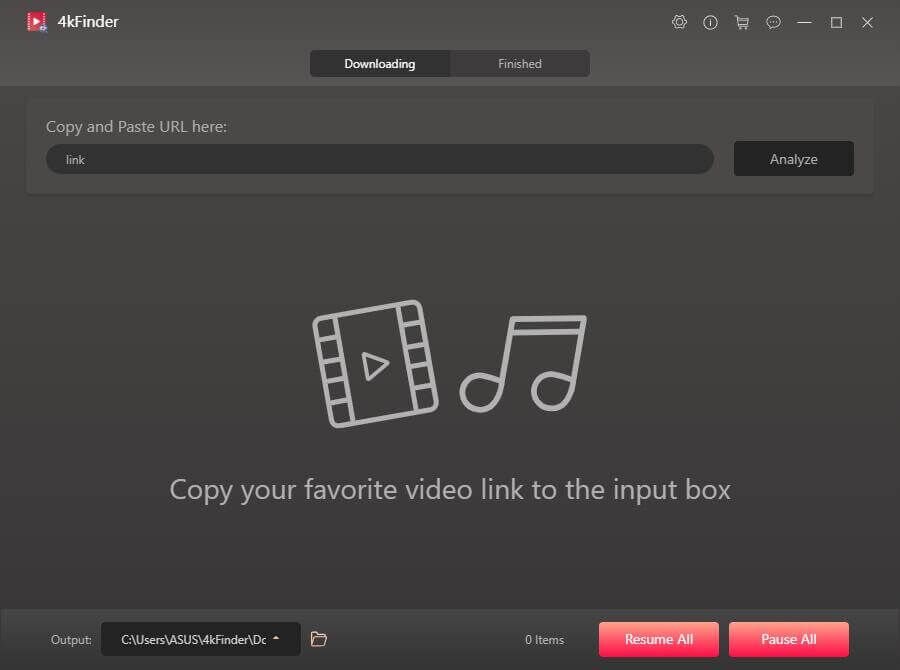
Step 1. Launch 4kFinder Program
Launch the 4kFinder Video Downloader after installation. You will see its clean, and intuitive interface.
Step 2. Copy the Dai-Dai Music Video URL
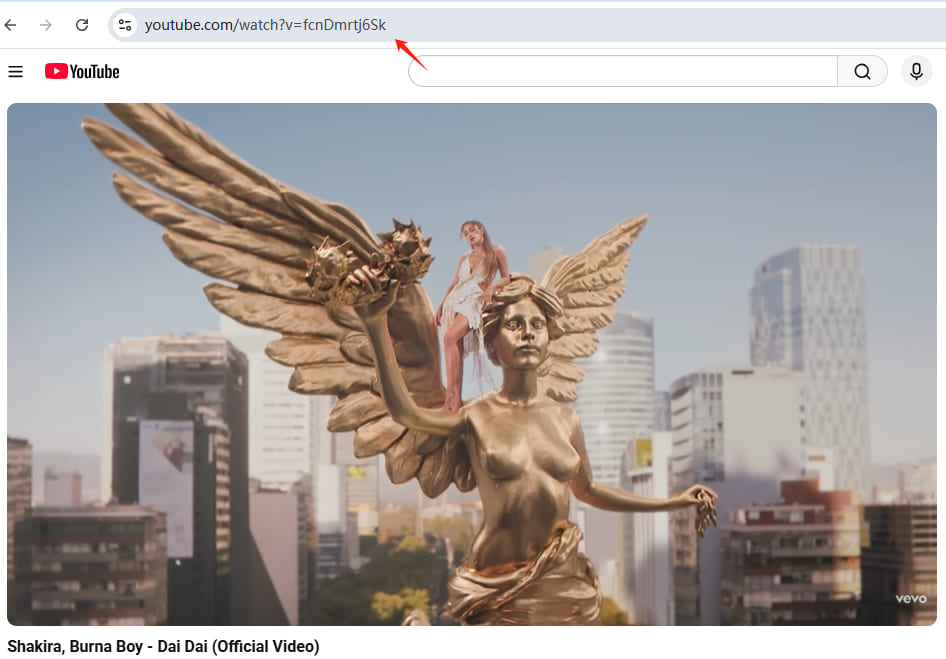
Open YouTube and locate the official Dai-Dai FIFA World Cup 2026 music video. Copy the video URL from your browser’s address bar.
Step 3. Paste the Link into 4kFinder
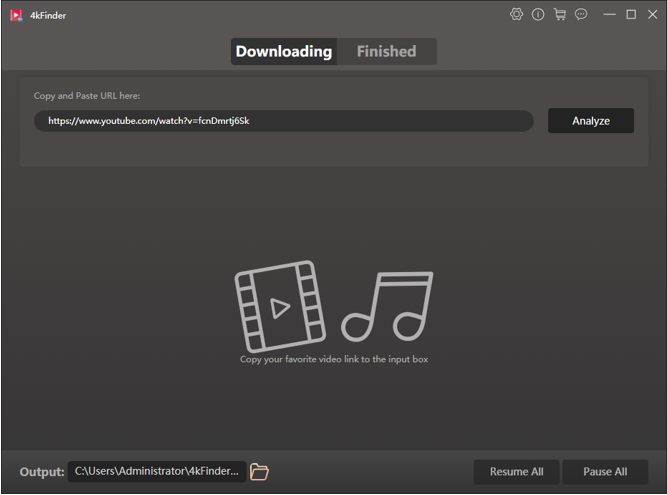
Return to 4kFinder and paste the copied URL into the search bar. Click the “Analyze” button to let the software detect available download options.
Step 4. Choose MP4 Output Format
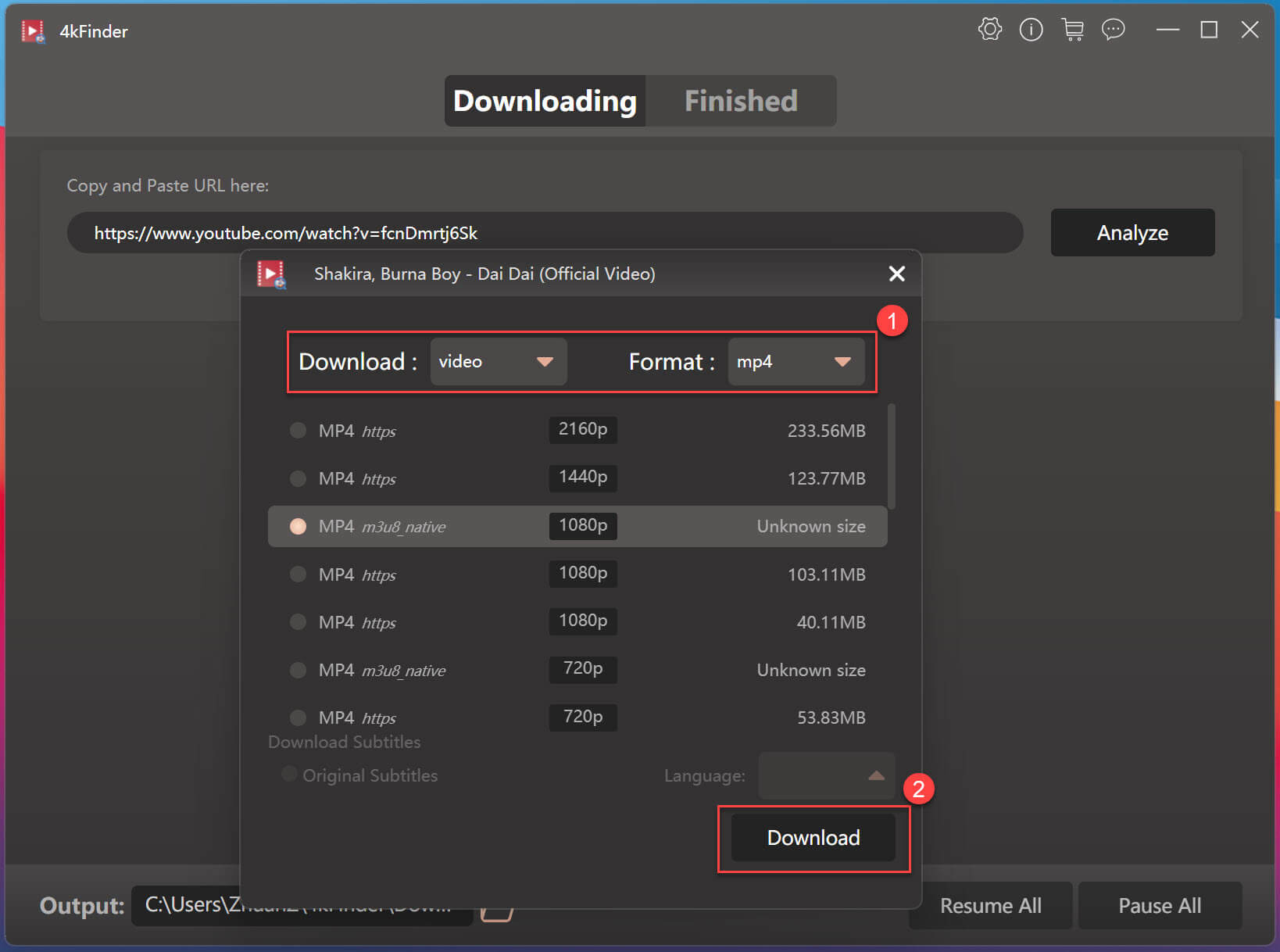
After analysis is complete, 4kFinder will display multiple quality options. Select MP4 as the output format and choose your preferred resolution, such as 1080p, 2K, or 4K.
Step 5. Start Downloading Dai-Dai MV in MP4
Click the “Download” button. 4kFinder will begin downloading and saving the Shakira Dai-Dai music video in MP4 format to your local computer.
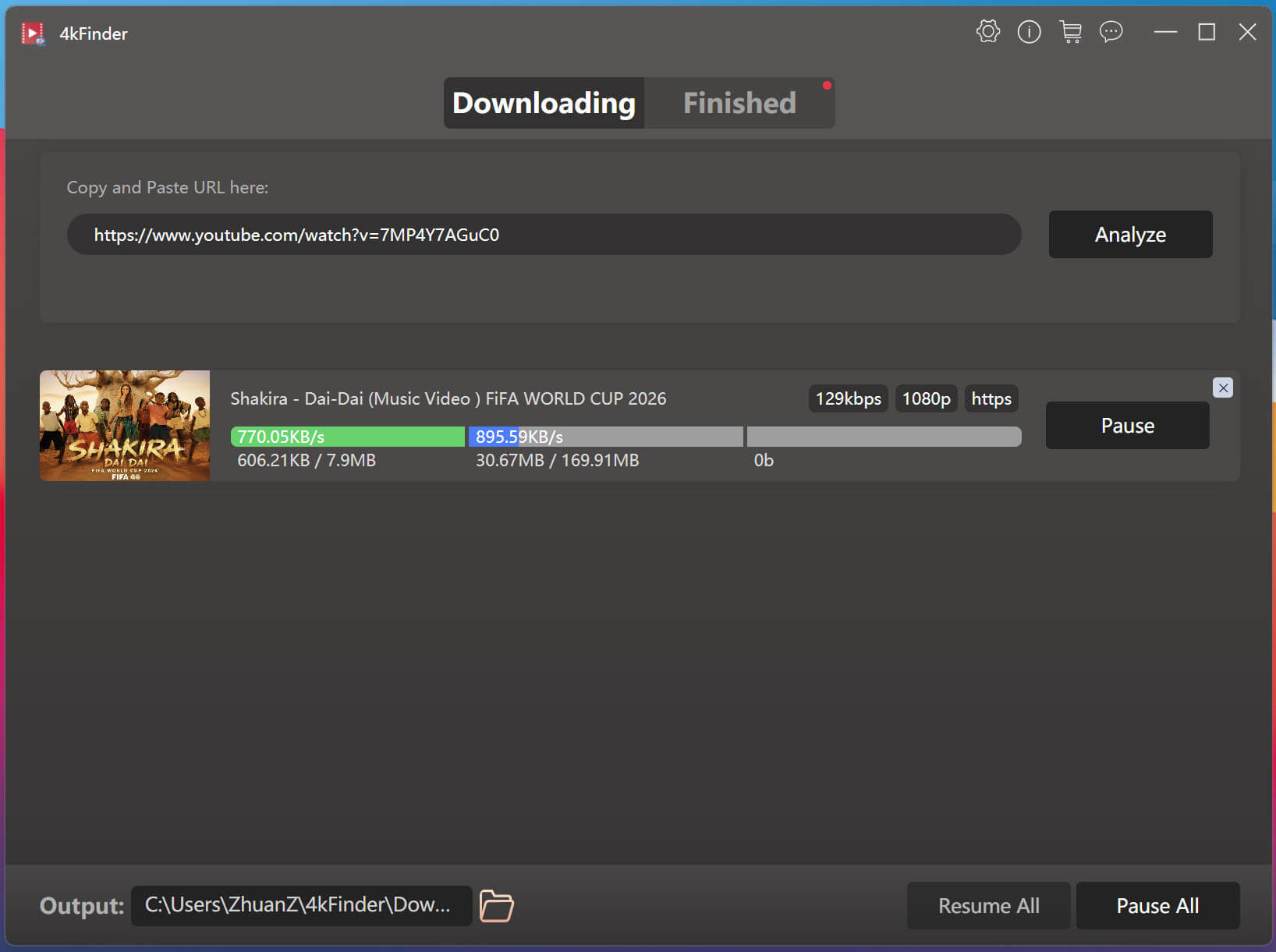
Step 6. Access the Downloaded Dai-Dai MV
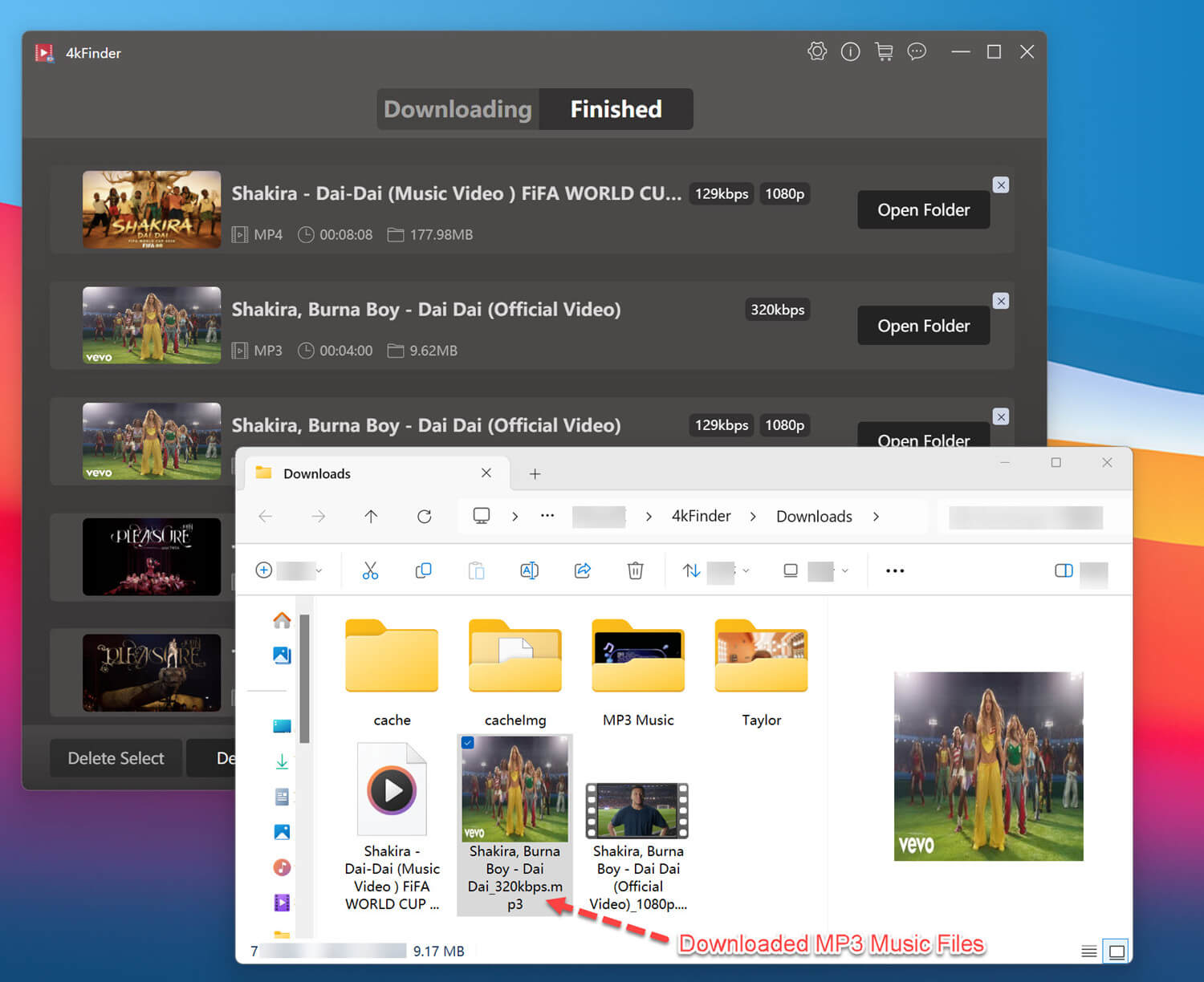
The software processes the video download at up to 6X speed. Once finished, go to “Finished” section.
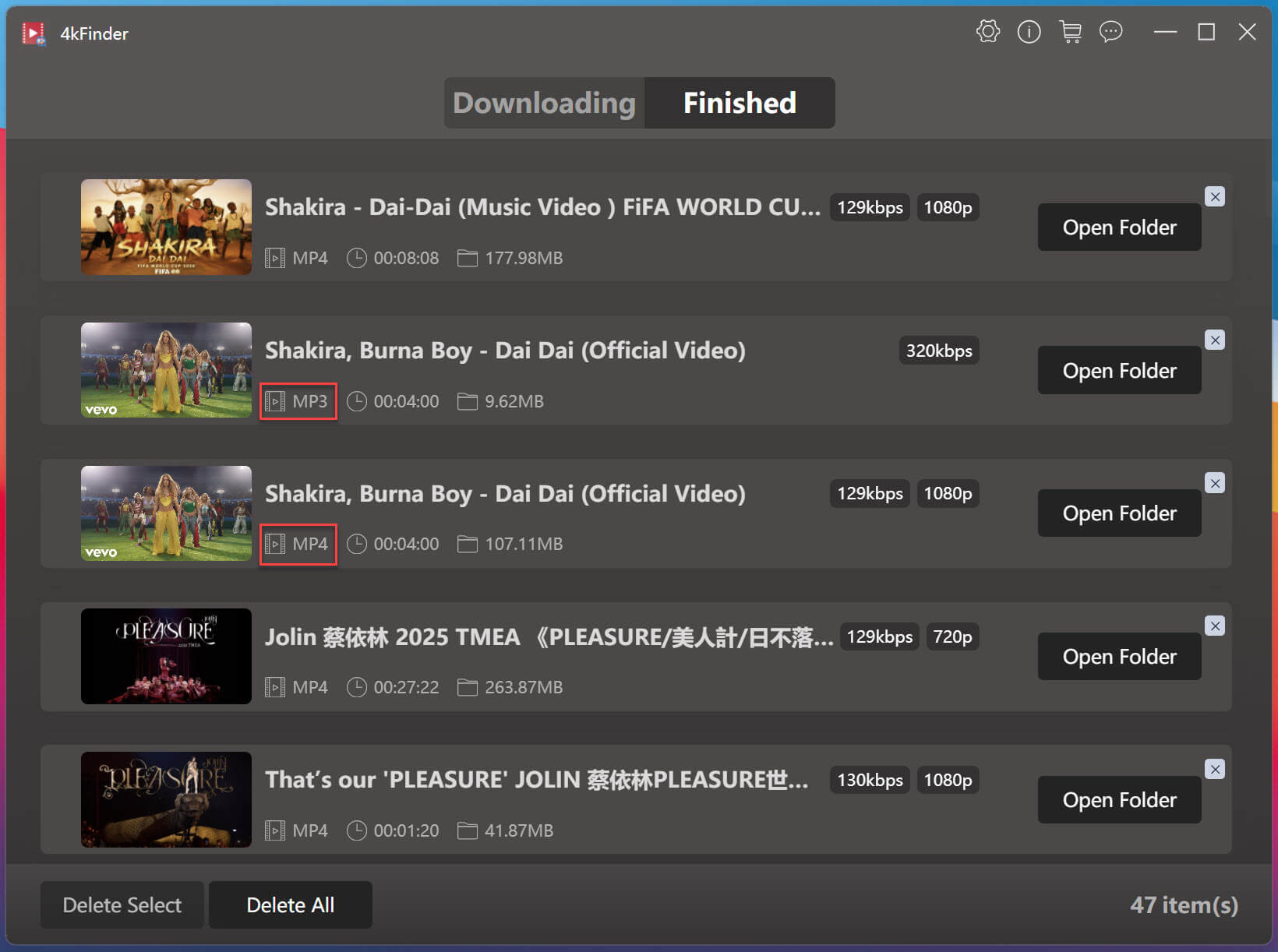
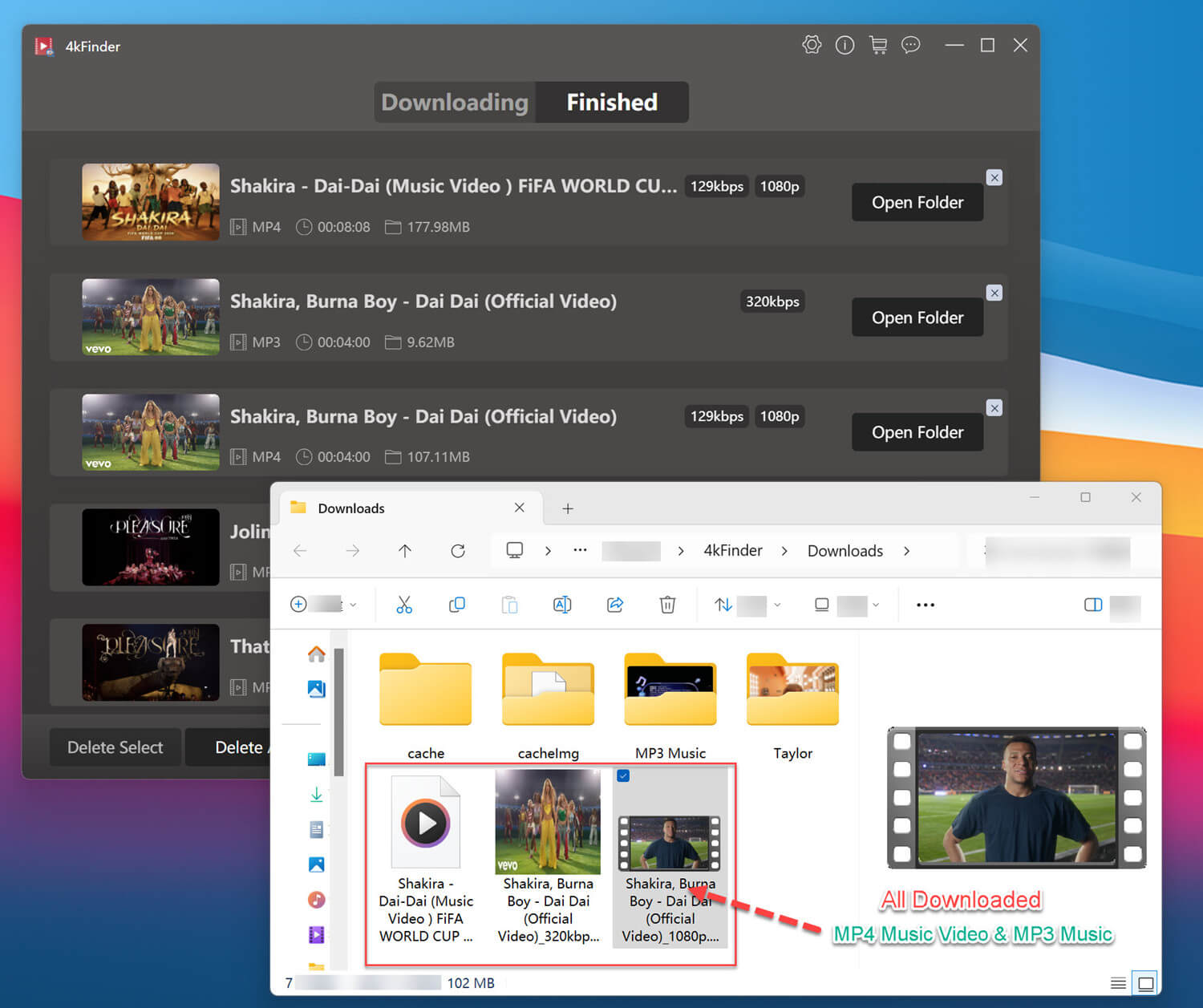
Step 7. Watch Dai-Dai Music Video Offline
And click “Open Folder” to locate the oputput folder. As you can see, the Dai-Dai music video is saved in .mp4 format.
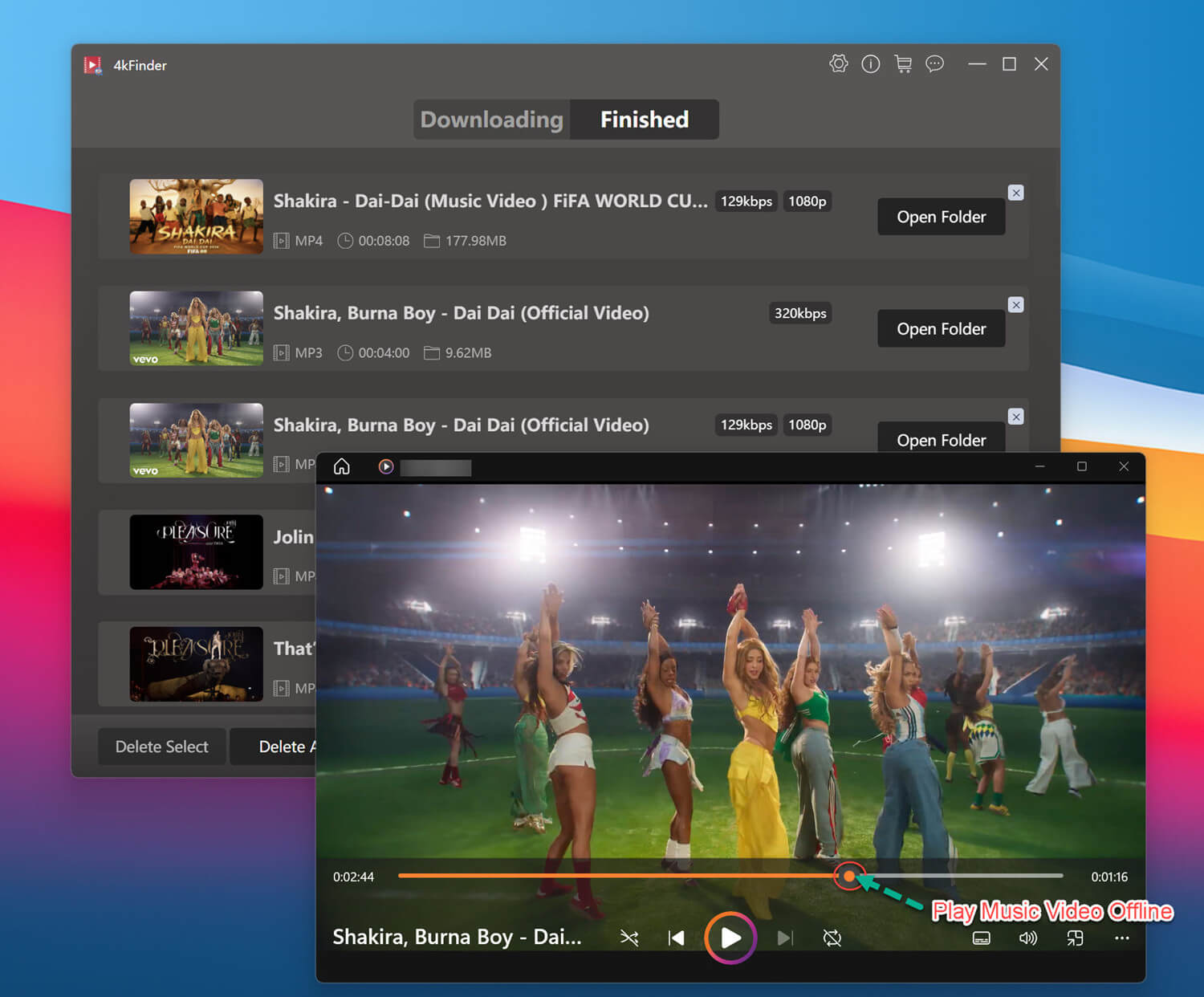
You can also enjoy the Dai-Dai music video offline in any media player without restrictions.
How to Download Dai-Dai Music Video to MP3 at 320kbps
Step 1. Open 4kFinder and Paste Dai-Dai MV URL
Launch the 4kFinder on your computer, copy and paste the official YouTube video URL into the search box, click “Analyze” button.
Step 2. Select MP3 Output Format
First, choose “audio” tab, and then “mp3” format. And select the highest available bitrate, preferably 320kbps.
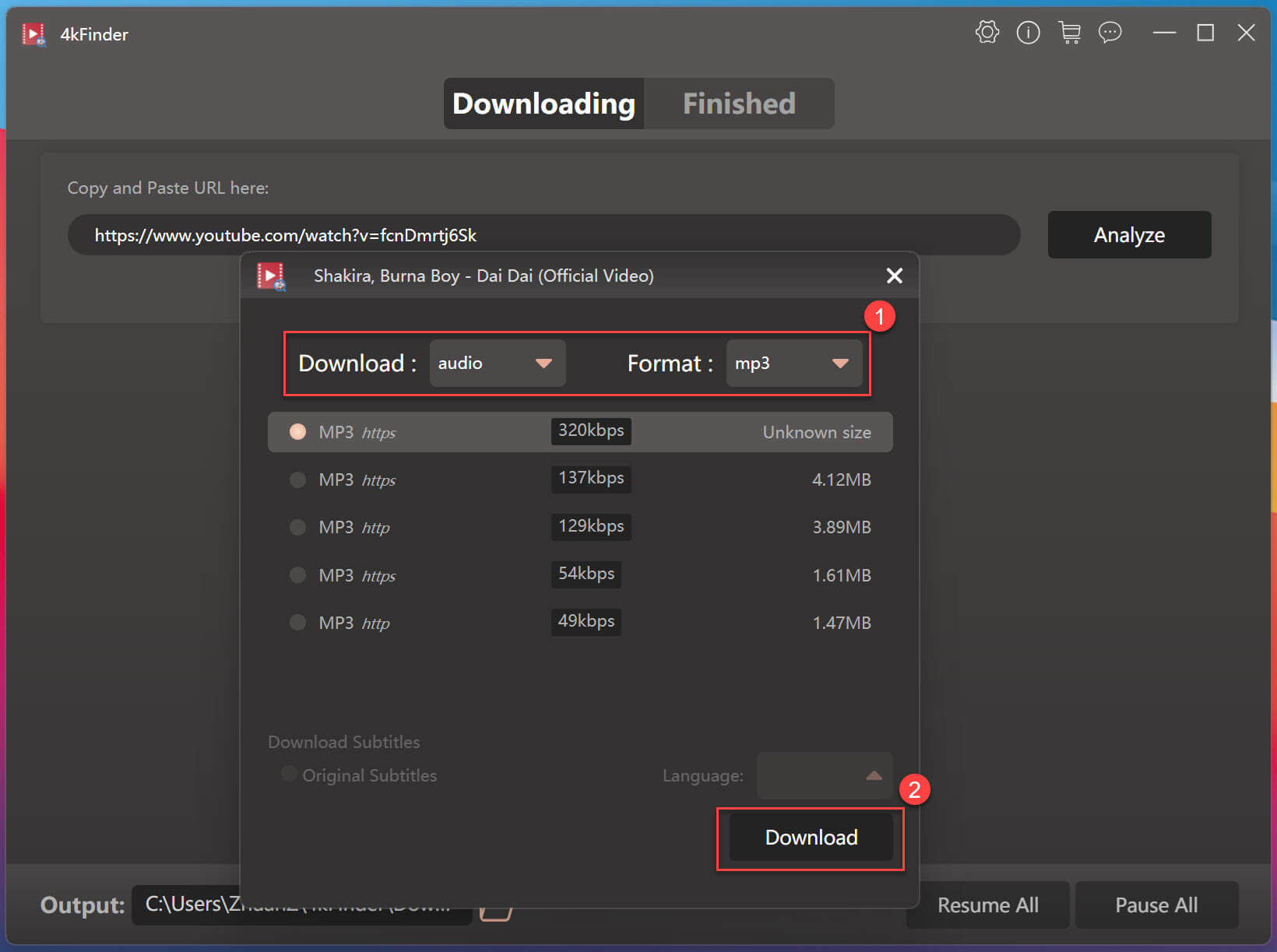
Step 3. Download Dai-Dai Music to MP3
Click “Download” to start converting and saving the Dai-Dai music video as MP3 soundtrack. During the process, you can continue adding more URLs to the search box.
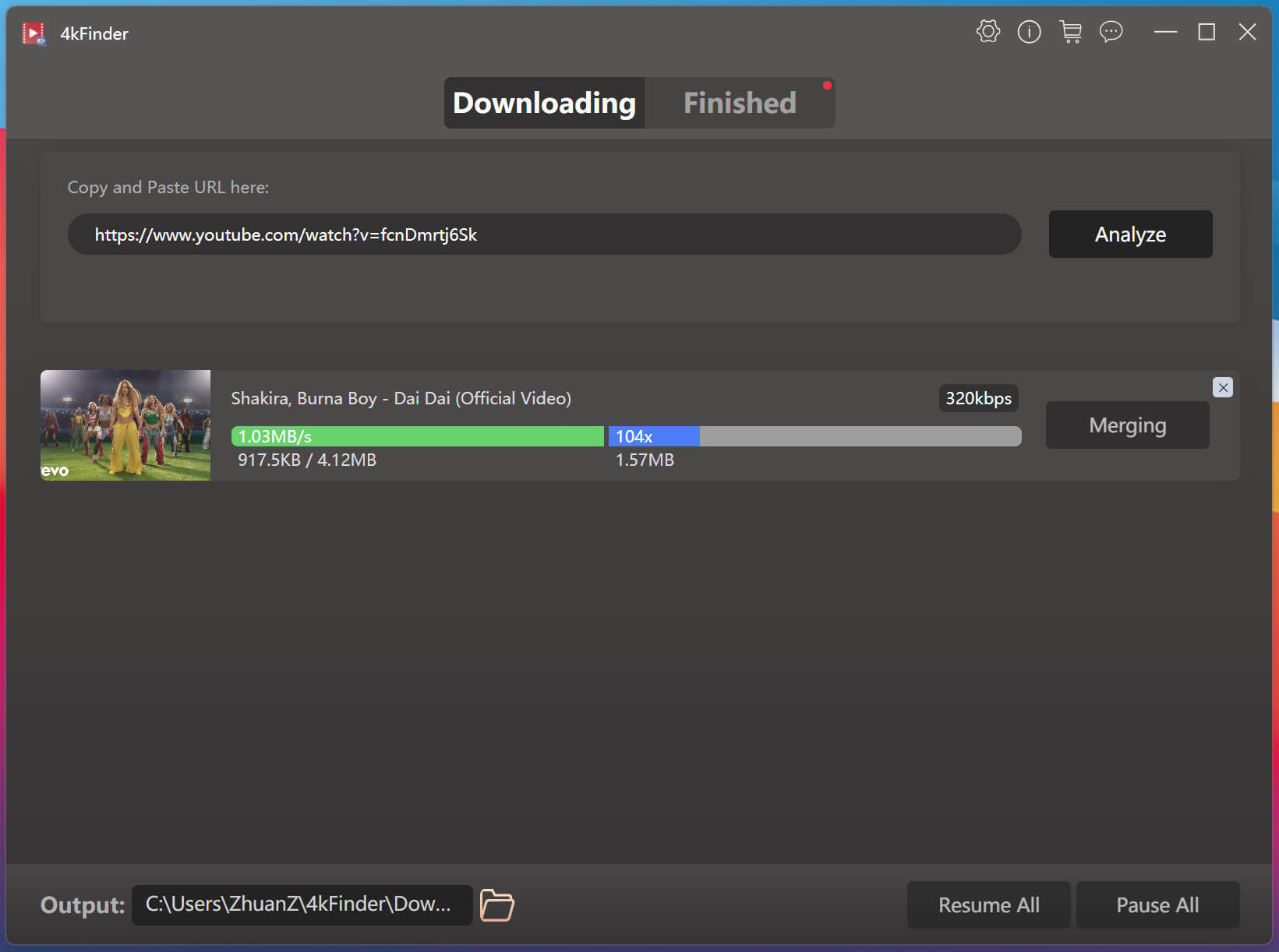
Step 4. Enjoy Dai-Dai Music Offline
Once the download is finished, you can listen to the Dai-Dai music offline using any media player.
Conclusion
As one of the most exciting music releases connected to the FIFA World Cup 2026, Dai-Dai has quickly attracted football fans and music enthusiasts around the world. 4kFinder Video Downloader is widely welcomed by YouTube Free and Premium users. It delivers a convenient way to download FIFA WORLD CUP 2026 Dai-Dai Music Video for free. permanent offline viewing. With it, users can freely download the 2026 FIFA World Cup Dai-Dai music video as MP4 or MP3 from YouTube and enjoy a permanent offline playback. This way, users can enjoy the music video or song anytime, anywhere, without relying on an internet connection.