 Download Netflix videos to MP4 or MKV format in 1080P Full HD resolution.
 English
 Arabic
 Chinese (Simplified)
 Chinese (Traditional)
 Croatian
 Czech
Czech Danish
 Dutch
Dutch Finnish
 French
 German
 Greek
Greek Hebrew
 Hindi
Hindi Indonesian
 Italian
 Japanese
 Korean
 Malay
Malay Norwegian
 Polish
 Portuguese
 Russian
 Slovenian
 Spanish
 Swedish
 Thai
Thai Turkish
 Ukrainian
 Vietnamese

Can’t watch Netflix at school? In this guide, we’ll show you 7 different methods to unblock Netflix, including free solutions. You’ll learn how to watch Netflix on your school computer both with a VPN and without using a VPN, so you can enjoy your favorite movies and shows anytime, even on a restricted network.
Netflix is one of the most popular platforms for watching movies and TV shows. But in places like schools or workplaces, it’s often blocked, making it impossible to log in and stream your favorite series. If you’ve ever tried to watch with friends at school and found Netflix restricted, that’s why.
The good news is there are several ways to get Netflix unblocked at school. In this guide, we’ll share 7 effective methods to unblock Netflix at school or anywhere else. Whether you want to get Netflix unblocked with a VPN or without one, you’ll discover simple solutions to access your favorite Netflix shows and movies anytime.
CONTENTS
Part 1. Why Is Netflix Blocked at School or Work?
Usually, when you log into Netflix, it works right away. But if it doesn’t load at school, it means the network has blocked it. Schools and workplaces often use filters or firewalls to stop access. The main reasons are:
1. To save internet speed
Streaming Netflix takes up a lot of bandwidth, which can slow down the internet for everyone. To keep the network running smoothly, Netflix is often blocked.
2. To avoid distractions
Schools want students to focus on studying, not watching shows. Since Netflix is for entertainment, it’s restricted to help productivity. Sometimes, you may even see an error message instead of the Netflix login page.
The good news is, there are ways to get Netflix unblocked at school. With the right method, you can unblock Netflix and watch your favorite shows anytime.
Part 2. 6 Methods to Get Netflix Unblocked Without a VPN (Free Options Included)
These days, using a VPN to unblock Netflix isn’t always reliable. Netflix can often detect VPNs and may show error code E106 or the message: “You seem to be using a VPN or proxy. Please turn off any of these services and try again.” This means you might still not get Netflix unblocked with a VPN alone.
The good news is there are other ways to unblock Netflix. Here are 6 effective methods you can try: downloading shows for offline viewing, changing DNS settings, using a proxy, trying the Tor browser, setting up a personal hub, or exploring alternative sources. Let’s look at each option in detail.
No 1. Get Netflix Unblocked and Download Content for Offline Playback with 4kFinder [Hot]
Rating: ★★★★★
Difficulty: Easy
The easiest way to get Netflix unblocked at school is to download your favorite shows and movies using 4kFinder Netflix Video Downloader and watch them offline. This method is perfect for anyone concerned about privacy and safety because the downloaded files are stored directly on your computer, so your network, browser, or location will not be tracked. With 4kFinder, you can save any Netflix content you like, including popular shows such as Squid Game, in high-quality MP4 format. Once downloaded, you can unblock Netflix at school or anywhere else without restrictions and without needing a VPN. It allows you to create a personal library of your favorite movies and TV shows, so you can always enjoy Netflix freely. This method is simple, safe, and reliable, making it one of the best ways to unblock Netflix anytime.
Tips: Other streaming platforms like Disney+, Amazon Prime, and Discovery+ may also be blocked at school. To unblock these services, you can use iMovieTool All-in-One Video Downloader for easy access.
👍Main Features of 4kFinder Netflix Video Downloader
- Download Netflix video to MP4/MKV in 1080P.
- Keep audio and subtitles in multiple language.
- 50X download speed in batch.
- Watch unblocked Netflix at school or anywhere else.
- Preserve 5.1 surround sound and Dolby Atmos audio.
- Offline play Netflix on any device without Netflix app.
- Compatible with Windows & Mac.
Tutorial: How to Download Netflix with 4kFinder
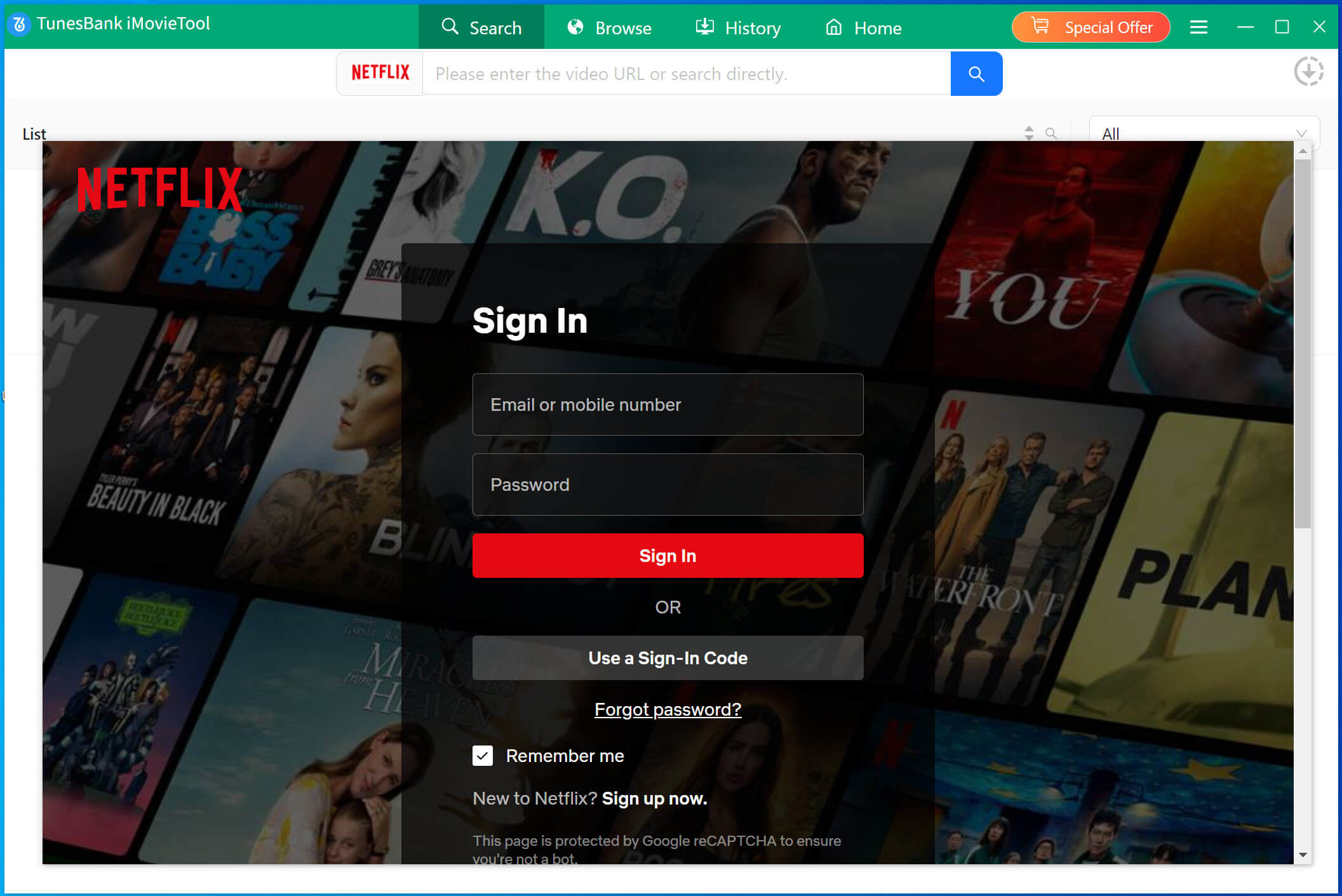
Step 1. Open 4kFinder Netflix Video Downloader and Log In
Install 4kFinder Netflix Video Downloader on your Windows or Mac computer, then launch the program. Sign in with your Netflix account. You can check Remember me to save time next time you log in.
Step 2. Find Netflix Movies or TV Shows
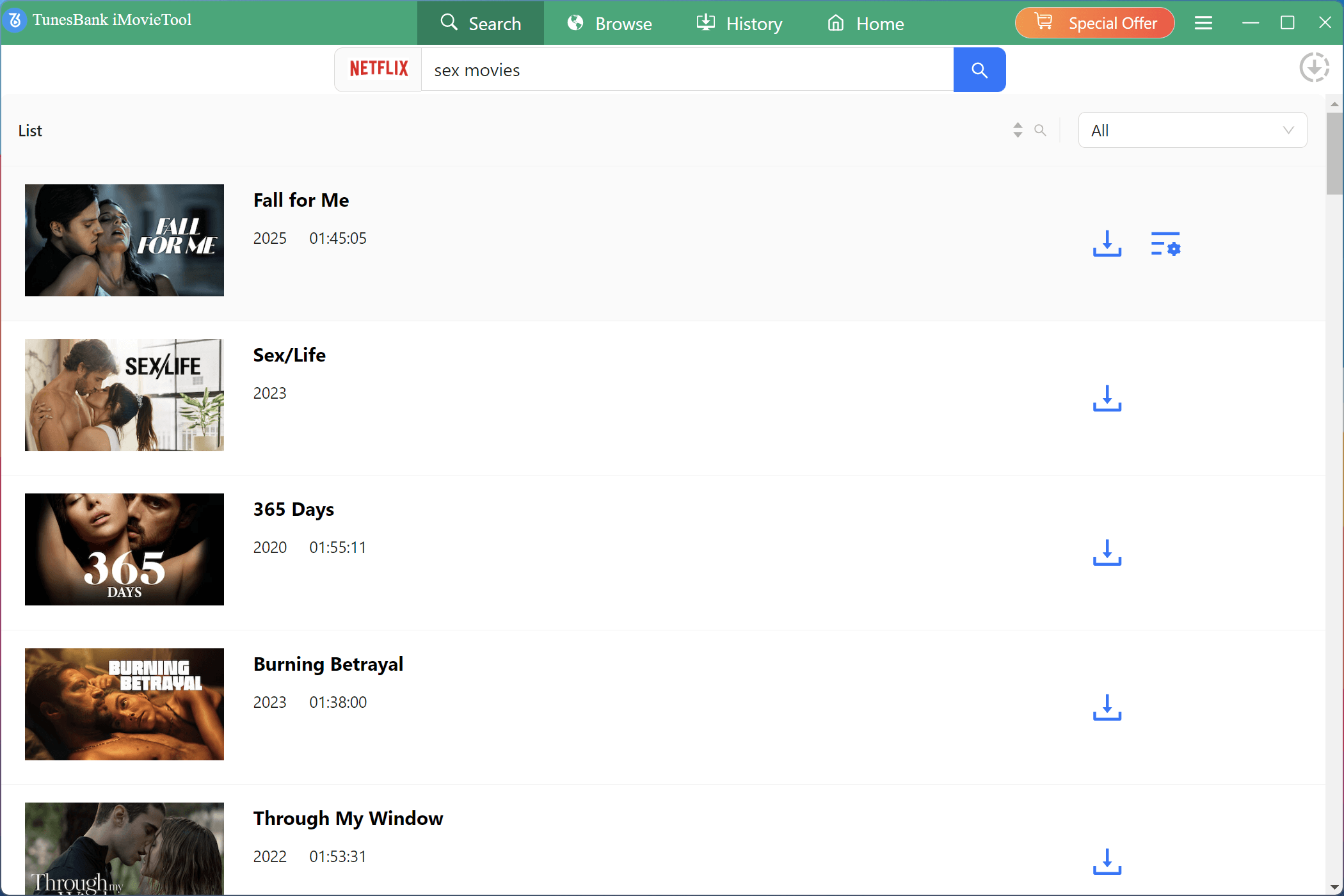
You have two ways to search for videos on Netflix: Option 1: Type the movie or TV show name directly into the search box.
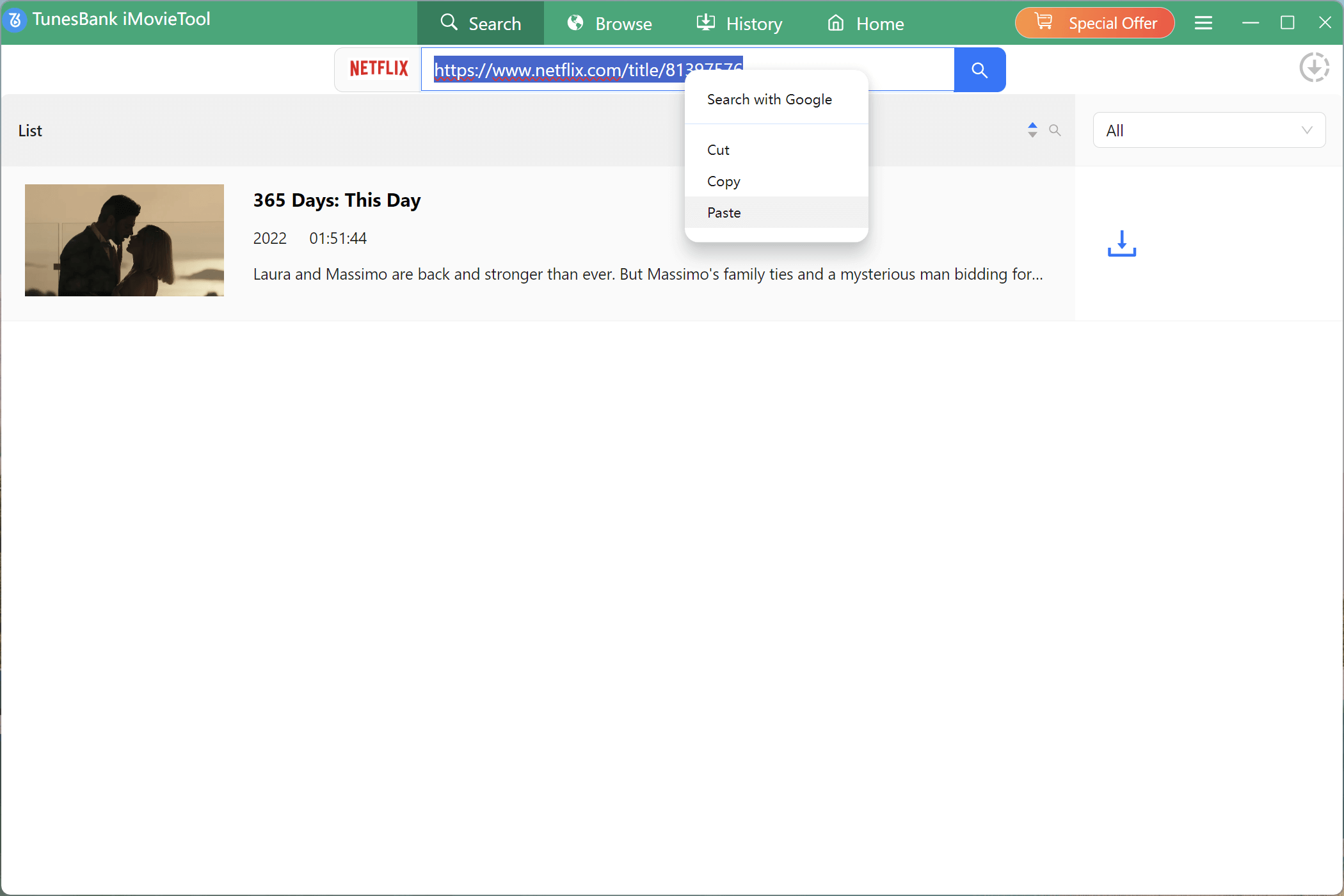
Option 2: Copy and paste the video URL into the search box.
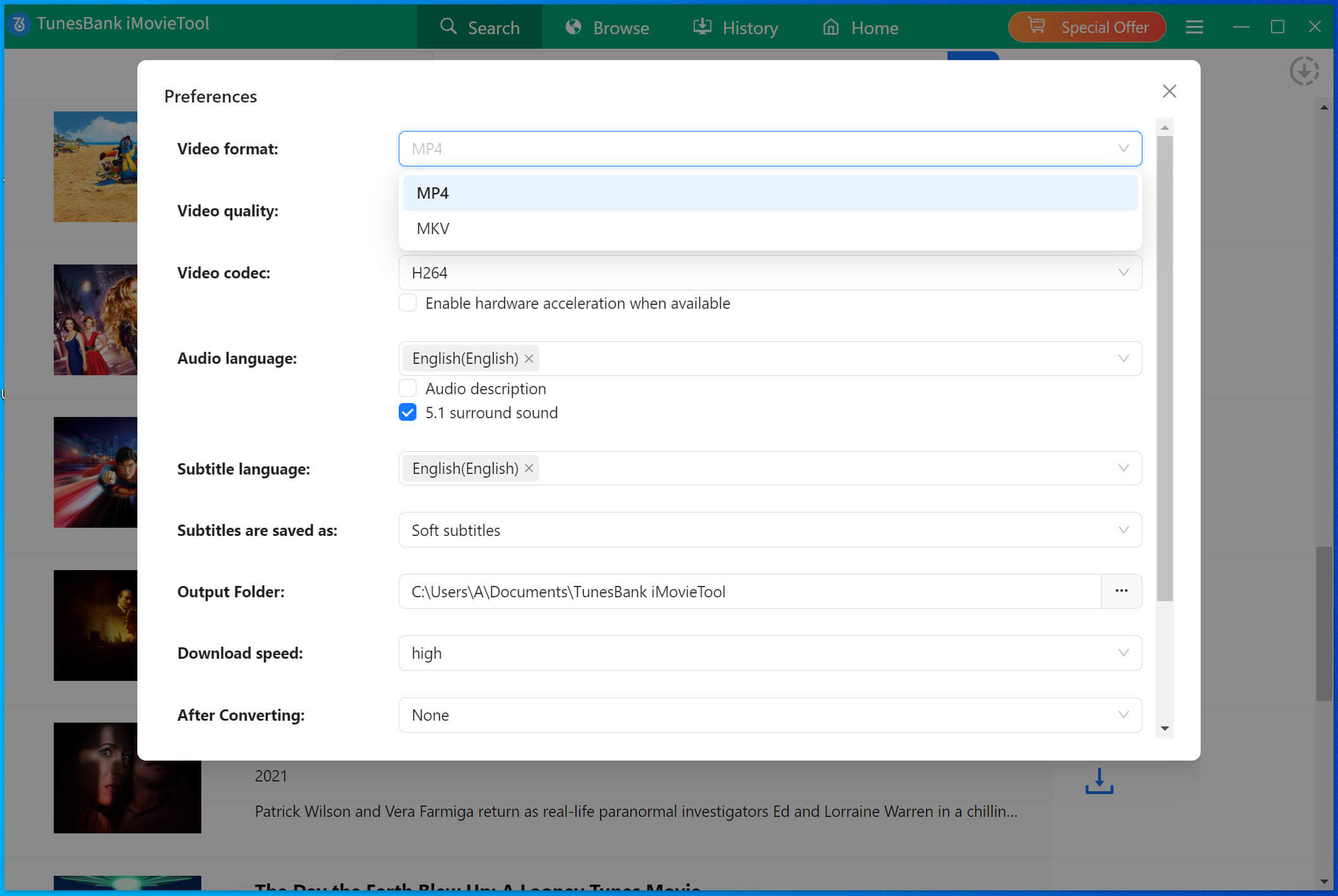
Step 3. Select Video Format and Quality
Click the Gear icon at the top right to adjust output settings. You can choose the video format (MP4 or MKV) and other preferences.
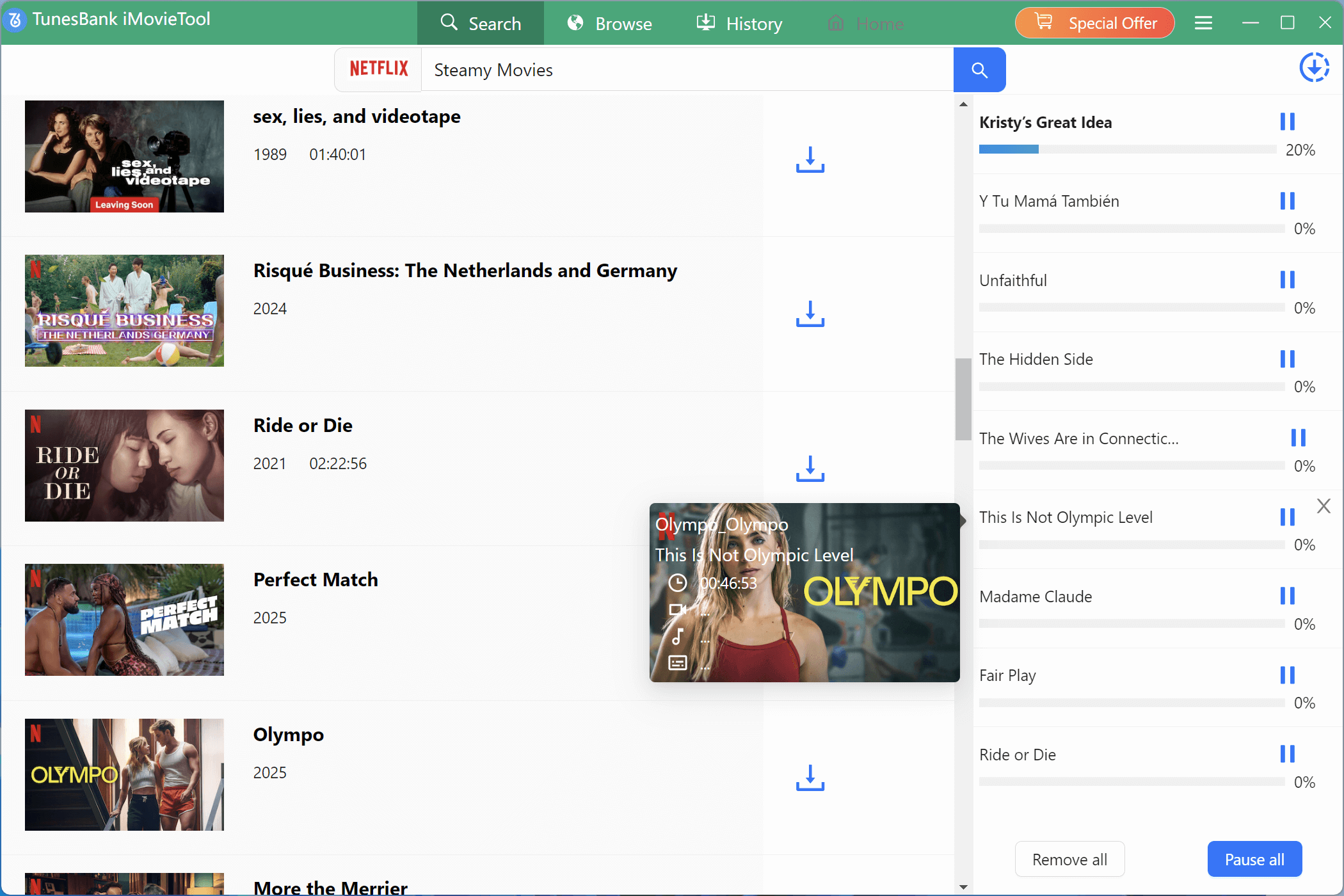
Step 4. Download Movies or TV Shows
Click the Download button to start. The software will download and convert the selected content to your chosen format. Please wait until the process is finished.
Step 5. Check Download History
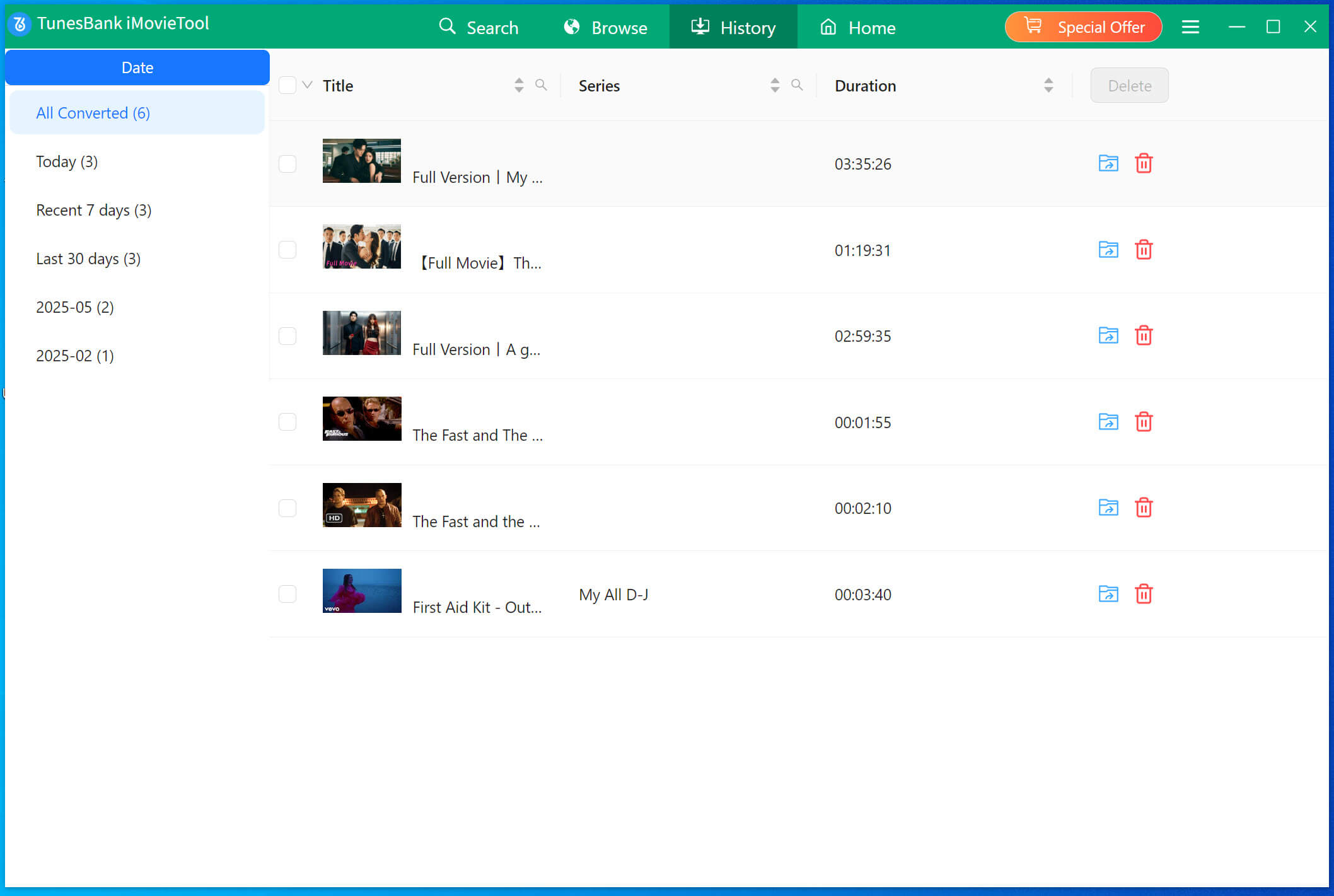
After downloading, go to the History section to view all completed downloads.
✅Pros:
- Download Netflix videos to MP4/MKV to watch offline.
- Download Netflix movies and shows in high quality (up to 1080p).
- Keep audio and subtitles multilingual.
- Download multiple videos at once (batch downloading).
- Works without the Netflix app.
- Easy-to-use interface with multiple language options.
❌Cons:
- Paid software; free trial only allows first 6 minutes of each video.
- No app for mobile.
No 2. Get Netflix Unblocked with DNS (Free)
Rating: ★★★★★
Difficulty: Easy
One simple way to unblock Netflix at school is by changing your DNS settings. DNS (Domain Name System) converts website names into IP addresses so your browser can load them. By switching to a different DNS, you can unlock Netflix libraries from other regions.
How to set it up:
Step 1. Open Settings on your school computer.
Step 2. Go to the Network section, choose your connected Wi-Fi, and click More Settings.
Step 3. Select Use the following DNS server address.
Step 4. Enter your chosen DNS address in the box.
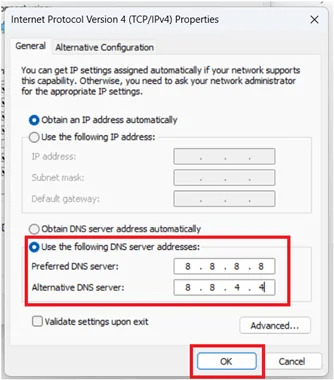
👉A common choice is Google’s public DNS:
- Primary: 8.8.8.8
- Alternative: 8.8.4.4
Once done, visit Netflix to watch content from regions like Netflix US, UK, and more.
✅Pros:
- Unlocks more Netflix libraries.
- Very easy to set up.
❌Cons:
- Internet speed may slow down.
- Popular DNS addresses may eventually get blocked.
No 3. Get Netflix Unblocked using Proxy (Free)
Rating: ★★★★☆
Difficulty: Easy
Another simple way to unblock Netflix at school is by using a proxy. A proxy works as a middleman, routing your connection through an external server. This hides your real IP address and allows you to access Netflix even on restricted networks.
For example, you can try the free service Proxysite to get Netflix unblocked:
Step 1. Visit Proxysite.com and find the address bar in the middle of the page.
Step 2. From the drop-down list, select a server (e.g., US1). There are 22 free servers across the US and EU.
Step 3. Type netflix.com into the box and click Go.
Step 4. Netflix will open in your browser through the proxy server you selected.
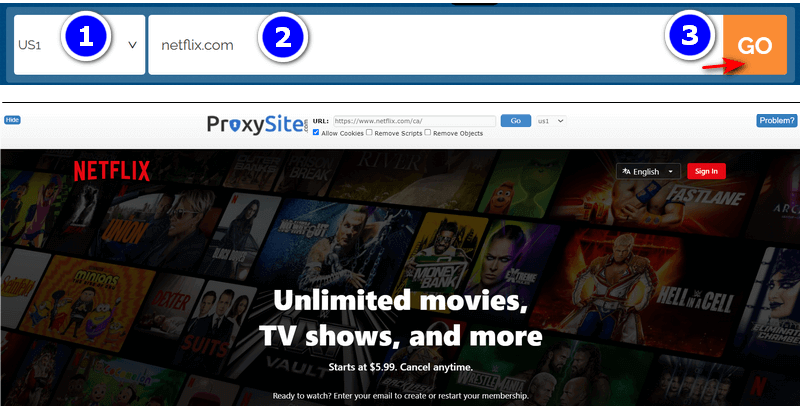
Now, just log into your Netflix account and enjoy watching your favorite shows unblocked at school.
✅Pros:
- Multiple servers available to choose from.
- Quick and easy to use.
❌Cons:
- The site displays ads.
- Proxy servers can be blocked by Netflix at any time.
- May slow down your connection speed.
No 4. Get Netflix Unblocked using Tor Browser (Free)
Rating: ★★★★☆
Difficulty: Medium
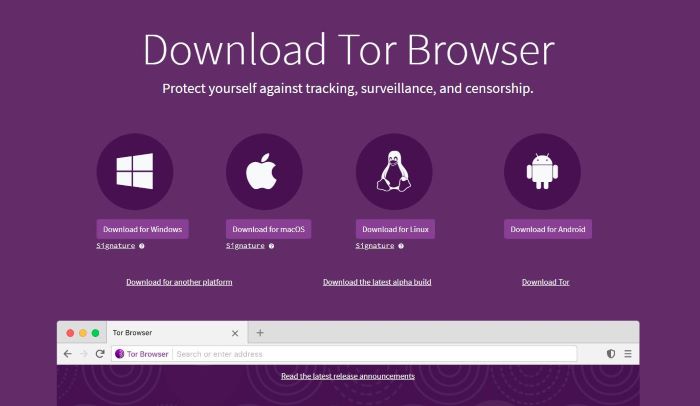
Sometimes, the solution is as easy as changing your browser. The Tor Browser can help you unblock Netflix at school by hiding your real IP address. Tor routes your connection through multiple random servers, making it harder for Netflix to track or block your access.
How to use Tor to unblock Netflix:
Step 1. Download Tor Browser from the official Tor Project website and install it on your computer.
Step 2. Open Tor Browser, then click Connect in the “Connect to Tor” window.
Step 3. Go to netflix.com in the Tor Browser and start streaming.
✅Pros:
- Works without extra add-ons or plugins.
- Available for Windows, Mac, Linux, and Android.
❌Cons:
- Sometimes, the Tor Project website itself may be blocked.
No 5. Get Netflix Unblocked using Personal Hub
Rating: ★★★☆☆
Difficulty: Easy
One simple way to unblock Netflix at school is to skip the school’s Wi-Fi and use your own internet connection instead. By turning on a personal hotspot, you can share your phone’s mobile data with your computer and access Netflix without school network restrictions.
Step 1. Go to Settings > Personal Hotspot (or Settings > Cellular > Personal Hotspot).
Step 2. Turn on Allow Others to Join.
Step 3. On your school computer, open Wi-Fi settings and find your iPhone in the list.
Step 4. Select it and enter the password if asked.
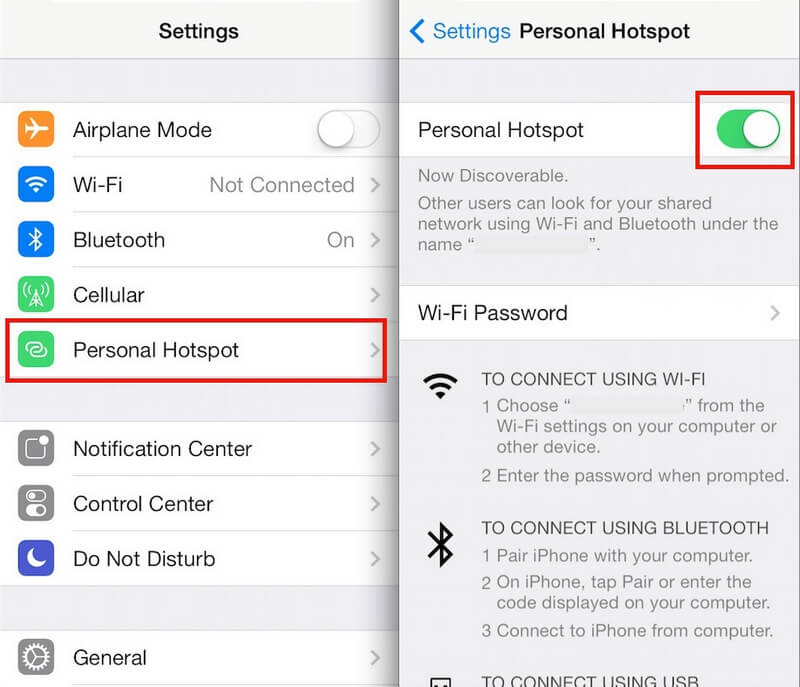
Once connected, you can log into Netflix and enjoy your shows without restrictions.
✅Pros:
- Very easy to set up.
❌Cons:
- Uses a lot of mobile data.
- The connection may not always be stable.
No 6. Use Free Alternative Streaming Sites at School
Rating: ★★★☆☆
Difficulty: Easy
If you don’t have to stick to Netflix, you can watch movies on other sites that aren’t blocked at school. Here’s a list of 11 free movie sites that are accessible from school networks:
- FMovies
- Putlocker
- Xmovies8
- Uflix
- StigStream
- GoMovies
- Soap2day
- Filmxy
- 123movies
- HiMovies
- FARAGSKI
Free movie sites often include ads. For the safest and most private option, the top choice is to download Netflix videos for offline viewing using 4kFinder.
Part 3. How to Get Netflix Unblocked Using a VPN
Generally, using a VPN is a common way to unblock Netflix when it’s restricted at school. While it worked well in the past, VPNs are less reliable now, especially free ones, as Netflix often blocks them. If you want to try a VPN, the top choices are NordVPN and ExpressVPN.
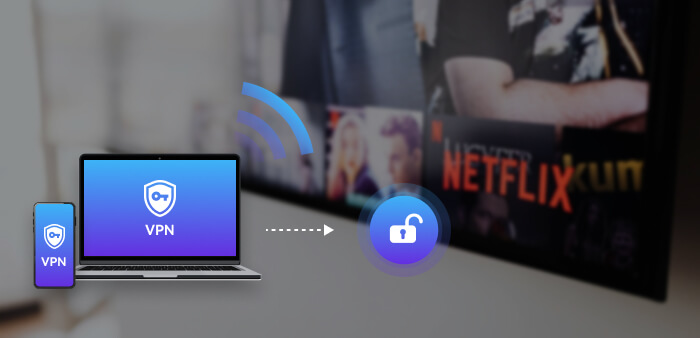
NordVPN: Excellent for accessing Netflix shows, movies, and originals. With many servers worldwide, it makes bypassing regional restrictions easy. Price: $3.09/month for a 2-year plan.
ExpressVPN: Known for speed, security, and reliability, with servers in 94 countries. Perfect for accessing region-specific Netflix content. Price: $12.95/month, with a 30-day money-back guarantee.
How to use NordVPN to unblock Netflix at school:
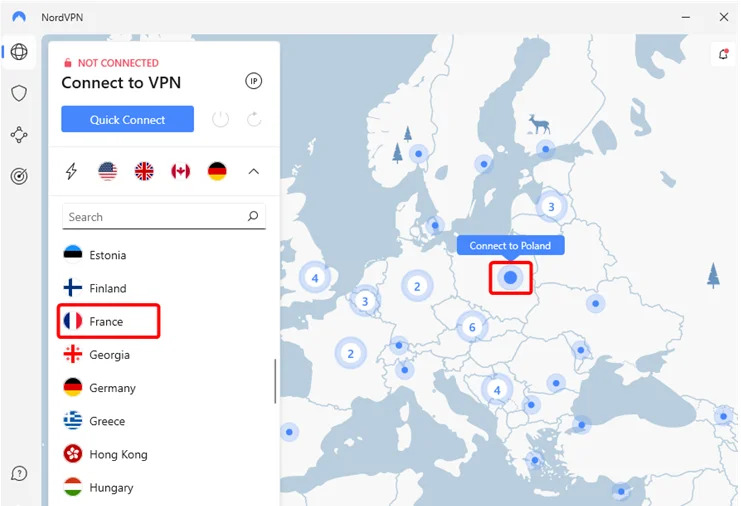
Step 1. Create an account, install NordVPN on your computer, and log in.
Step 2. Connect to your preferred server.
Step 3. Open Netflix in your browser and log in to start streaming.
Things to keep in mind:
- Not all VPNs work with Netflix, and different VPNs unlock different regional libraries.
- You may see error messages—try switching servers to fix it.
- VPNs may not work with Netflix ad-supported plans or live events.
Part 4. FAQs About Unblocking Netflix
Q1: How can I watch Netflix if it’s blocked at school?
The easiest way is using a VPN, but many VPNs don’t always work. Other ways to unblock Netflix at school include downloading content for offline viewing, using DNS, a proxy, the Tor browser, a personal hotspot, or unblocked movie sites.
Q2: What’s the best way to get Netflix unblocked?
The safest method is to download Netflix videos to your computer with 4kFinder Netflix Video Downloader. It works without relying on your browser or IP address, so you can watch Netflix at school safely.
Q3: Can I get banned for using a VPN?
If Netflix detects a VPN or proxy, it may show an error asking you to turn it off. This won’t ban your account. Repeated attempts may cause a temporary block, but your account won’t be permanently banned.
Conclusion
If you can’t access Netflix at school, don’t worry, there are several ways to get around the restrictions. Whether you want to get Netflix unblocked at school using a VPN or prefer methods that unblock Netflix at school without a VPN, the 7 techniques above make it easy to unblock Netflix and enjoy your favorite shows. The safest option is using 4kFinder Netflix Video Downloader, which lets you download Netflix videos in MP4 or MKV format to watch offline anywhere, even in a school environment.