 Download Netflix videos to MP4 or MKV format in 1080P Full HD resolution.
 English
 Arabic
 Chinese (Simplified)
 Chinese (Traditional)
 Croatian
 Czech
Czech Danish
 Dutch
Dutch Finnish
 French
 German
 Greek
Greek Hebrew
 Hindi
Hindi Indonesian
 Italian
 Japanese
 Korean
 Malay
Malay Norwegian
 Polish
 Portuguese
 Russian
 Slovenian
 Spanish
 Swedish
 Thai
Thai Turkish
 Ukrainian
 Vietnamese


Do you know what the download limits are on Netflix? Are you looking for a way to get around it? In this article, we will provide insights into the Netflix download limits and present a solution to overcome these limitations using the 4kFinder Netflix Video Downloader.
Netflix is one of the most popular streaming platforms in the world, offering a huge collection of movies and TV shows. Since 2016, it has allowed users to download videos for offline watching, making it easy to enjoy content without the internet. However, this feature has some limits. If you download a lot of content, you might see messages about Netflix download limits, which can stop you from saving more videos or cause old downloads to expire. This article will explain what these limits are, why they happen, and how to get around them so you can keep watching your favorite shows without any trouble.
CONTENTS
Part 1. What are the Limitations of Netflix Download?
Netflix has Netflix download limits because of licensing agreements with the studios that provide its content. These limits control how many devices you can download to, how many videos you can save, how often you can re-download a title, and how long you can keep downloaded videos. The exact limits depend on your Netflix plan.
⚠️Netflix Download Device Limit
You can only download videos using the official Netflix app, not the web browser. To do this, make sure your device supports the Netflix app. You can use it on:
- Android phones or tablets (Android 4.4.2 or later)
- iPhones or iPads (iOS 9.0 or later)
- Amazon Fire Tablets (Fire OS 4.0 or later)
- Chromebooks with Google Play Store
- Windows 10 or later computers or tablets
Tips: Keep your Netflix app and device system updated for a smoother download experience.
⚠️Device Limit per Plan
Each Netflix plan allows a different number of devices for downloading:
- Standard with ads: 2 devices
- Standard: 2 devices
- Premium: 6 devices
If you go over your plan’s limit, you may see an error message when trying to download more shows or movies.
⚠️Video Download Limit
Netflix also limits how many videos you can download. You can store up to 100 titles on a single device. Users with the ad-supported plan can only download up to 15 titles per device each month. If you get a “Download Max Reached” message, you’ll need to delete some old downloads, stream online, or upgrade your plan.
You may also see messages like “Download Limit Warning” or “Due to licensing, this can be downloaded one more time.” These appear when certain shows or movies can only be downloaded a few times per year.
⚠️Download Expiration
Downloaded Netflix videos expire after a certain time, usually between 48 hours and 7 days. You can check your saved content in the “Downloads” section of the app. When a title expires, simply re-download it to continue watching offline.
Part 2. How to Get Around Netflix Download Limit [Hot]
From the explanation above, you now have a clear understanding of all Netflix download limits. Among these restrictions, the expiration time is often the most frustrating. So, is there a way to remove this limit and keep your Netflix downloads forever? Luckily, yes! The easiest solution is to download your favorite movies and shows using a reliable third-party tool instead of the Netflix app. One of the best tools for this task is 4kFinder Netflix Video Downloader, which lets you save Netflix videos permanently for offline viewing.
4kFinder Netflix Video Downloader is a professional tool allows for the unlimited downloading of Netflix videos in MP4 or MKV format while preserving their original 1080p HD video quality. Notably, 4kFinder offers efficient searching capabilities through name search or URL recognition, ensuring a fast and effective downloading process. Furthermore, it provides options for selecting and downloading multi-language audio tracks and subtitles from the Settings window, enabling you to enjoy the same viewing experience as watching the original videos on Netflix.
👍Features of 4kFinder Netflix Video Downloader
- Bypass Netflix limitations.
- Download movies & TV shows from Netflix.
- Download and convert Netflix video to MP4/MKV.
- It offers the ability to download Netflix videos in high-definition (HD) quality.
- 6x faster speed & support batch download.
- Keep audio tracks and subtitles.
- Equipped built-in Netflix web player, no need to install the official app.
- Technical support and free upgrade.
Guide: How to Download Netflix Videos to MP4 without Limits
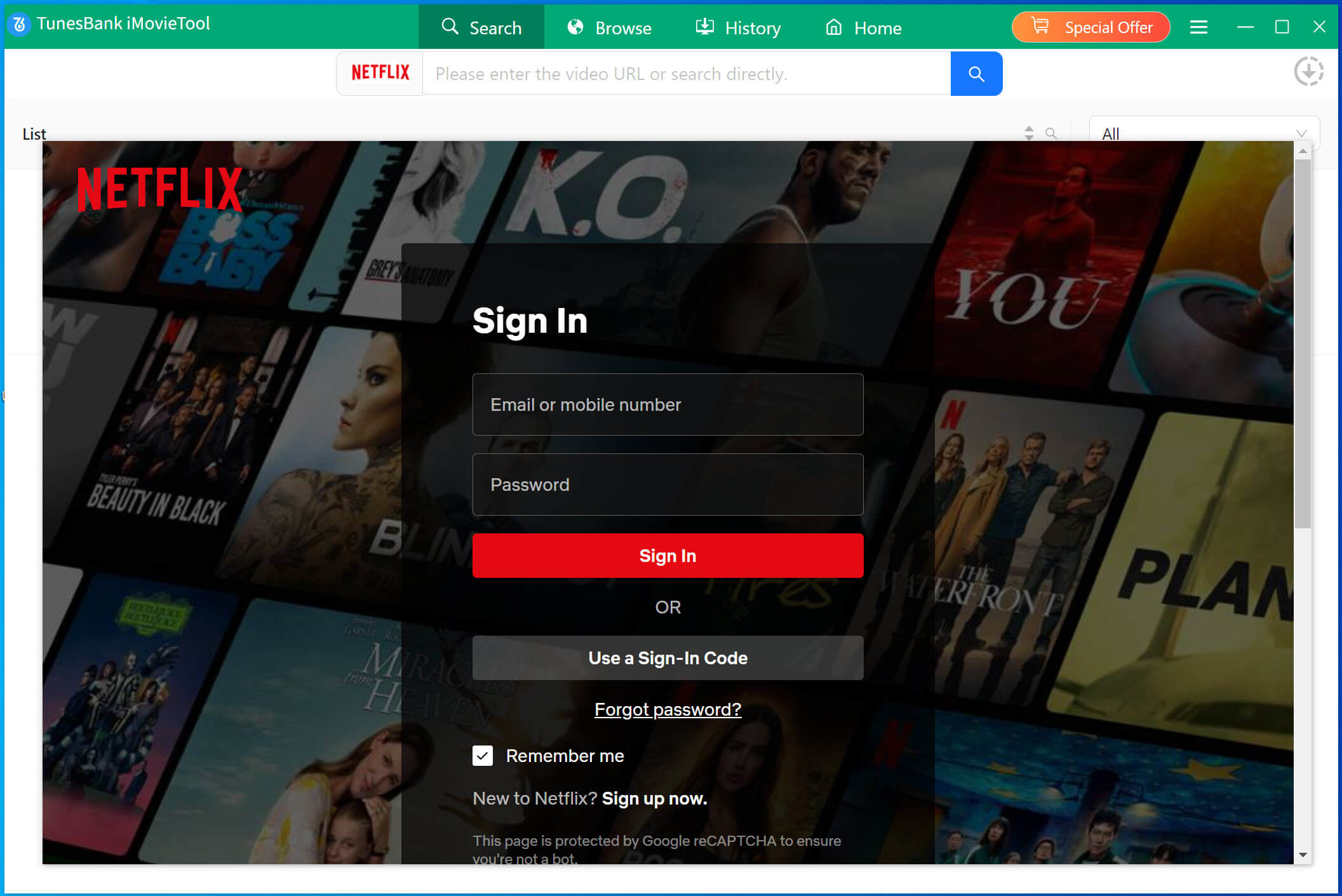
Step 1. Launch 4kFinder Netflix Video Downloader & Login
Once the installation process is complete, launch the 4kFinder Netflix Video Downloader on your computer. The integrated Netflix web player will instantly pop up, requesting you to log in to your Netflix account and continue.
Step 2. Search Netflix Video
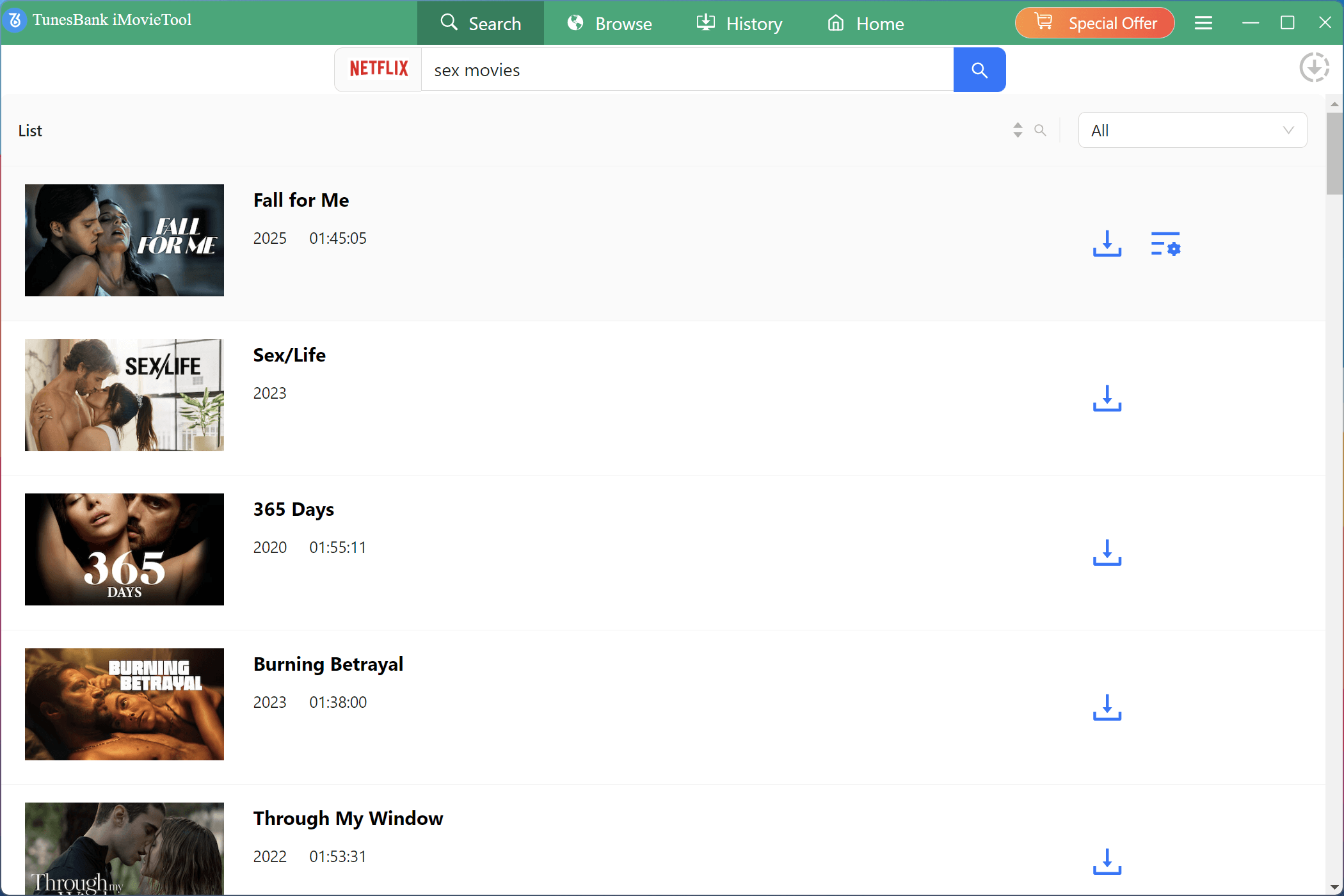
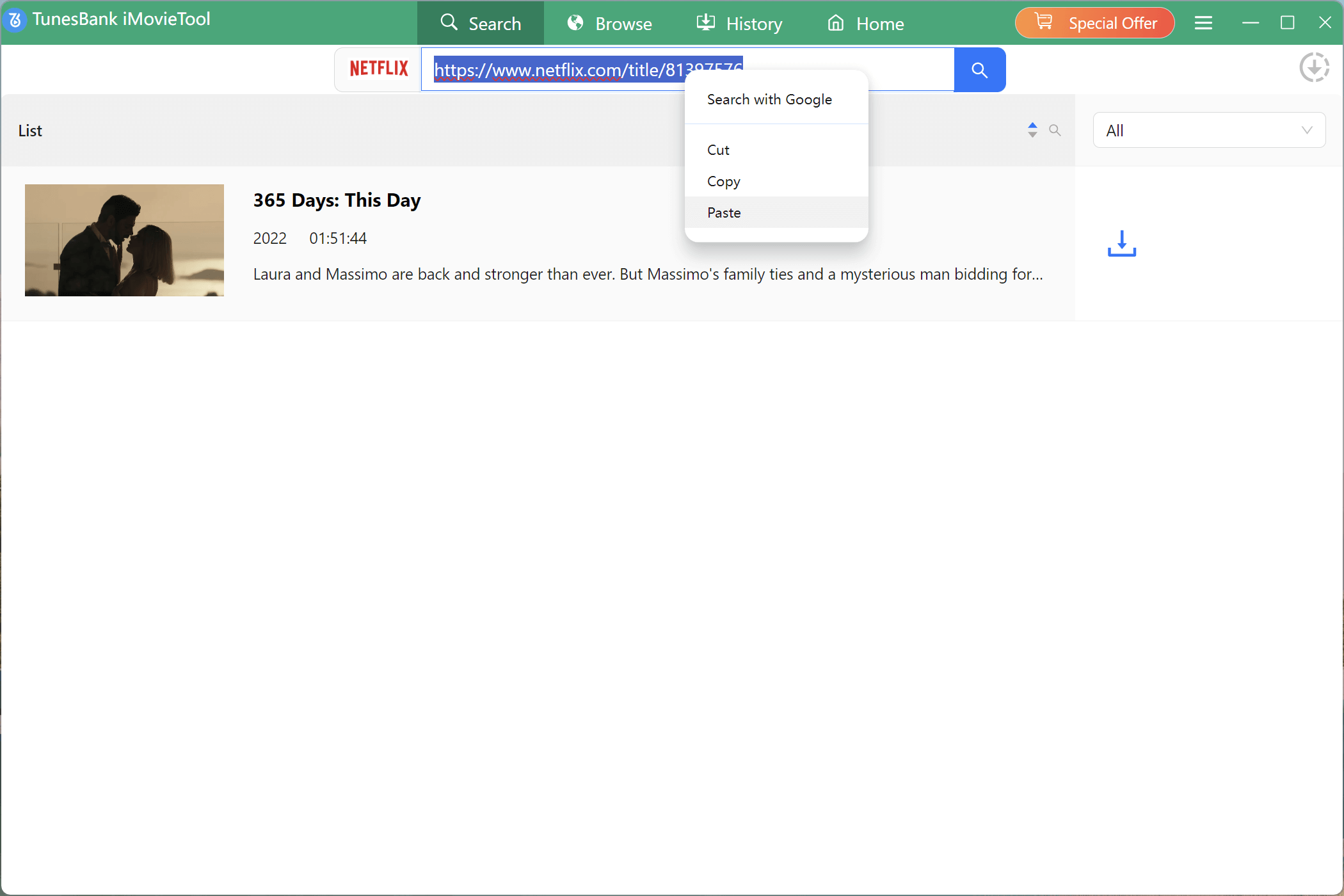
You have two options for searching Netflix videos using the software. The first method involves entering the video title directly into the search bar. Alternatively, you can copy the video URL and paste it into the provided search box.
Way 1. Type in the title of the video in the search box.
Way 2. Copy and paste the URL of your favourite video that you wish to download.
Step 3. Select Video Format & Quality
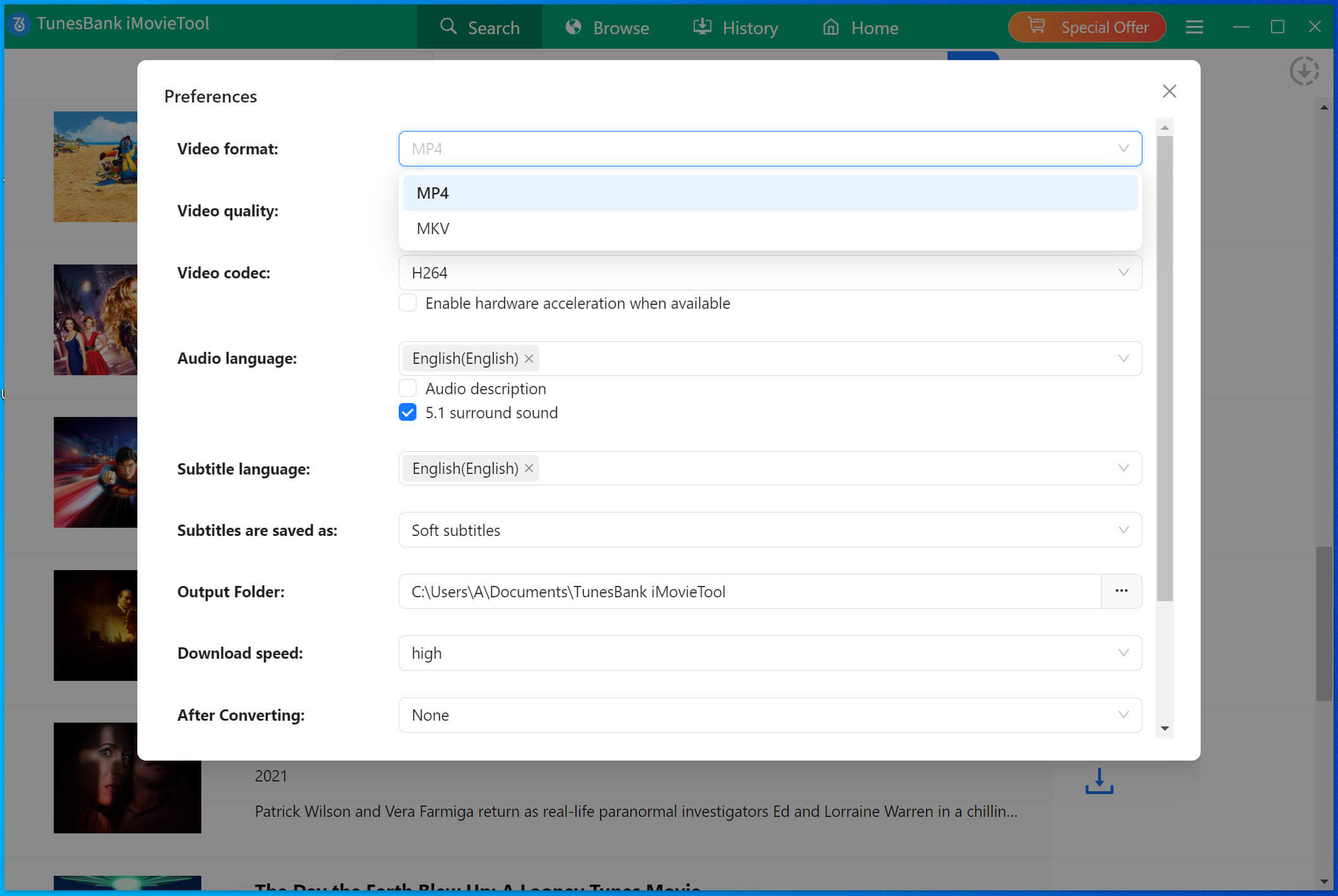
To customize the parameters, including output format (MP4/MKV), quality (High/Medium/Low), video codec (H.265/H.264), and more, just click on the “Gear” icon located in the upper right corner of the interface.
Step 4. Start to Download Netflix Video to MP4
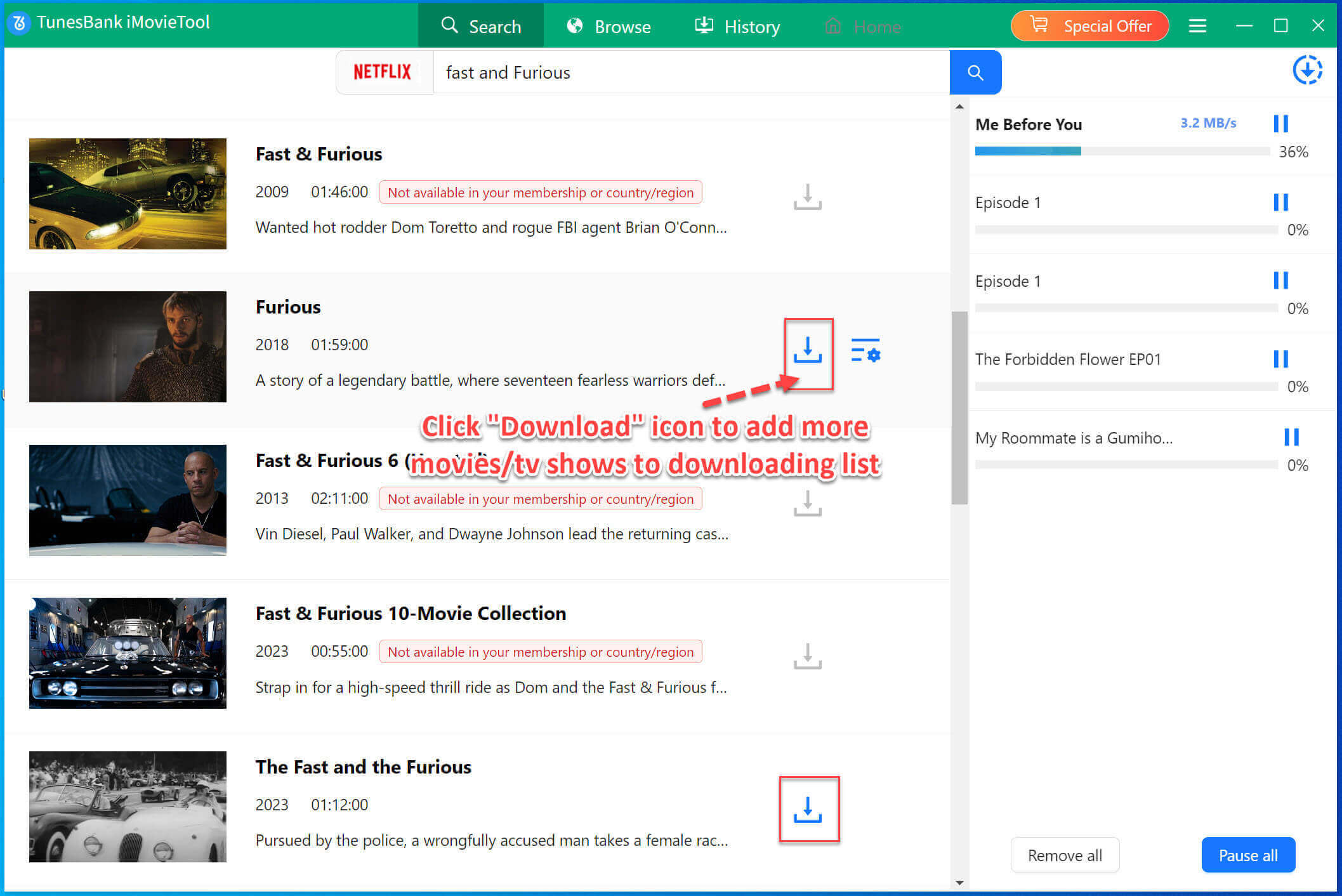
After making the desired adjustments to the settings, simply click on the ‘Download’ button to initiate the downloading process of your selected video in MP4 format.
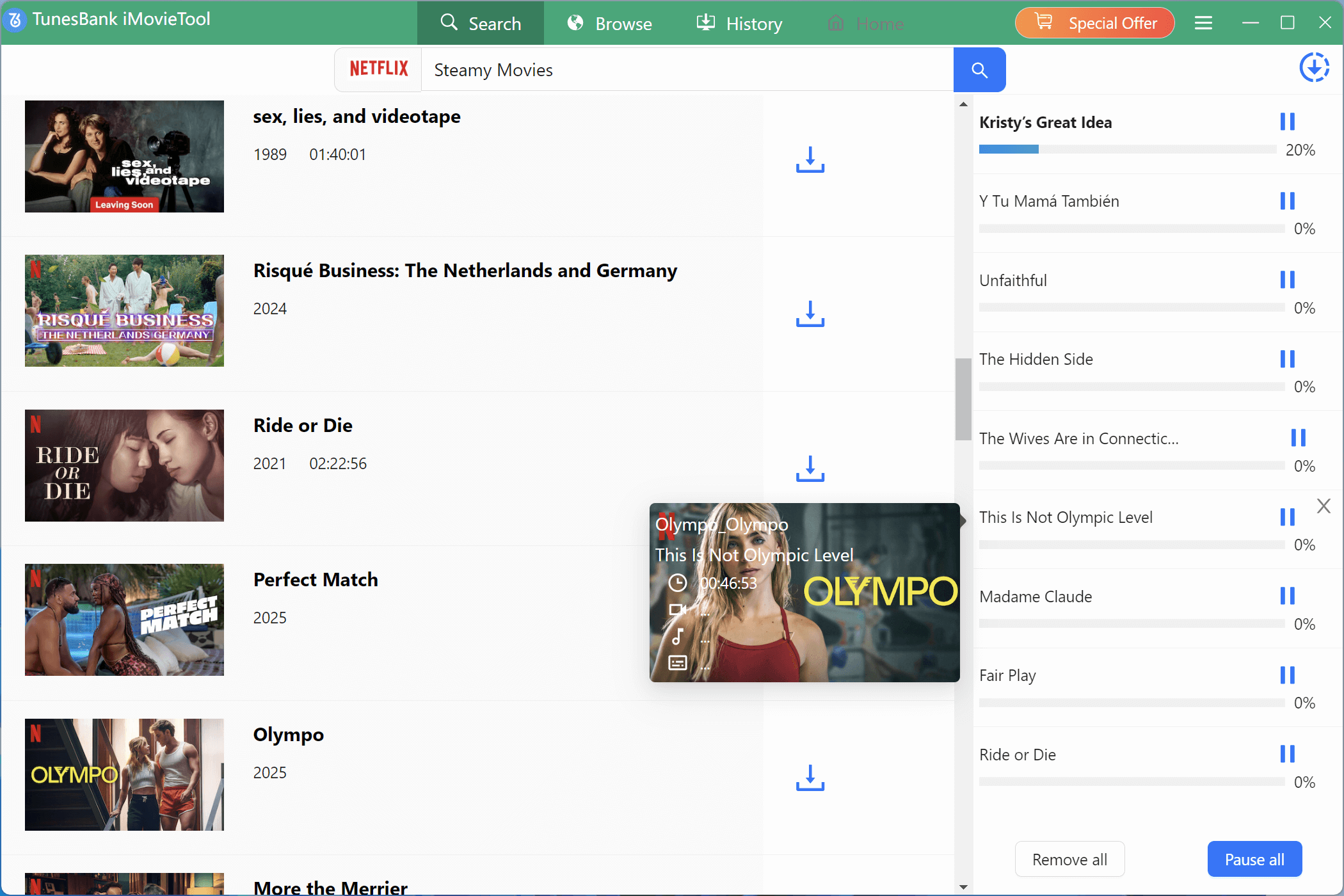
While the download is in progress, you can choose to add additional videos to the queue for simultaneous downloading.
Step 5. View Download History
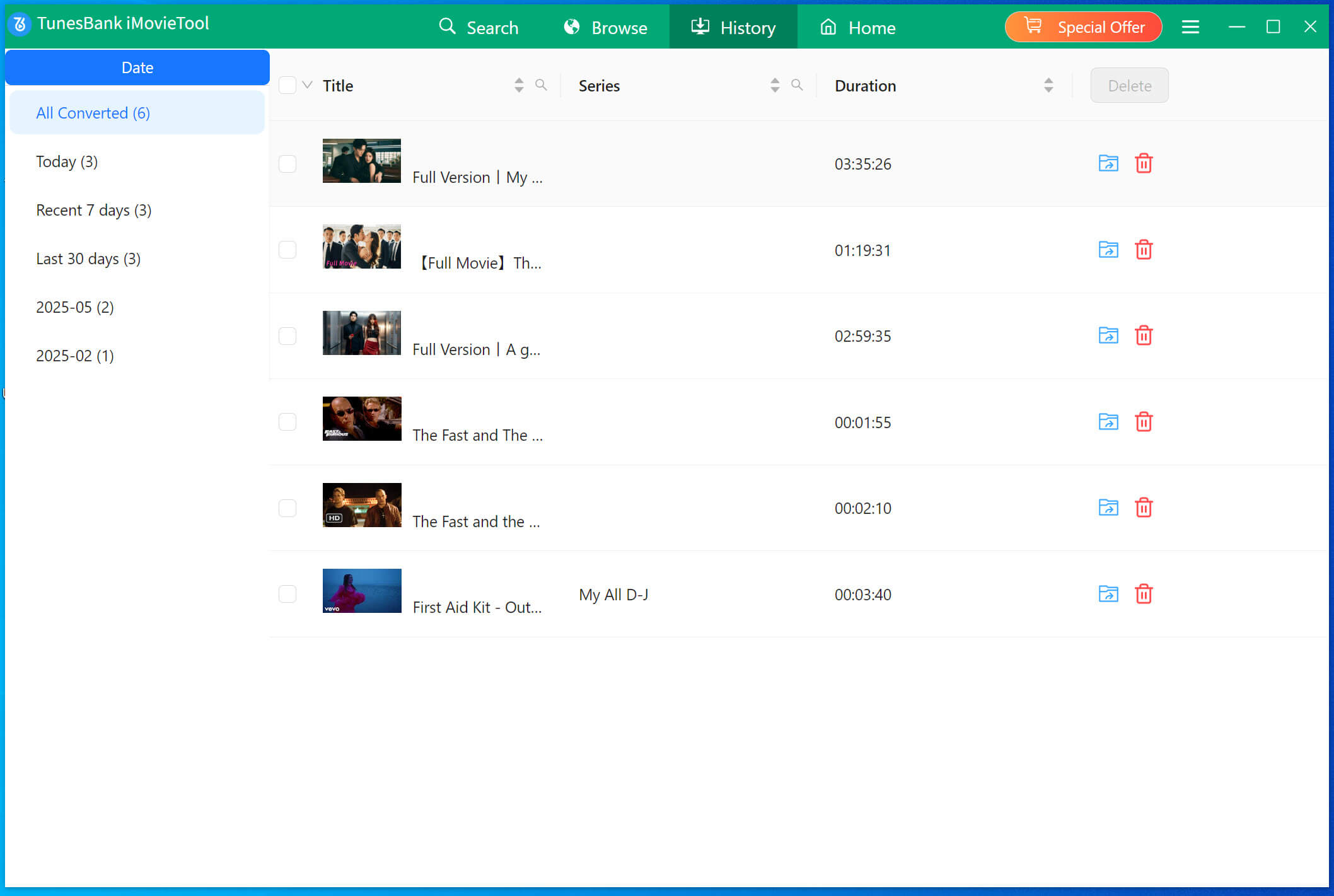
After the download finishes, you can access the “History” section to observe a comprehensive list of all the downloaded files.
Conclusion
After going through this guide, you now understand everything about the Netflix download limits. These limits can differ based on your subscription plan and may cause inconvenience if you like watching offline. But there’s a simple fix. With 4kFinder Netflix Video Downloader, you can easily bypass these restrictions and download all your favorite Netflix movies and shows. Once saved, you can keep them forever and watch them anytime without worrying about download limits or expiration.