 Download Netflix videos to MP4 or MKV format in 1080P Full HD resolution.
 English
 Arabic
 Chinese (Simplified)
 Chinese (Traditional)
 Croatian
 Czech
Czech Danish
 Dutch
Dutch Finnish
 French
 German
 Greek
Greek Hebrew
 Hindi
Hindi Indonesian
 Italian
 Japanese
 Korean
 Malay
Malay Norwegian
 Polish
 Portuguese
 Russian
 Slovenian
 Spanish
 Swedish
 Thai
Thai Turkish
 Ukrainian
 Vietnamese


Seeking the way to watch Netflix video without on a plane or in a remote area? In this article we will introduce two ways to help you download Netflix videos for offline watching anytime anywhere.
“I’m planning to fly to France, but I’m worried about not having internet on the plane. Is there a way to watch Netflix offline during the flight so I can enjoy my shows?”
Good news. You can now enjoy Netflix videos on a plane or in places without internet. Netflix has upgraded its app with a download feature, making it possible to save shows and movies for offline viewing. This is perfect for travelers who want to watch Netflix videos on a plane or keep up with entertainment when Wi-Fi or mobile data is not available. In this guide, we will walk you through two easy ways to download and play Netflix videos on a plane or anywhere you do not have an internet connection.
CONTENTS
Part 1. Watch Netflix Videos on a Plane Using Netflix App
Netflix has a huge collection of movies, TV shows, documentaries, and original content. While the library keeps growing, not all videos can be downloaded for offline viewing because of rights restrictions.
Here’s how to download Netflix videos to watch offline:
Step 1. Open the Netflix app on your device and sign in to your account.
Step 2. Tap the menu icon in the top-left corner and select “Available for Download.” Only the videos shown here can be downloaded.
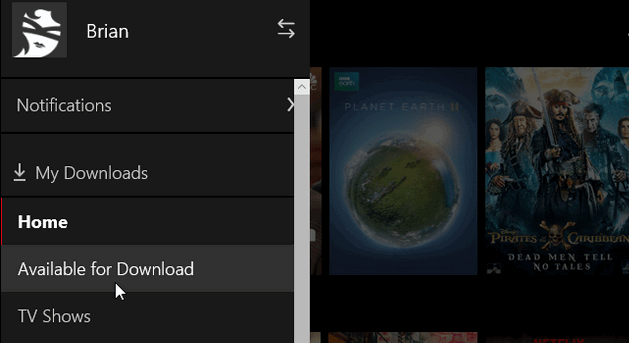
Step 3. Go to Settings to choose the video quality. Standard saves storage and data, while High gives better resolution if your device has enough space.
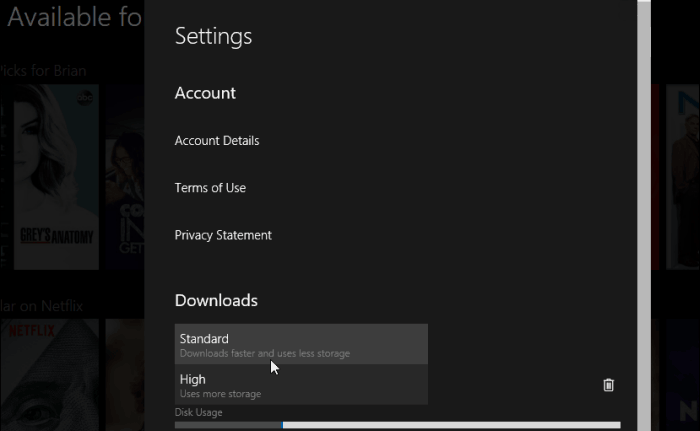
Step 4. Pick the videos you want and tap Download. A notification will confirm that the download has started.
Step 5. Once finished, go back to the menu and tap My Downloads to see all your downloaded videos. You can now watch them offline anytime, without internet.
Make sure you follow these steps while connected to the internet to avoid any issues during downloading.
Which Devices Can Download Netflix for Offline Viewing
Not every device can run the Netflix app, and even fewer support offline downloads. To avoid issues, check if your device is compatible before trying to download videos.
You can download Netflix content on these devices:
- iPhone, iPad, or iPod with iOS 9.0 or later
- Android smartphones or tablets running Android 4.4.2 or newer
- Windows 10 (Version 1709 or later) or Windows 11 tablets and computers
If your device isn’t compatible with the latest Netflix app, there are alternative ways to watch Netflix on a plane without using the app.
Part 2. Watch Netflix Video on a Plane without Limits [Hot]
For Netflix fans, it’s important to know that there are some limits when downloading videos. These include restrictions on how many downloads you can have per device, limits on downloading the same title across multiple devices depending on your subscription, and expiration times for downloaded content—usually 48 hours to 7 days. These rules can make it hard to watch Netflix video on a plane or enjoy offline binge-watching.
Luckily, 4kFinder Netflix Video Downloader provides a solution. This tool lets you easily download any Netflix movie or TV show in MP4 or MKV format, with high-definition quality up to 1080P or 720P. It keeps multiple subtitles, audio tracks, and even 5.1 surround sound, giving you a fully immersive experience. With this tool, you can play Netflix video on a plane or watch Netflix video on a flight anytime, without worrying about internet access or download restrictions.
👍Key Features of 4kFinder Netflix Video Downloader
- Unlock limitations from Netflix.
- Convert Netflix video to MP4/MKV format.
- Download Netflix video in 1080P HD quality.
- Download Netflix video at 50x faster speed in batches.
- Keep audio tracks and subtitles.
- Watch Netflix video offline anywhere.
- Built-in Netflix web player, no need to install the Netflix app.
- Compatible with Windows & Mac.
Guide: How to Download Netflix Videos to MP4
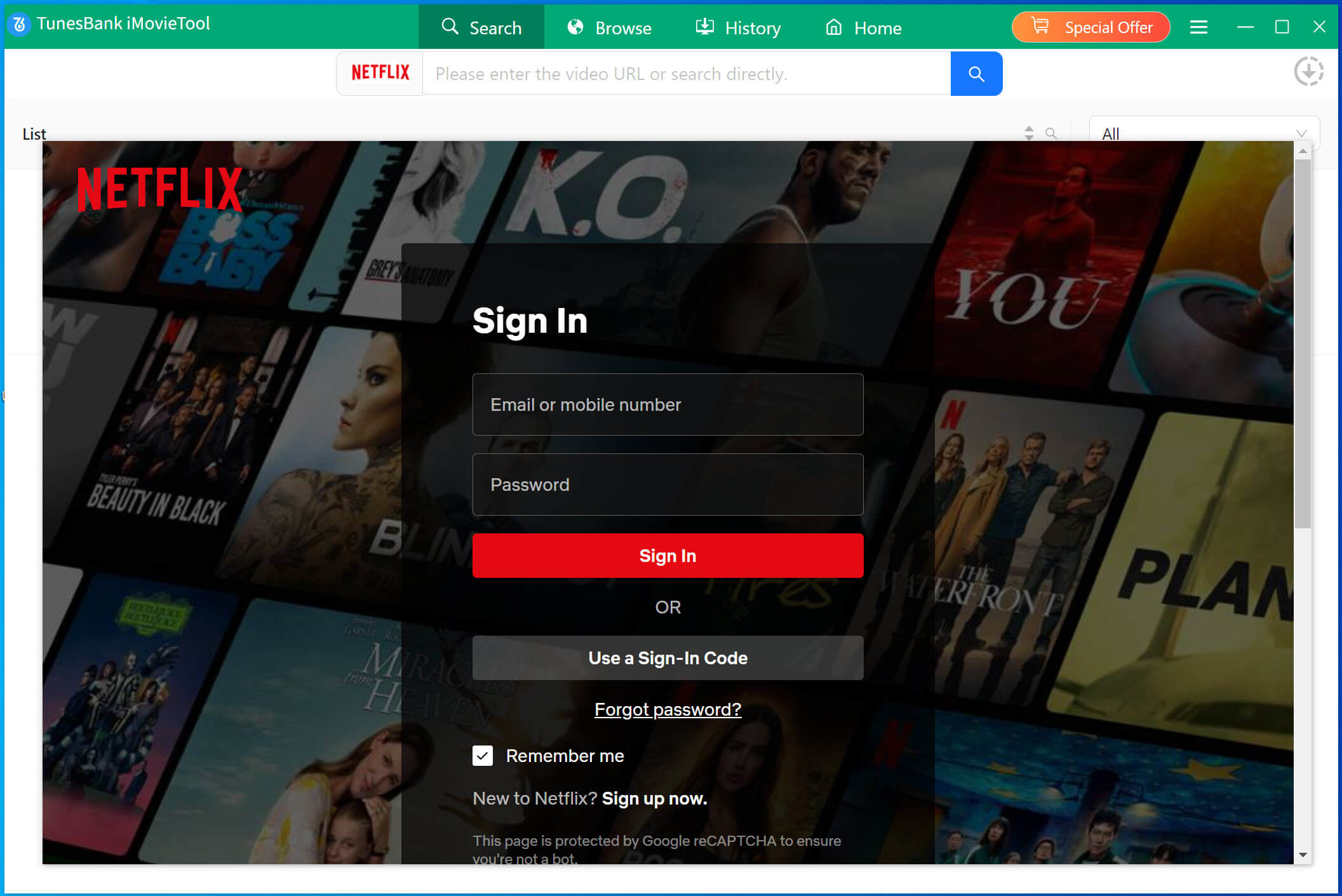
Step 1. Launch 4kFinder Netflix Video Downloader & Login
After finishing the installation, open the 4kFinder Netflix Video Downloader on your computer. The software will launch the integrated Netflix web player automatically, prompting you to log in to your Netflix account to proceed.
Step 2. Search Netflix Video
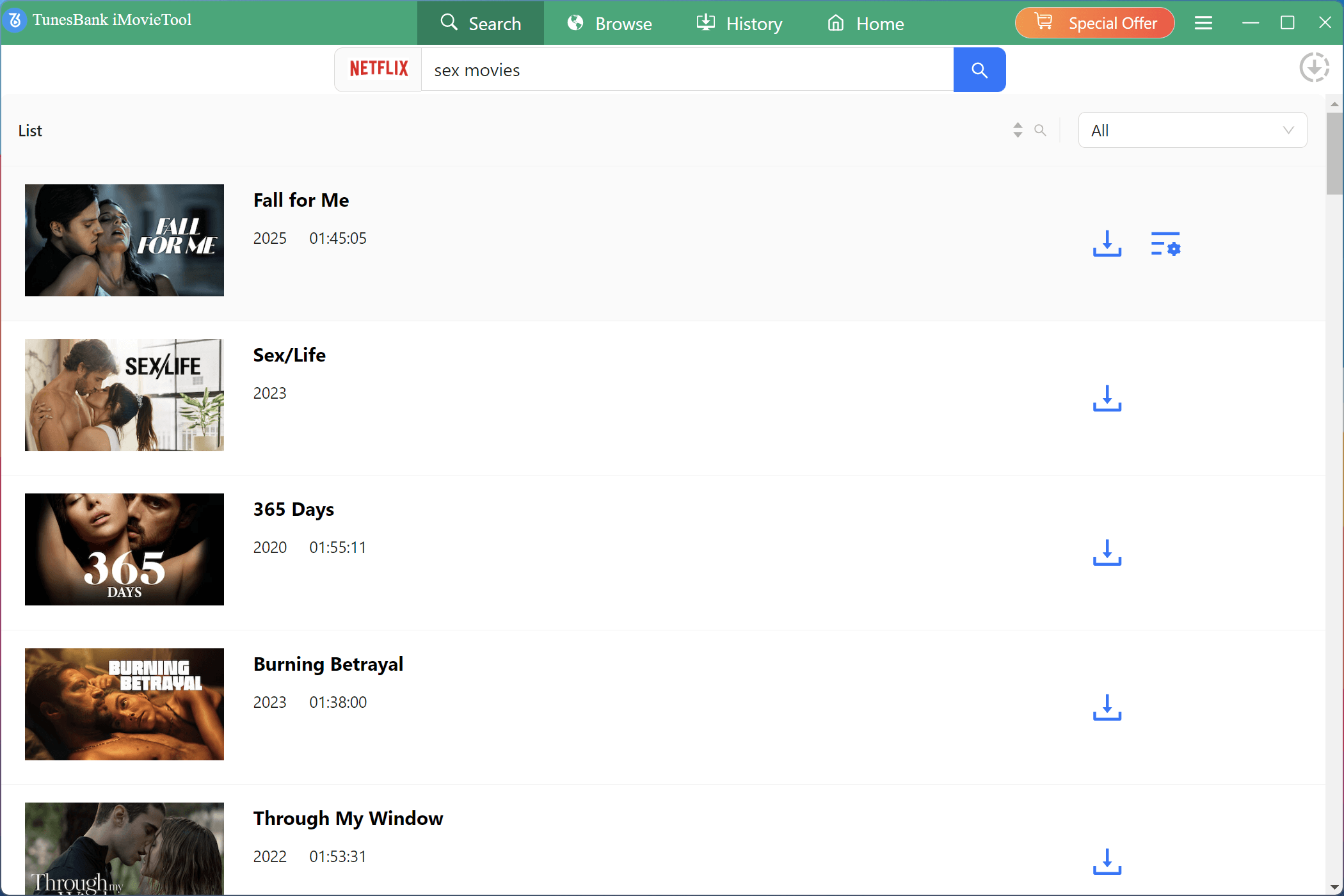
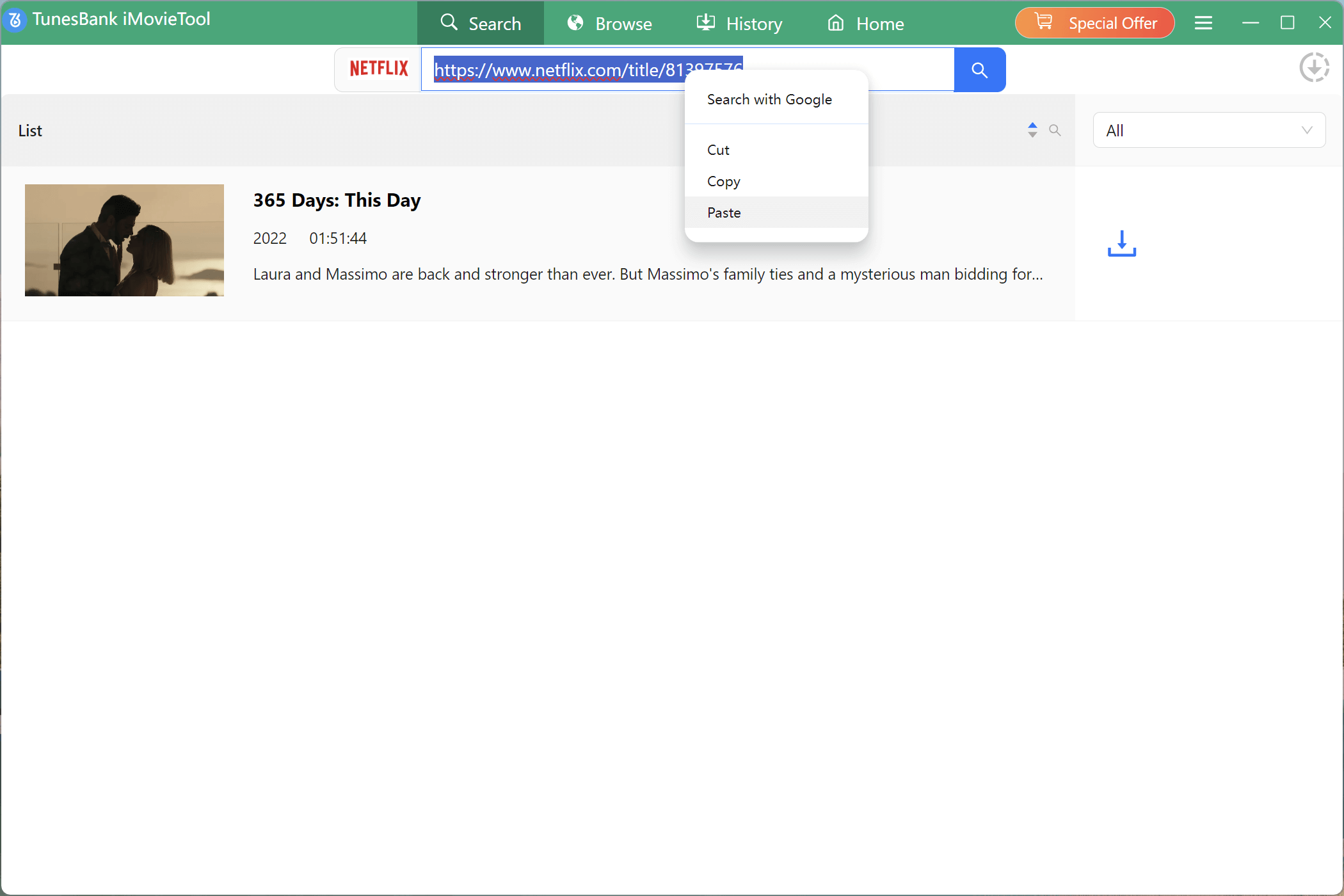
When searching for Netflix videos using the software, you have two options at your disposal. The first method entails entering the title of the video directly into the search bar. As an alternative, you can copy the URL of the video and paste it into the designated search box.
Way 1. Type in the title of the video in the search box.
Way 2. Copy and paste the URL of your favourite video that you wish to download.
Step 3. Select Video Format & Quality
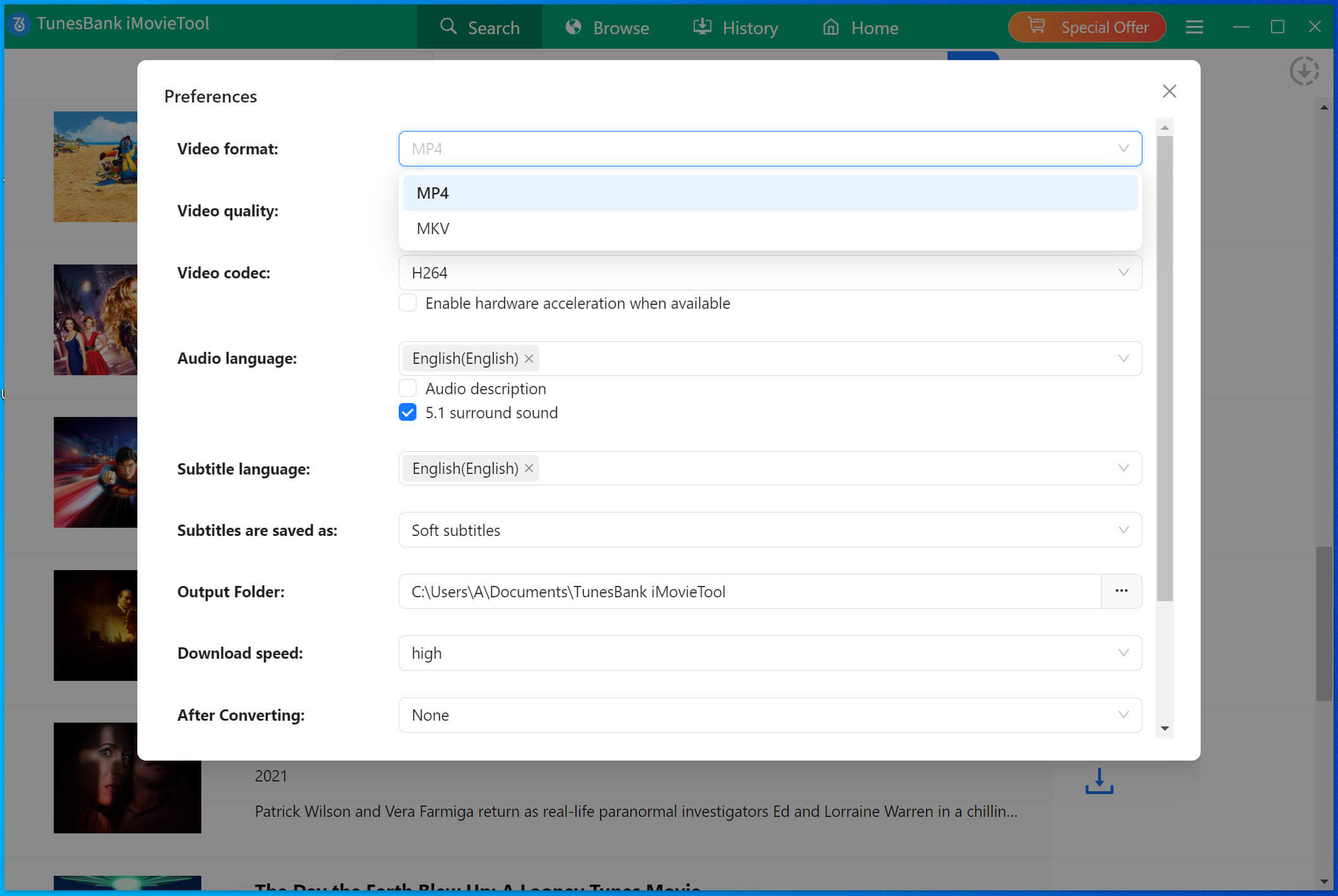
Click on the “Gear” icon in the upper right corner of the interface to select the video format to MP4, and you can adjust the quality form low to high, video codec in H.265 or H.264.
Step 4. Start to Download Netflix Video to MP4
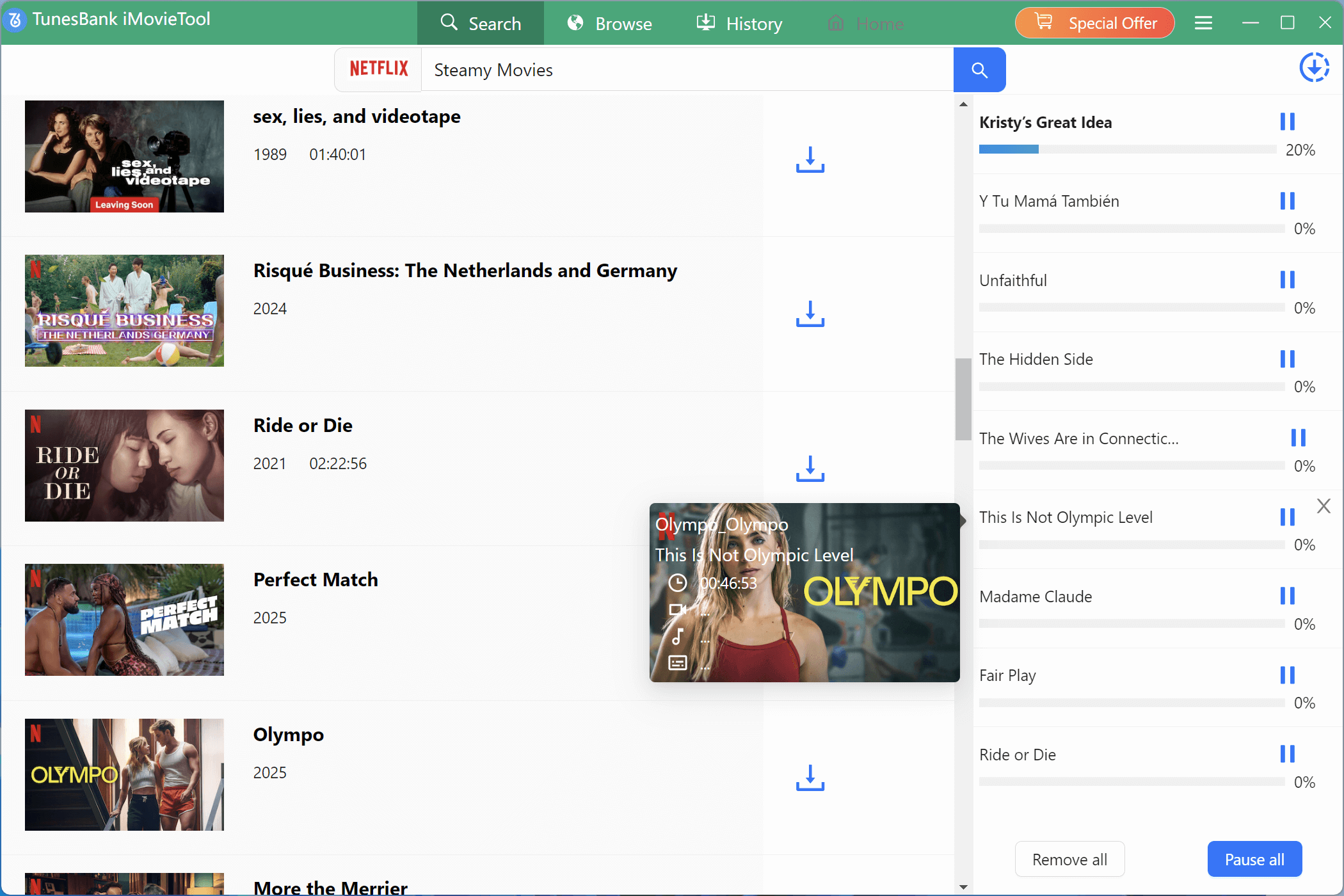
Once you have made the necessary adjustments to the settings, just click the ‘Download’ button to begin downloading your chosen video in MP4 format.
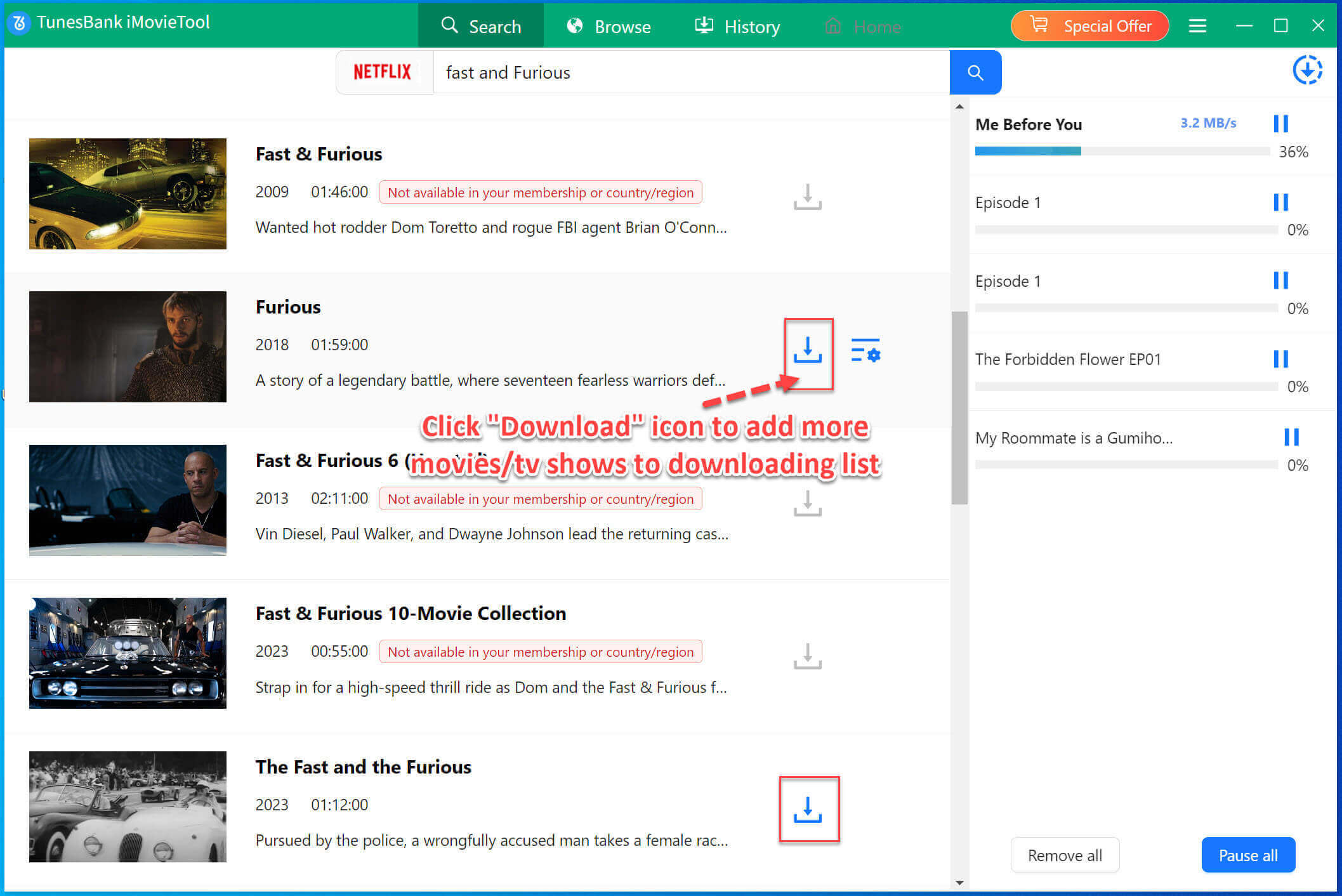
During the downloading process, you have the option to add more videos to the queue, allowing for simultaneous downloading.
Step 5. Get Downloaded File
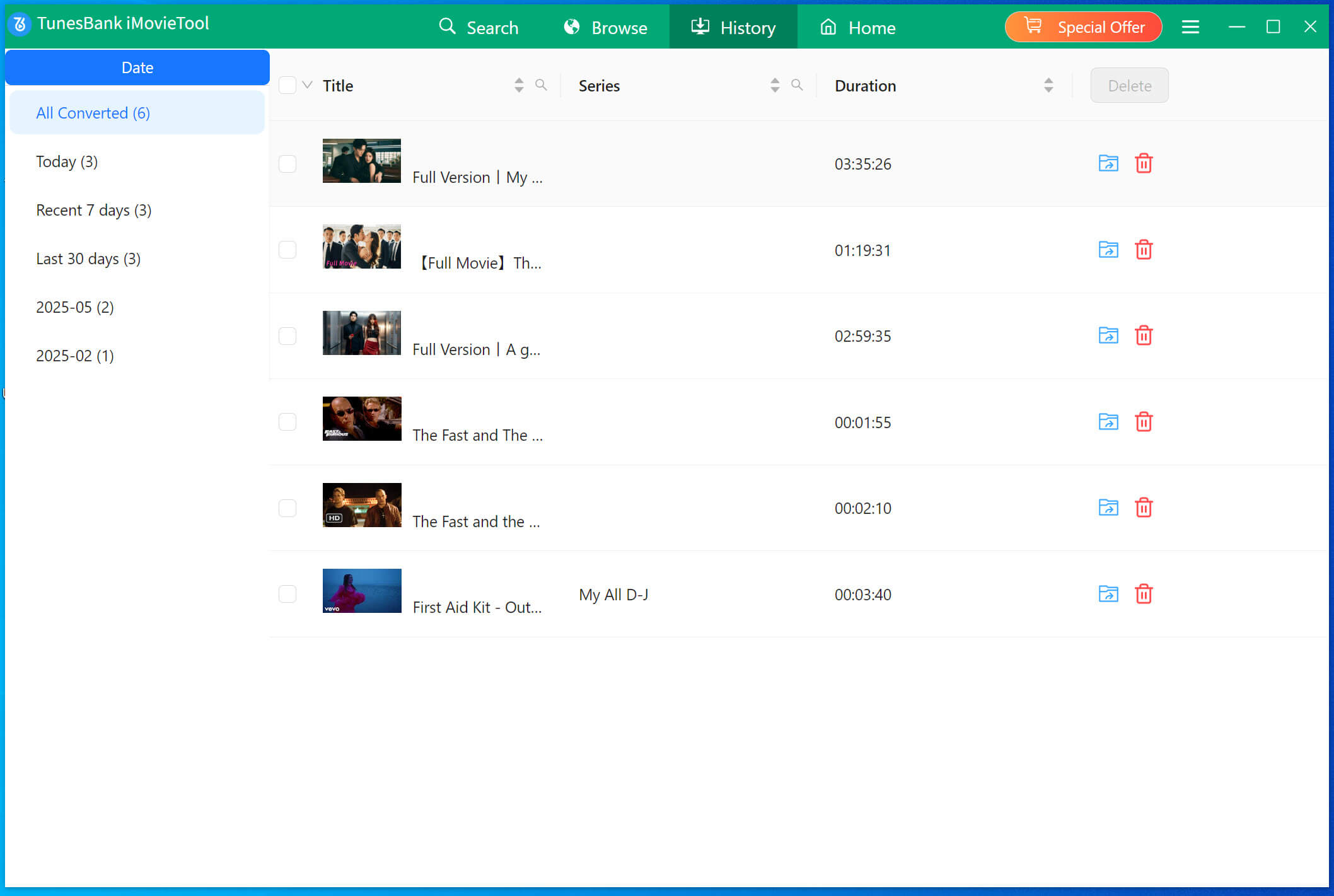
Once the download is complete, you can navigate to the “History” section to locate the successfully downloaded Netflix videos stored on your local drive. Now, you can transfer them to any of your devices for watching without limits.
Part 3. FAQs about Netflix on a Plane
Q1: Can I watch downloaded Netflix movies on a plane?
Yes, absolutely! With a Netflix subscription, you can download movies and shows using the official app and watch them offline on a plane. The app works on Android devices, iPhones, iPads, and tablets.
Q2: How many Netflix movies and TV shows can I download?
If you have an ad-free plan, you can download up to 100 titles at a time. For ad-supported plans, the limit is 15 titles per device per month.
Q3: Do Netflix downloads expire?
Yes, downloads do expire. Most titles are available for 7 days, and some expire 48 hours after you start watching them.
Q4: Why can’t I download certain Netflix titles?
Not all Netflix content is available for download due to copyright and licensing restrictions. If you suddenly cannot download any titles, try updating your Netflix app to fix the issue.
Conclusion
It’s a good idea to try downloading Netflix titles directly through the Netflix app so you can enjoy them offline without an internet connection. However, if your device doesn’t support the app or you want to avoid the usual download limits, 4kFinder Netflix Video Downloader is the perfect solution. It lets you download Netflix videos in MP4 or MKV format, making it easy to watch Netlfix video offline on a plane or in areas without internet.

One Reply to “How to Watch Netflix Videos on a Plane or in a Remote Area”
Comments are closed.